

Find your storage account name
Your storage account name identifies the Azure Storage resource StackOne connects to. Find it in the Azure portal.
Open your storage account
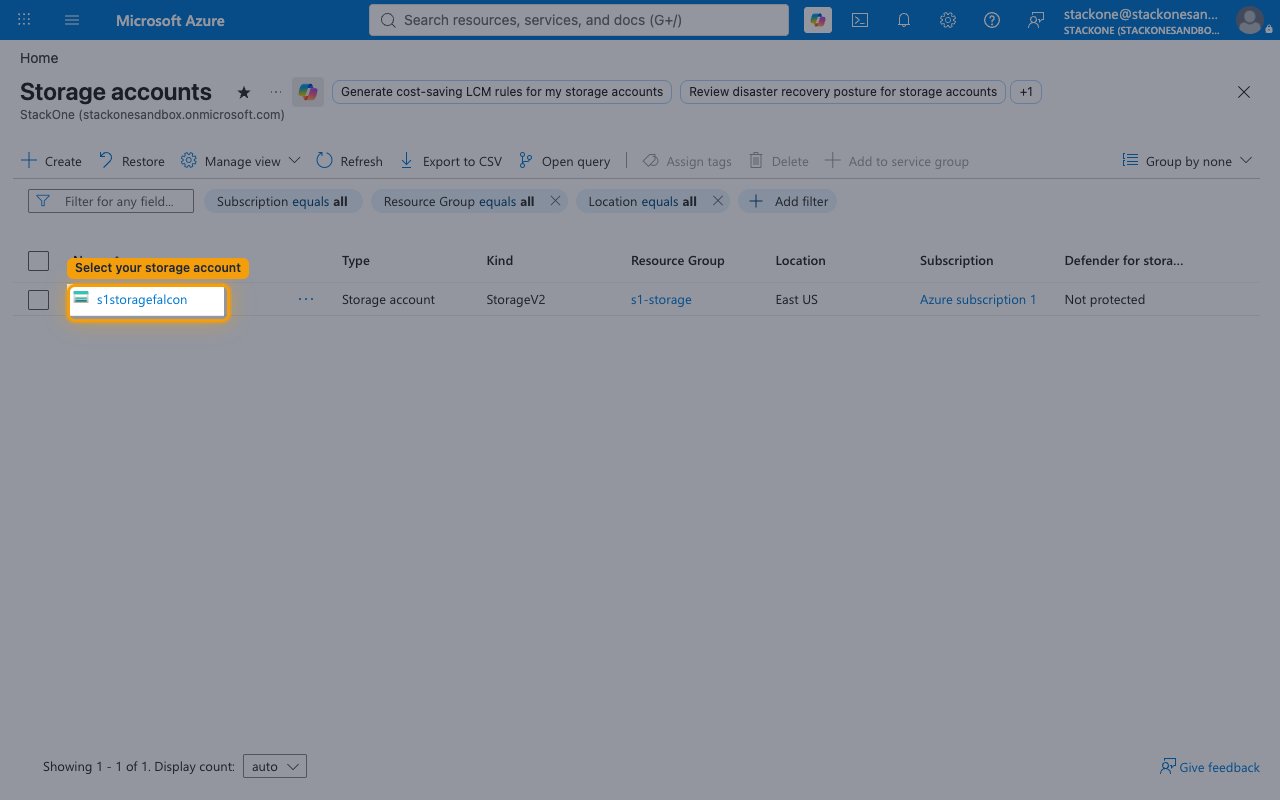
In the Azure portal, use the search bar at the top to search for Storage accounts and open it, then select the storage account you want to connect.
- Depending on your portal experience, the page may open as Storage center | Blob Storage — your storage accounts are listed there as well.
Copy the storage account name
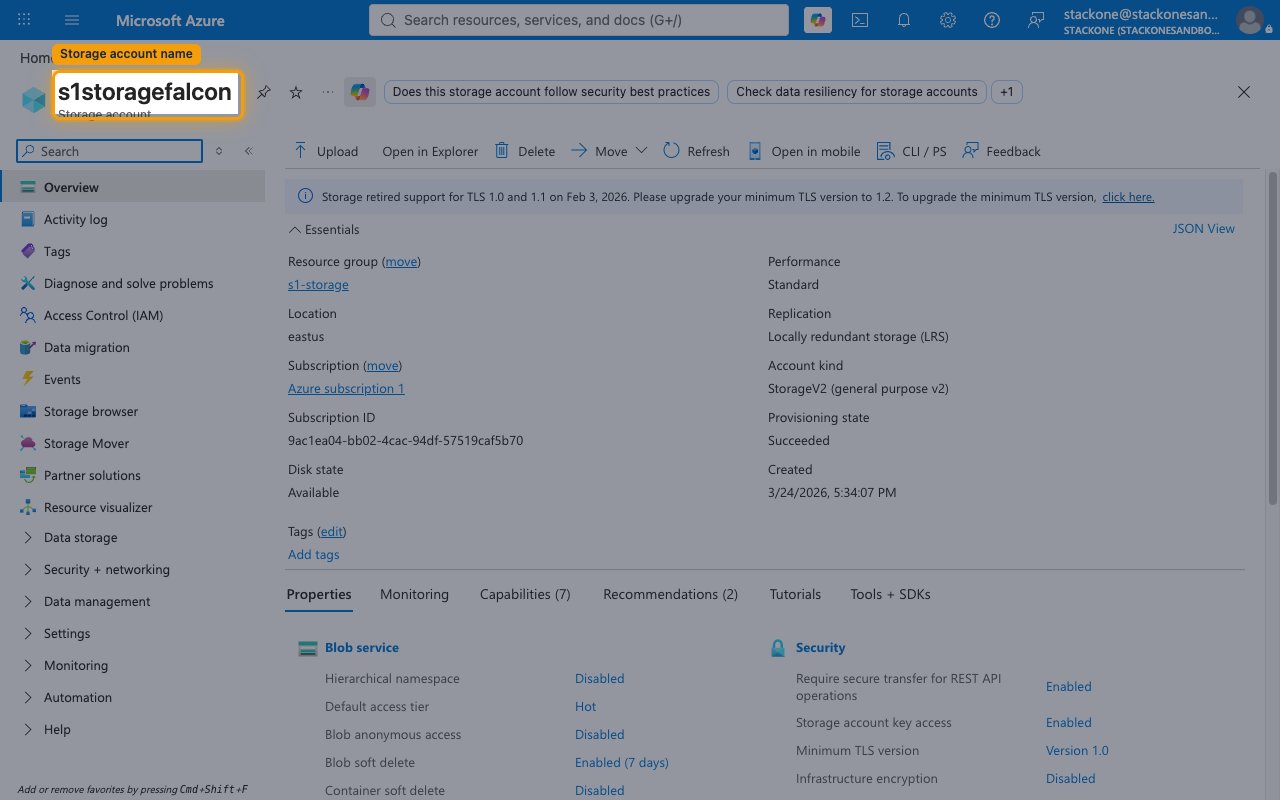
On the storage account’s Overview page, copy its name (shown as the page heading). Paste it into the Storage Account Name field in StackOne Hub.
- Format:
mystorageaccount(lowercase; 3–24 characters; letters and digits only). - Example: if your blob endpoint is
https://acme-prod.blob.core.windows.net, your storage account name isacme-prod.
Receiving webhook events (optional)
To have Azure send blob events to StackOne, you register StackOne’s endpoint as an Azure Event Grid subscription on your storage account.
Copy the Native Webhook URL
After the connection is created, StackOne Hub shows a read-only Native Webhook URL field. Copy this URL and use it as the endpoint when you create an Event Grid system topic subscription on your storage account in the Azure portal.
- The Native Webhook URL is only available after the connection has been created, and does not need to be filled in — it is generated for you.
Linking the Account from the Hub
Navigate to the Hub
Fill out the fields
- Storage Account Name
Connect
- Click Connect
- If applicable, the provider will redirect you to a sign-in or authorization page. Complete the provider’s authorization flow.
- Once authorization is successful, you will see a confirmation popup
If the account linking is successful, you will see the newly linked account in your Accounts page.
Next Steps
Webhooks setup
Configure receiving Events for Azure Blob Storage into StackOne.