

Prerequisites
The connector should already be set up, with a Connector Profile and a Linked Account. See Getting Started on the Autumn connector page.Set up Autumn webhooks
Autumn delivers events through Svix. Register StackOne’s Native Webhook URL as an endpoint in the Autumn dashboard and choose which events to send. Only the events you select are delivered.
Copy the Native Webhook URL from StackOne
In StackOne Hub, open the connected Autumn account and copy the Native Webhook URL. This URL is unique to the account and already includes the security token that routes events to it — no signing secret configuration is required.
Open Webhooks and add an endpoint
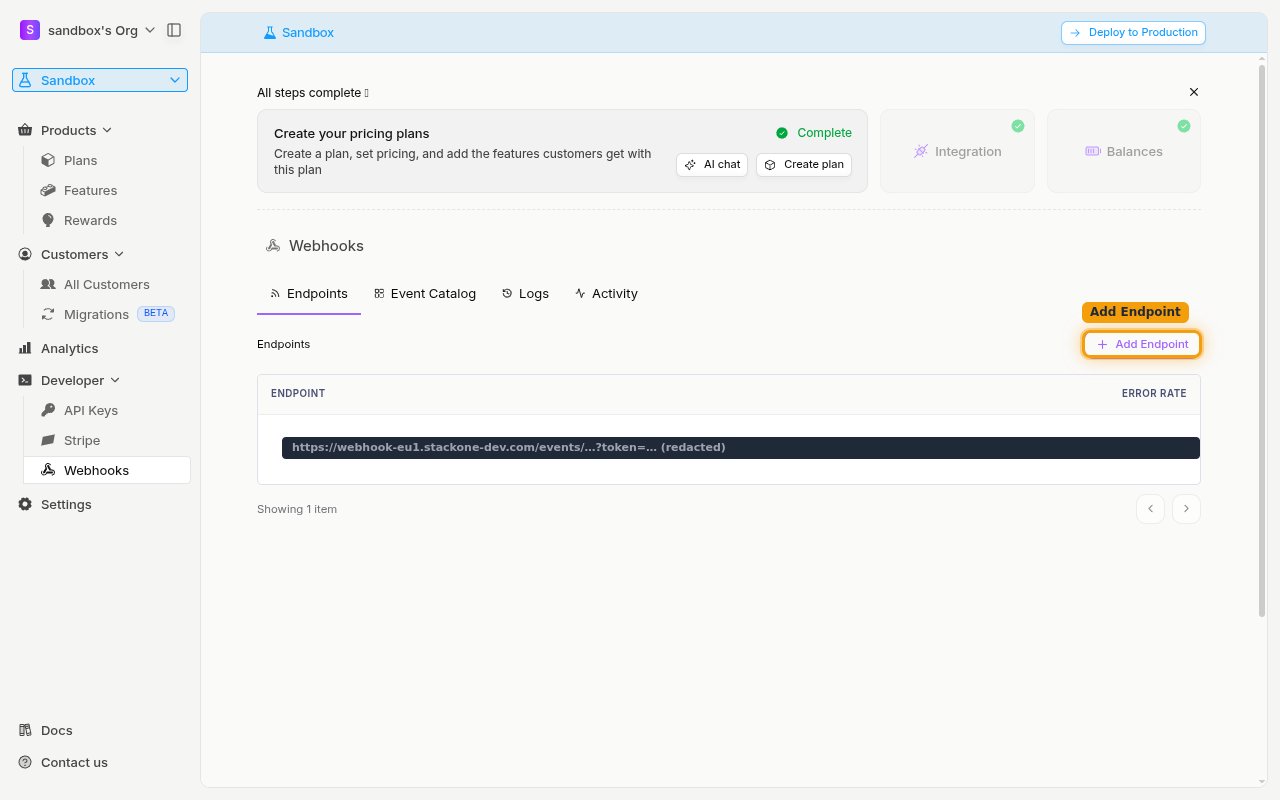
In the Autumn dashboard sidebar, open Developer and select Webhooks. On the Endpoints tab, click Add Endpoint.
Paste the URL and subscribe to events
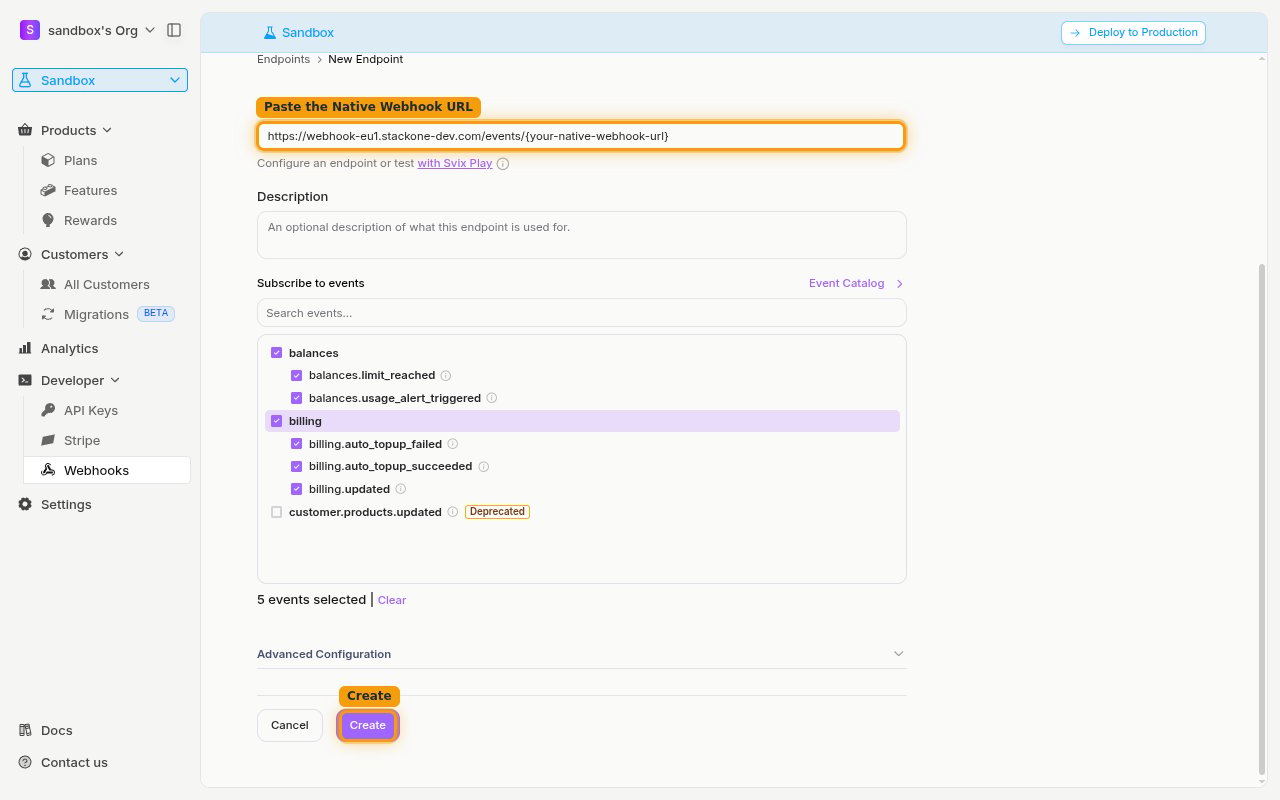
In the Endpoint URL field, paste the Native Webhook URL you copied from StackOne. Under Subscribe to events, tick the events you want to receive — enable the balances and billing groups to cover every supported event. Leave customer.products.updated unchecked, as it is marked Deprecated. Then click Create.
- Only events you select are delivered — Autumn will not send events you have not subscribed to.
- You can use the Send Test Event option on the created endpoint to confirm StackOne is receiving events.
Available webhook events
The following Autumn events can be enabled. Only events selected on the endpoint are included in the subscription — Autumn will not deliver events that are not subscribed.
Balance events
Events related to feature balances and usage.
- Limit Reached (
balances.limit_reached) — Fired when a customer reaches the limit for a feature (included allowance, max purchase, spend limit, or a usage-limit billing control) - Usage Alert Triggered (
balances.usage_alert_triggered) — Fired when a customer crosses a configured usage-alert threshold
Billing events
Events related to plans and automatic prepaid top-ups.
- Auto Top-Up Failed (
billing.auto_topup_failed) — Fired when an automatic prepaid top-up is blocked, declined, or fails before granting additional balance - Auto Top-Up Succeeded (
billing.auto_topup_succeeded) — Fired when an automatic prepaid top-up grants additional prepaid balance - Plans Updated (
billing.updated) — Fired when a customer’s plans are activated, scheduled, updated, or expired
Delivery format
How Autumn delivers events to StackOne.
Svix delivery and retries
Autumn delivers events through Svix as a single event per request, with a JSON body of the form { "type": "<event>", "data": { ... } }. Each request includes svix-id, svix-timestamp, and svix-signature headers. If an endpoint returns an error or is unavailable, Autumn automatically retries delivery with exponential backoff.