

Get Your Attentive API Key
This connection will be authenticated using an API key from a Private App you will create in your Attentive Marketplace.
1
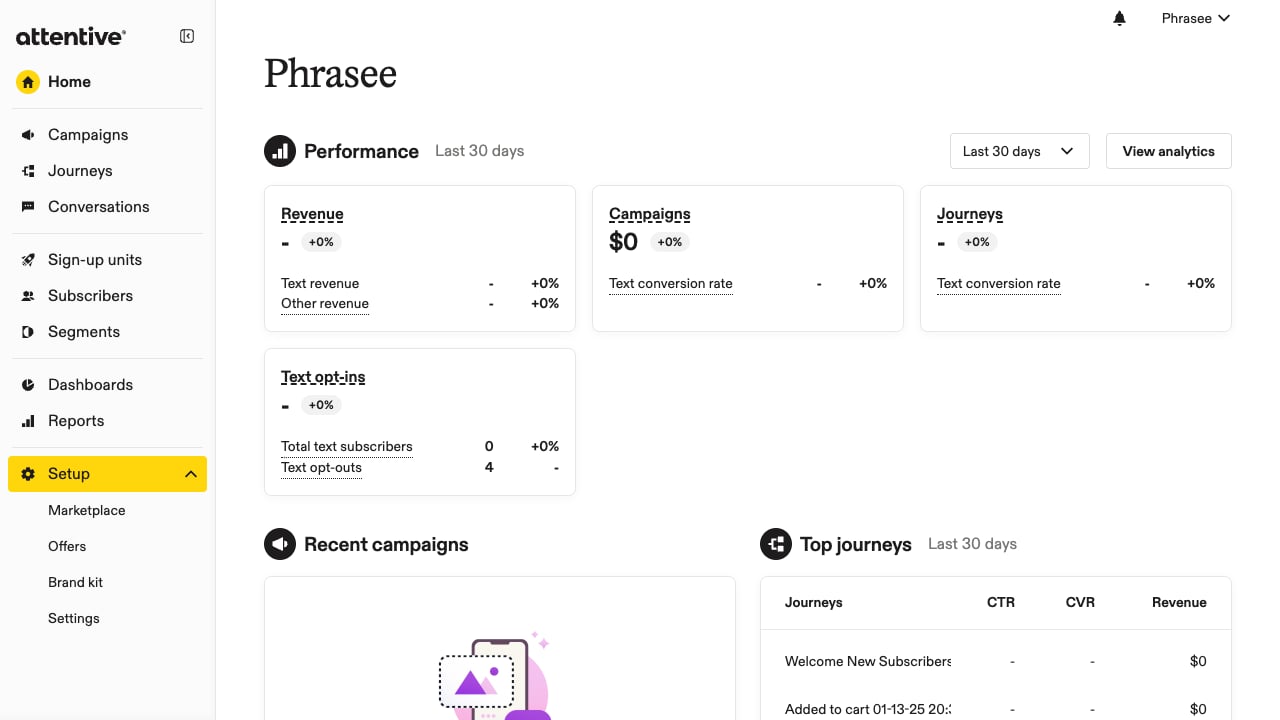
Navigate to Marketplace
Sign in to your Attentive Dashboard.
- In the left sidebar, find the Setup section.
- Click on Marketplace.
2
Create New App
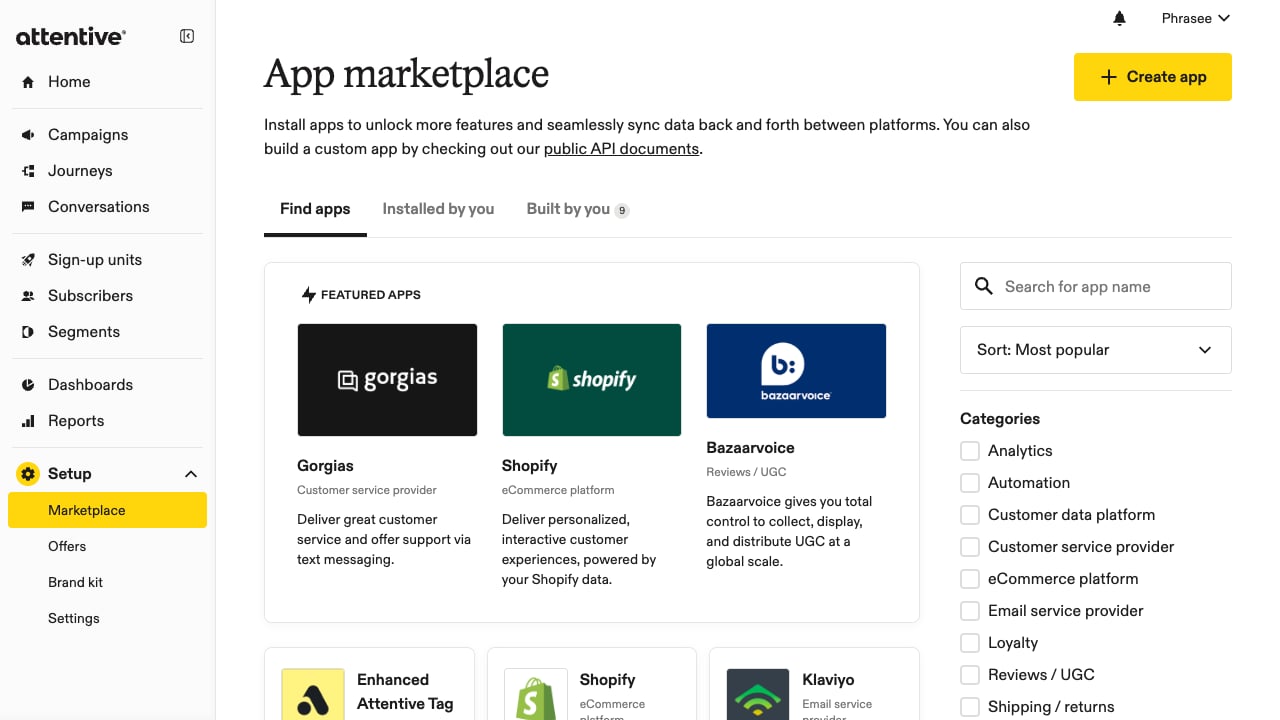
Create a new custom app for API access.
- Click the + Create app button in the top-right corner.
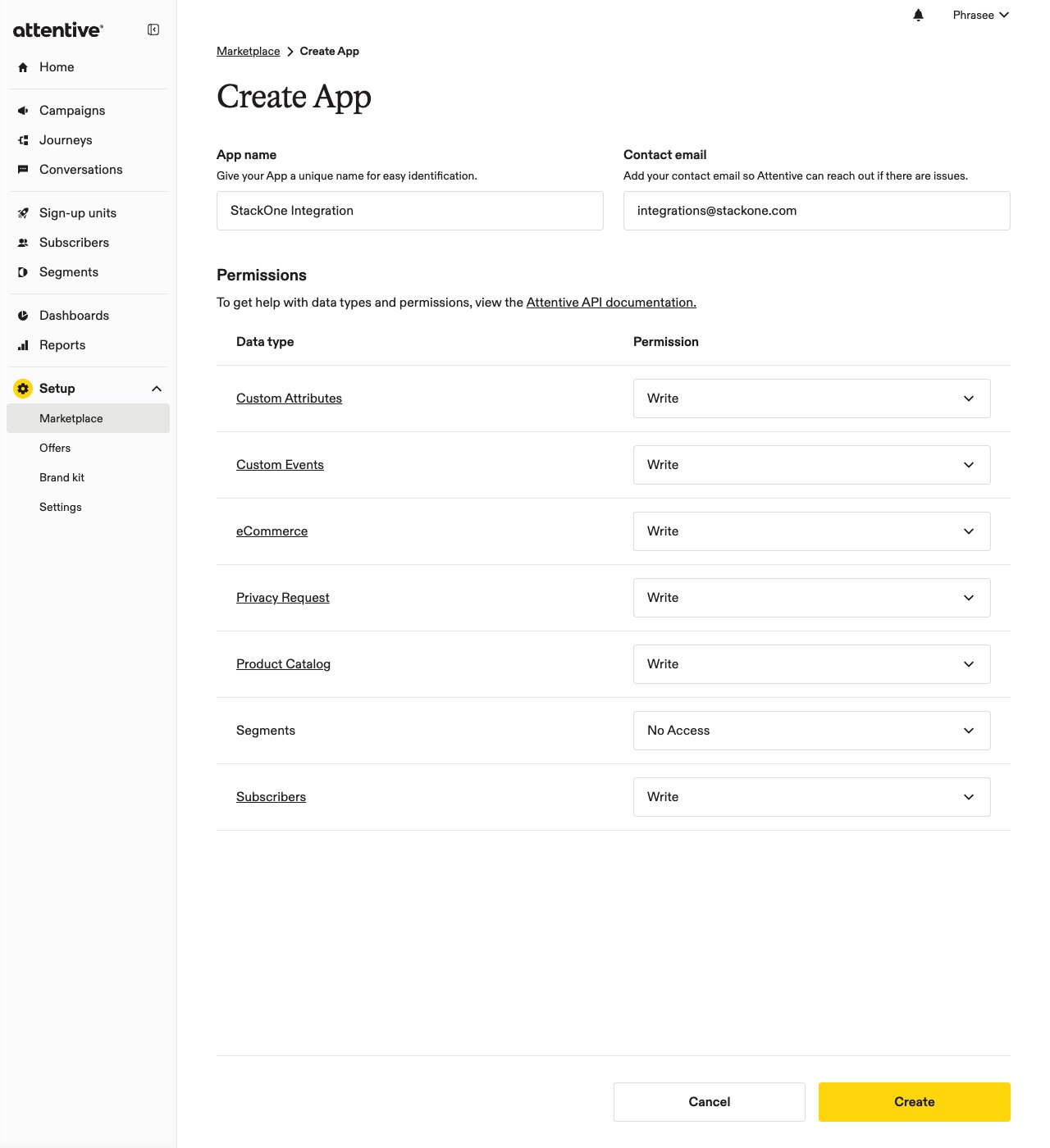
- Enter an App name (e.g., “StackOne Integration”).
- Enter your Contact email for notifications.
3
Configure API Permissions
In the Permissions table, set each data type to either No Access or Write. StackOne requires Write access on the following data types — leave any data type you do not plan to use set to No Access.
- Subscribers: Write
- Custom Events: Write
- eCommerce: Write
- Custom Attributes: Write
- Product Catalog: Write
- Privacy Request: Write
- Click Create to generate your API key.
4
Copy API Key
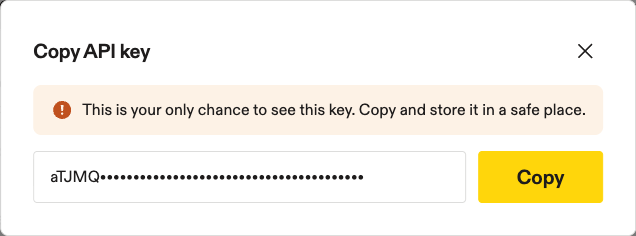
Save your API key immediately - it’s only shown once.
- Copy the API key from the modal dialog.
- Store it securely - you won’t be able to view it again.
- Close the modal to finish.
Linking the Account from the Hub
1
Navigate to the Hub
Use one of the three Linking Account Methods to access the Hub.
2
Fill out the fields
Fill out the following fields using details from your provider:
- API Key
3
Connect
- Click Connect
- If applicable, the provider will redirect you to a sign-in or authorization page. Complete the provider’s authorization flow.
- Once authorization is successful, you will see a confirmation popup
If the account linking is successful, you will see the newly linked account in your Accounts page.