

Find your API Access Token
Sign in to your ApplicantStack account.
1
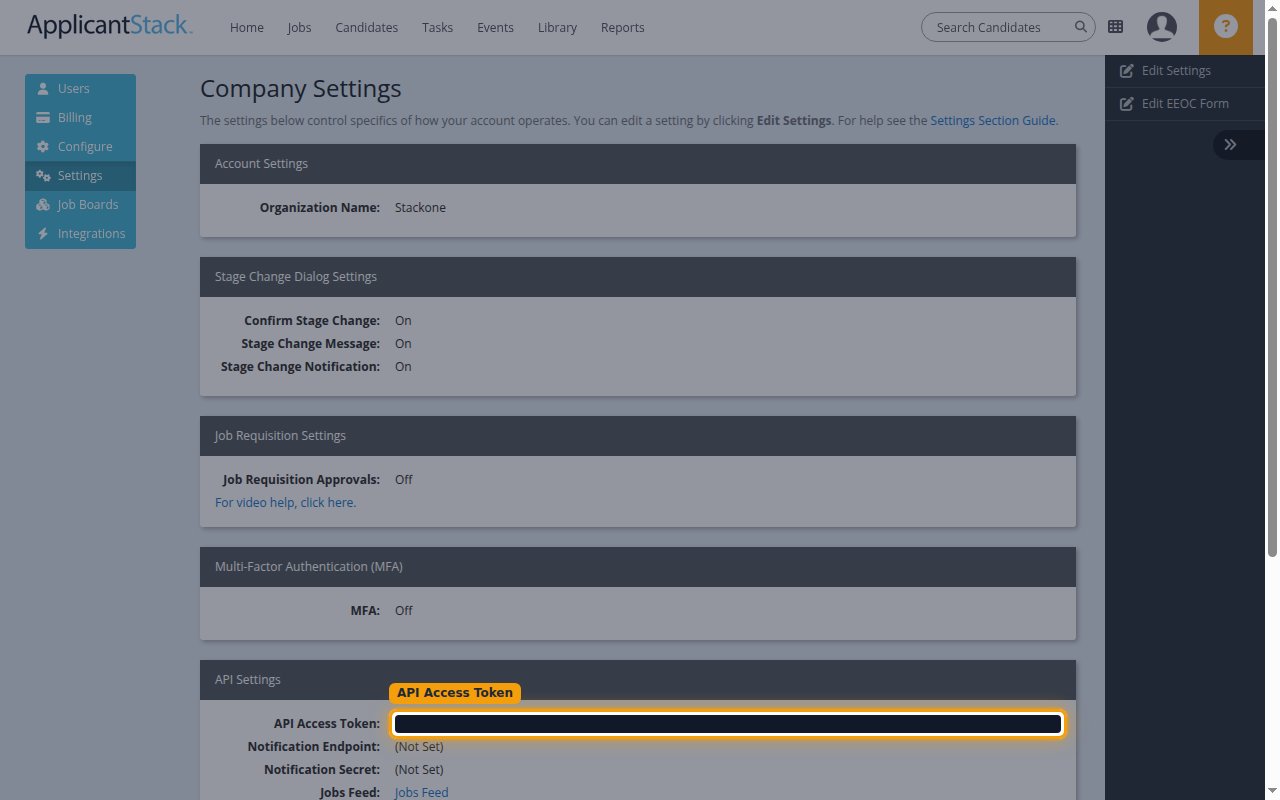
Copy your API Access Token
Click Update Settings in the right-side panel.
- In the API Settings section near the bottom of the page, copy the API Access Token.
Find your subdomain
Your ApplicantStack subdomain is the first part of the web address you use to sign in.
- Format:
https://{subdomain}.applicantstack.com - Example:
https://acme.applicantstack.com
Link the Account
1
Connect
- Click Connect.
- If applicable, the provider will redirect you to a sign-in or authorization page. Complete the provider’s authorization flow.
- Once authorization is successful, you will see a confirmation popup.
2
Use Actions
Connect an AI platform to the linked account’s actions. See AI Platforms.Other ways to call actions are listed in Protocols & SDKs.