

Find your Airship region (EU or US)
Sign in to your Airship tenant and check your browser’s URL bar to determine your region.
1
Sign in to Airship
Sign in to your Airship account using the appropriate host for your region.
- US Region — US sign-in
- EU Region — EU sign-in
2
Confirm your region
Your region is determined by the Airship domain your account is hosted on.
go.urbanairship.com→ USgo.airship.eu→ EU
Create a Bearer token
Create a project-level token in Airship to authenticate API requests.
1
Create a token
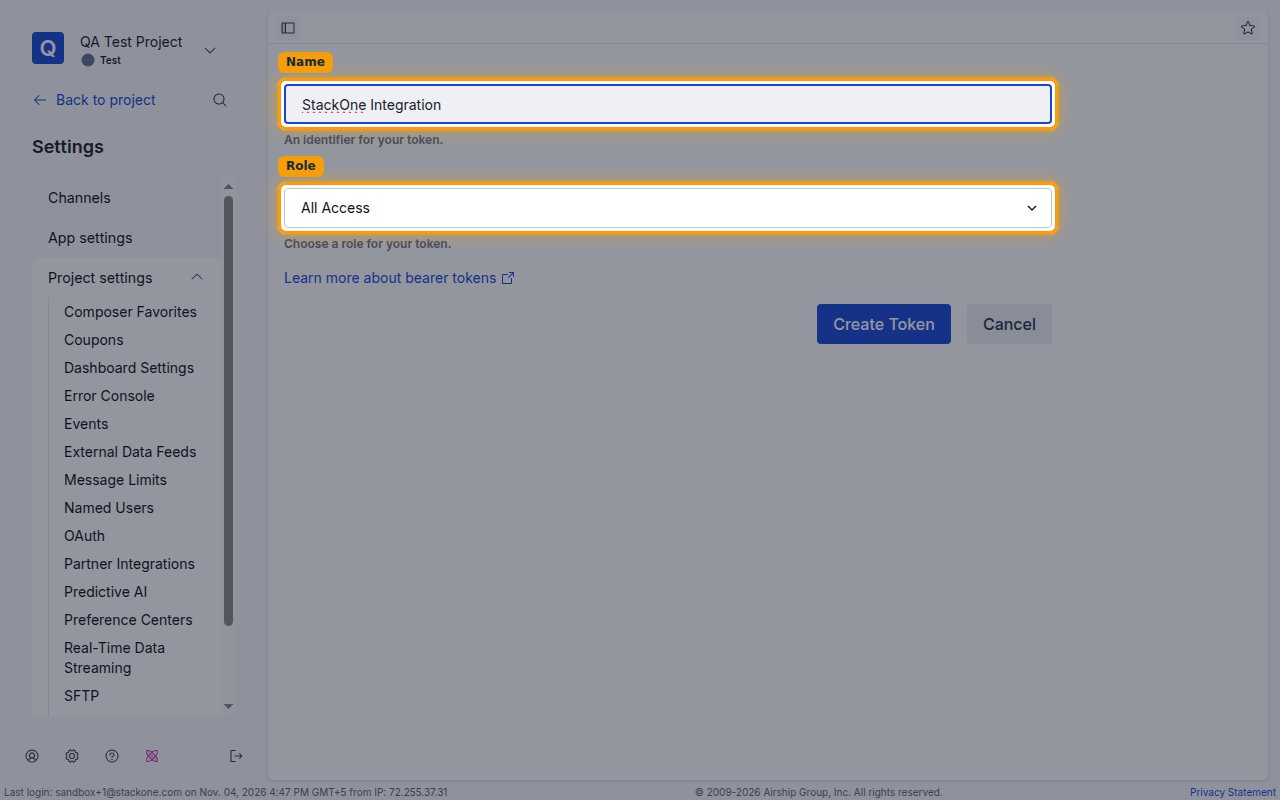
Open your project’s Settings > Tokens, then click Create Token and fill in the token details.
- Name:
StackOne Integration - Role: select All Access to reach every endpoint this connector uses. Choosing Audience Modification instead limits the token to read/write access on audience-related endpoints only.
- Click Create Token to generate the token.
2
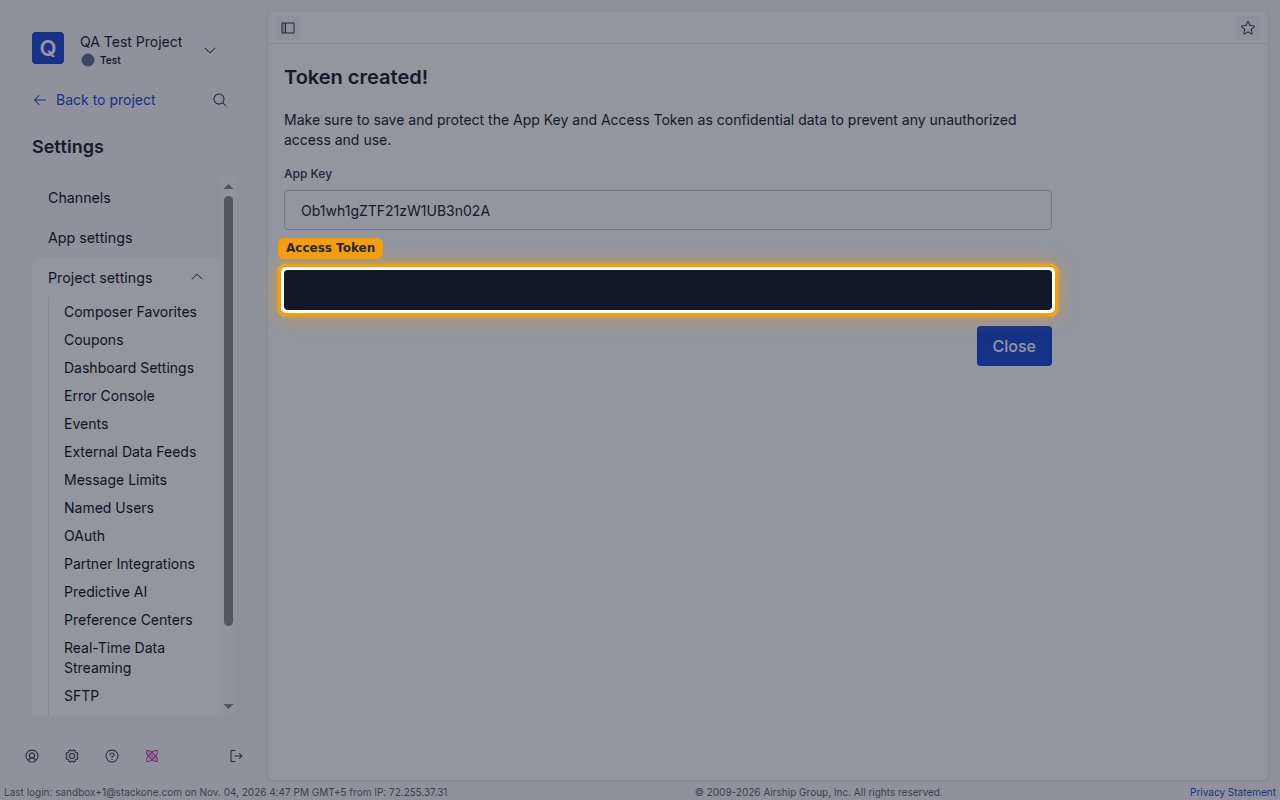
Copy the Access Token
Copy the Access Token across.
- The Access Token is only displayed once and cannot be retrieved later.
Link the Account
1
Connect
- Click Connect.
- If applicable, the provider will redirect you to a sign-in or authorization page. Complete the provider’s authorization flow.
- Once authorization is successful, you will see a confirmation popup.
2
Use Actions
Connect an AI platform to the linked account’s actions. See AI Platforms.Other ways to call actions are listed in Protocols & SDKs.