

Find Your Subdomain
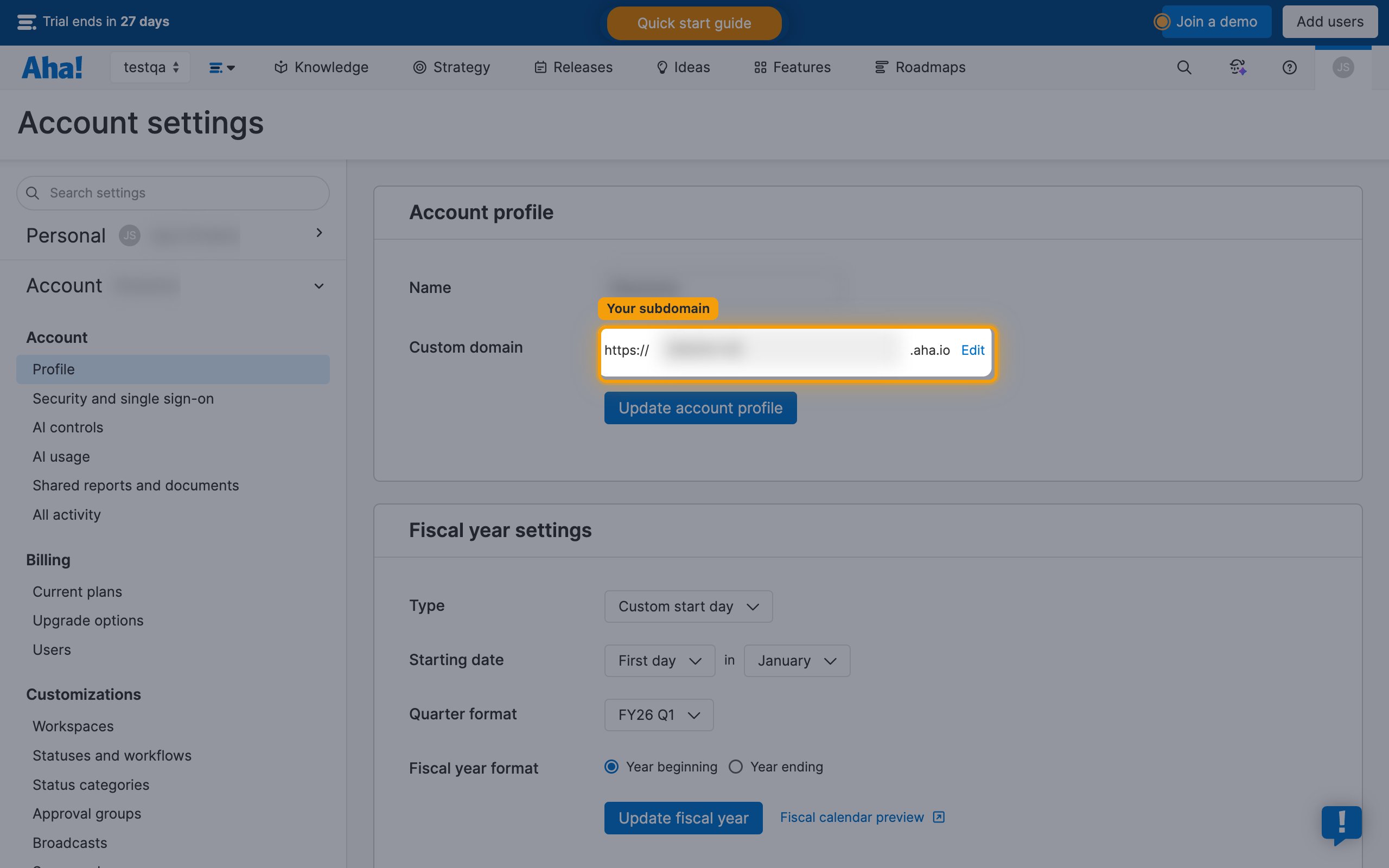
Identify your Aha! subdomain for the connection.
- Your subdomain is the part before
.aha.ioin your Aha! URL. - For example, if your URL is
https://acme.aha.io, your subdomain is acme. - Account administrators can confirm it under Settings > Account > Profile, in the Custom domain field.
Generate API Key
Create an API key in your Aha! account for authentication.
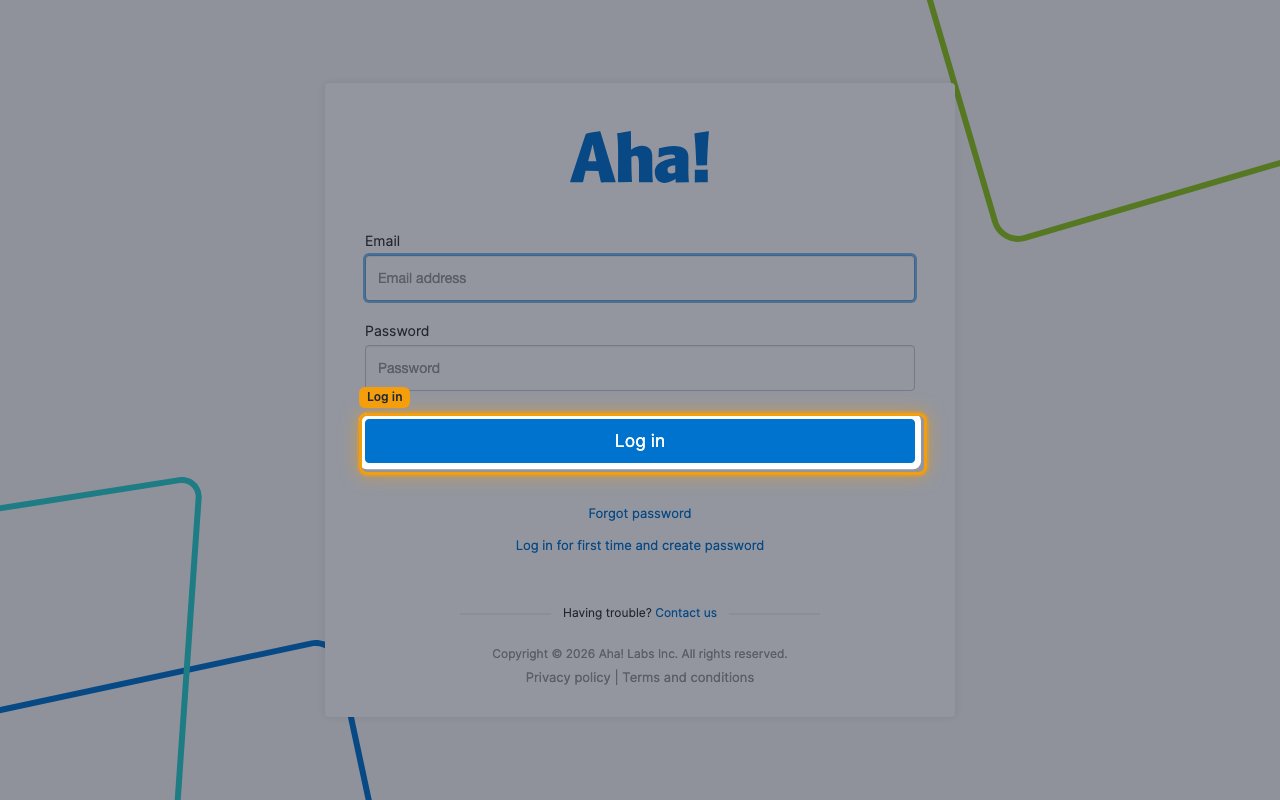
Sign in to Aha!
Sign in to your Aha! account. You can also reach it by entering your workspace subdomain followed by .aha.io in your browser — the same value you enter as Aha! Subdomain on the StackOne Hub form.
Open your personal settings
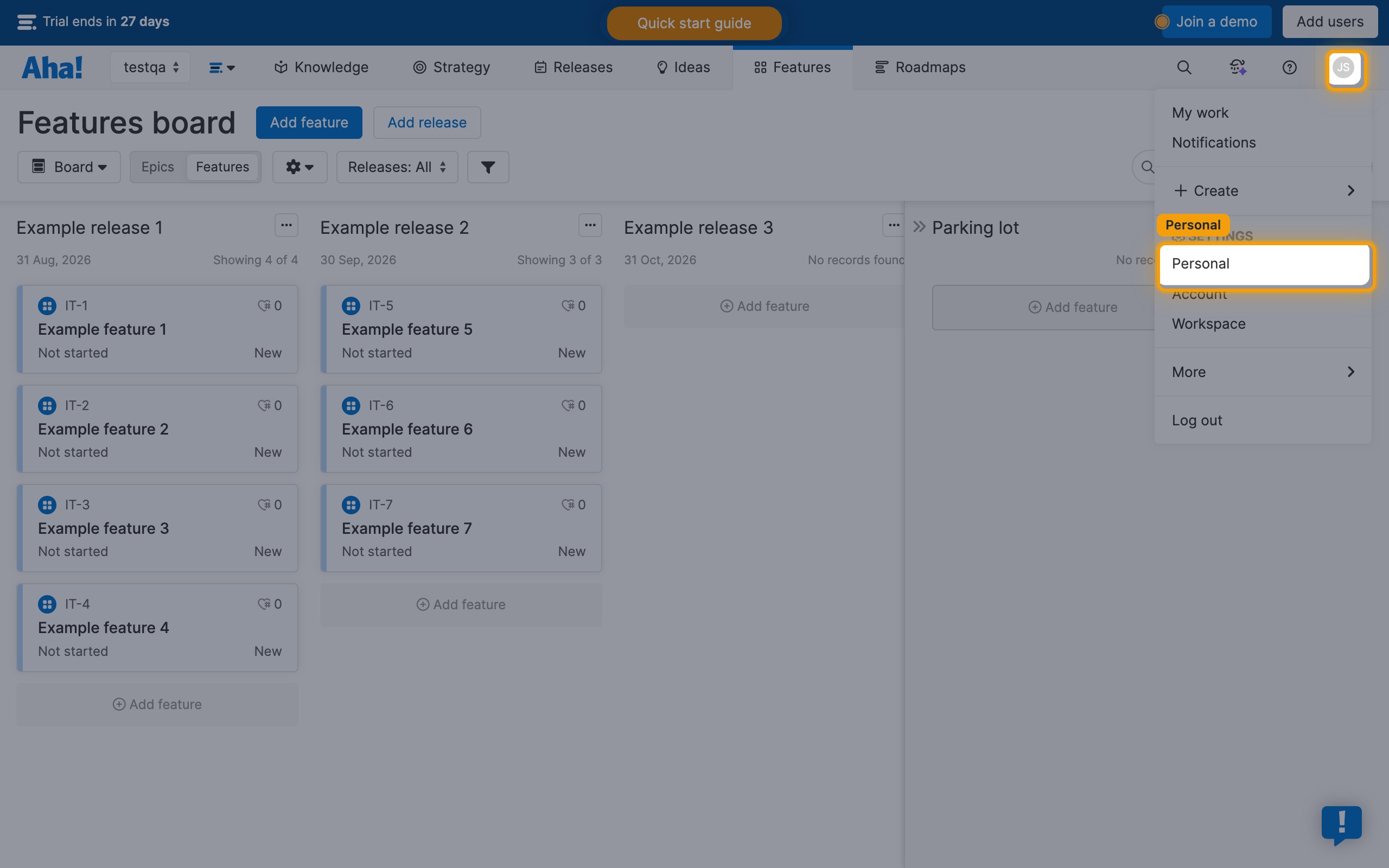
Click your profile icon in the top right corner, then click Personal under Settings in the dropdown menu.
Open the Developer tab
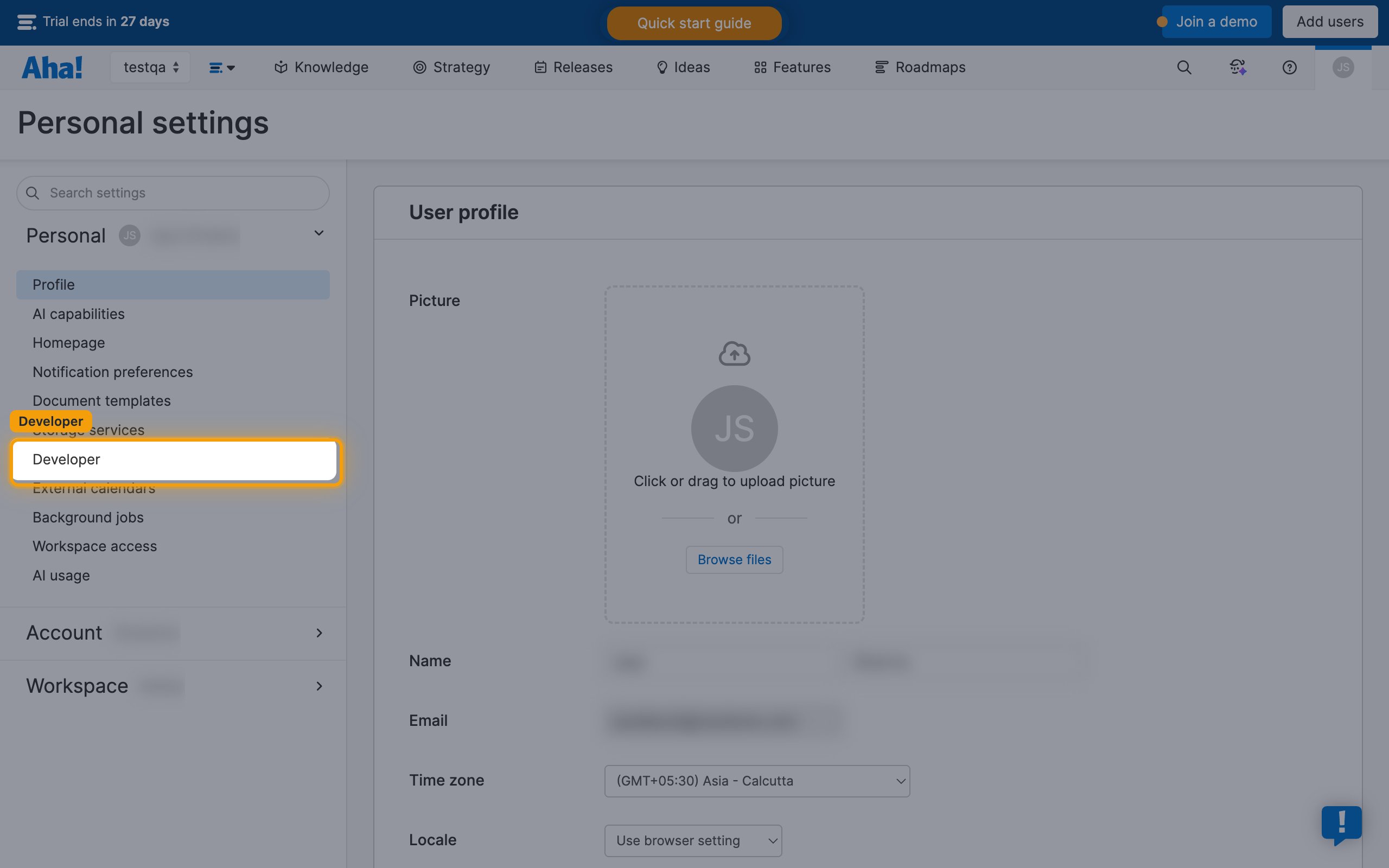
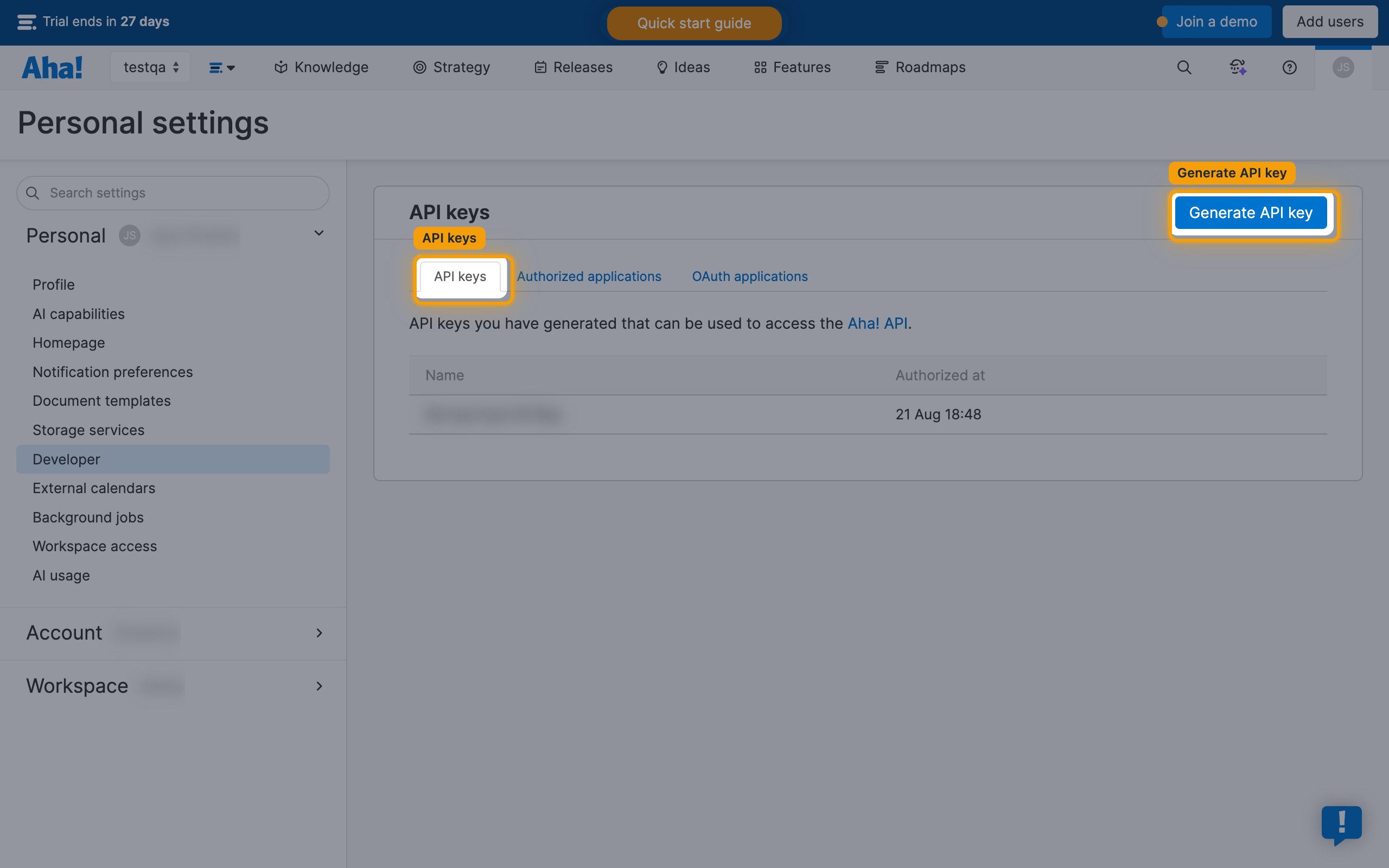
On the Personal settings page, click Developer in the left sidebar.
Generate an API key
On the Developer page, select the API keys tab, then click Generate API key.
Copy your API key
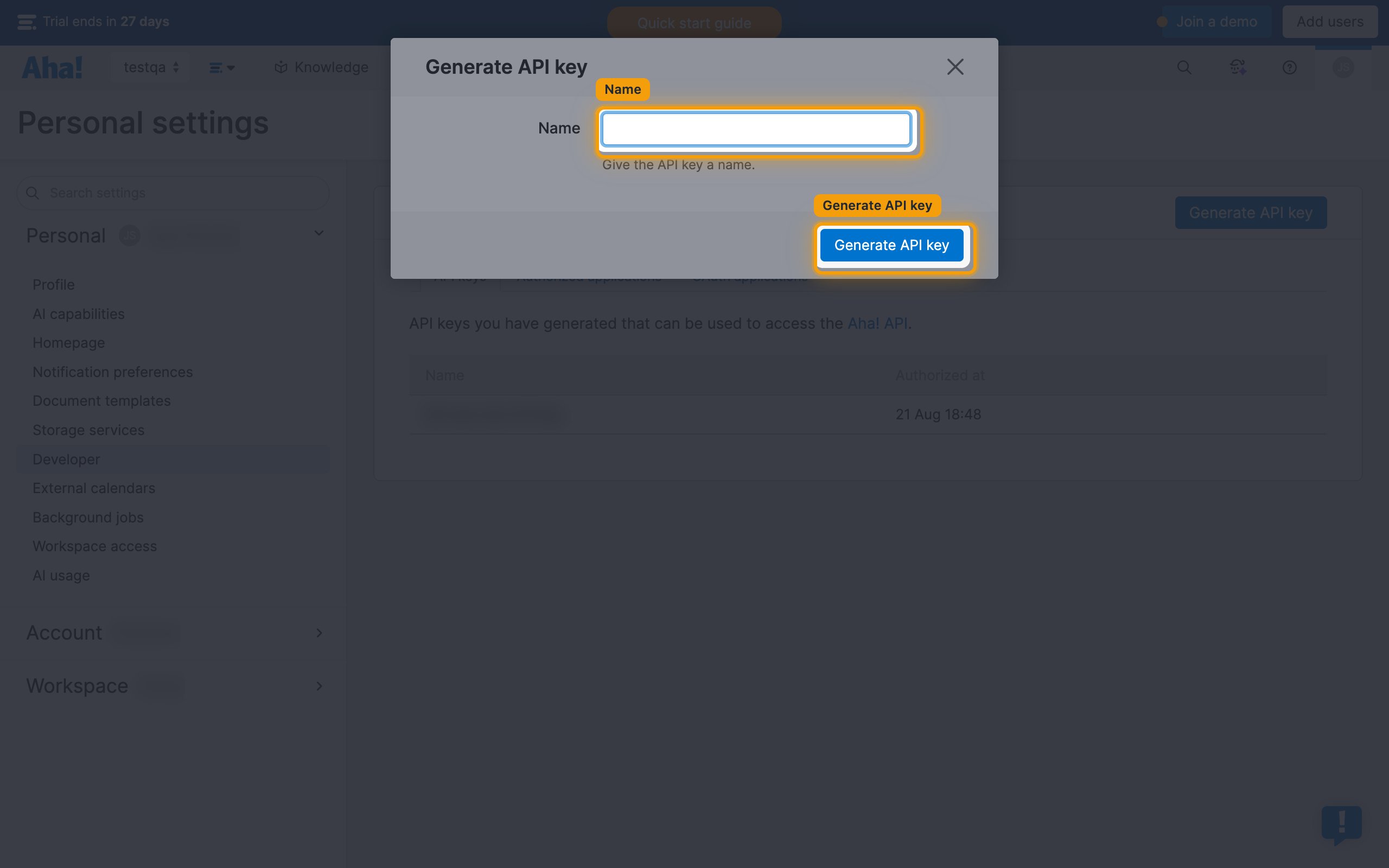
In the Generate API key dialog, enter a Name (e.g., “StackOne Integration”) and click Generate API key.
- Copy the API key immediately — it is not shown again.
Link the Account
Connect
- Click Connect.
- If applicable, the provider will redirect you to a sign-in or authorization page. Complete the provider’s authorization flow.
- Once authorization is successful, you will see a confirmation popup.
Use Actions
Next Steps
Webhooks setup
Configure receiving Events for Aha! into StackOne.