

Locating Your API URL
Your API URL is unique to your ActiveCampaign account and includes your data center region.
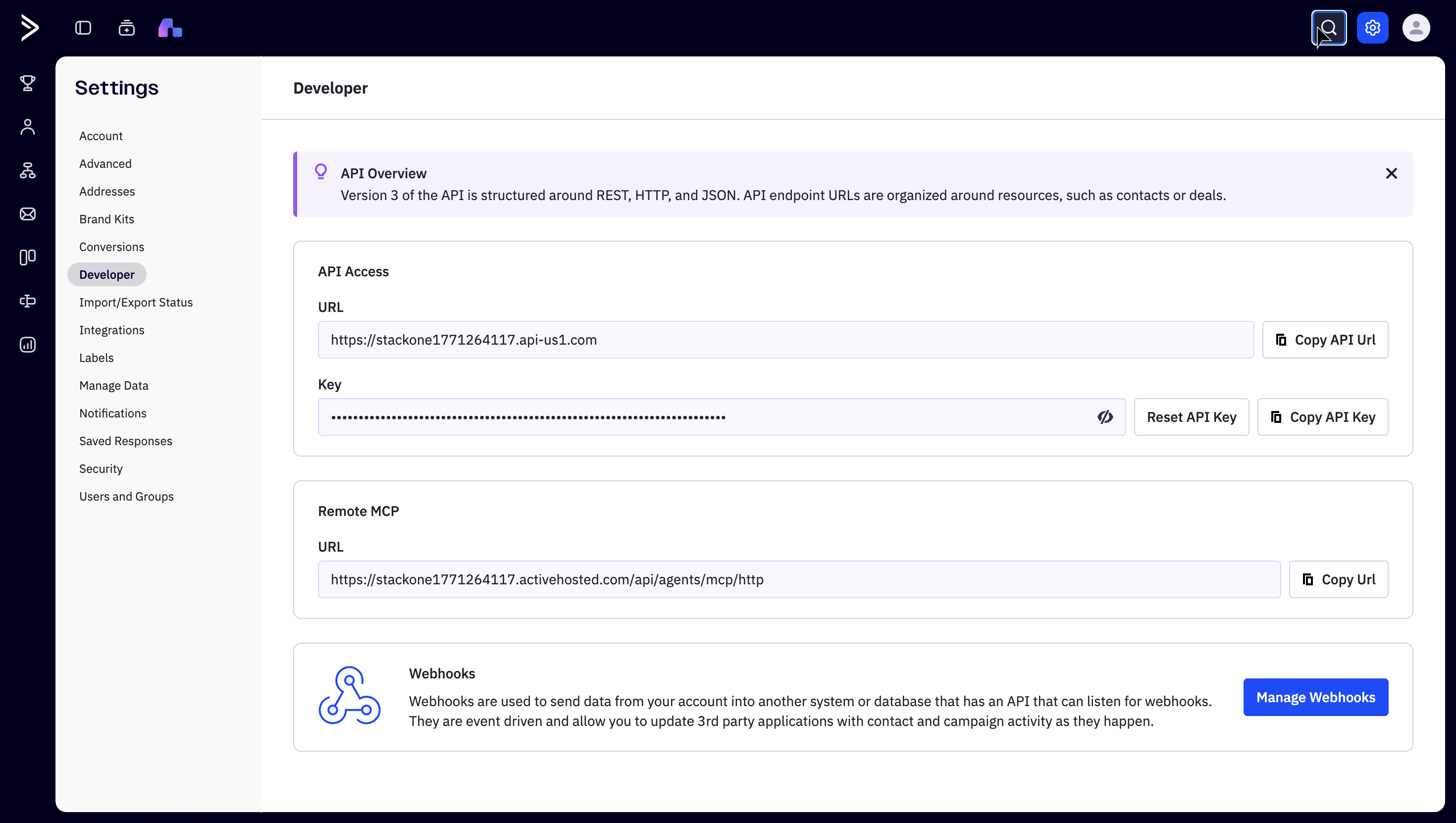
Access Developer Settings
Sign in to your ActiveCampaign account, click the Settings gear icon (⚙) in the top-right corner of the header, then select Developer from the Settings menu on the left.
Copy Your API URL
In the API Access section, find the URL field displaying your unique URL and copy the entire URL.
- Format:
https://{account-name}.api-{region}.com - Example US:
https://acmecompany.api-us1.com - Example EU:
https://acmecompany.api-eu1.com - Note: Copy the full URL including https:// but without any trailing path
Locating Your API Key
Each ActiveCampaign user has a unique API key for authenticating API requests.
Find and copy your API key
In Settings > Developer, find the Key field below the URL in the API Access section. Copy the full value and store it securely for use later.
- Note: Never share your API key publicly or commit it to version control.
- If compromised, click Reset API Key to regenerate it — this will break any existing integrations using the old key.
Linking the Account from the Hub
Navigate to the Hub
Fill out the fields
- API URL
- API Key
Connect
- Click Connect
- If applicable, the provider will redirect you to a sign-in or authorization page. Complete the provider’s authorization flow.
- Once authorization is successful, you will see a confirmation popup
If the account linking is successful, you will see the newly linked account in your Accounts page.