

Copy your Square access token
Every Square application has an access token for the seller account that owns it.
1
Create the app
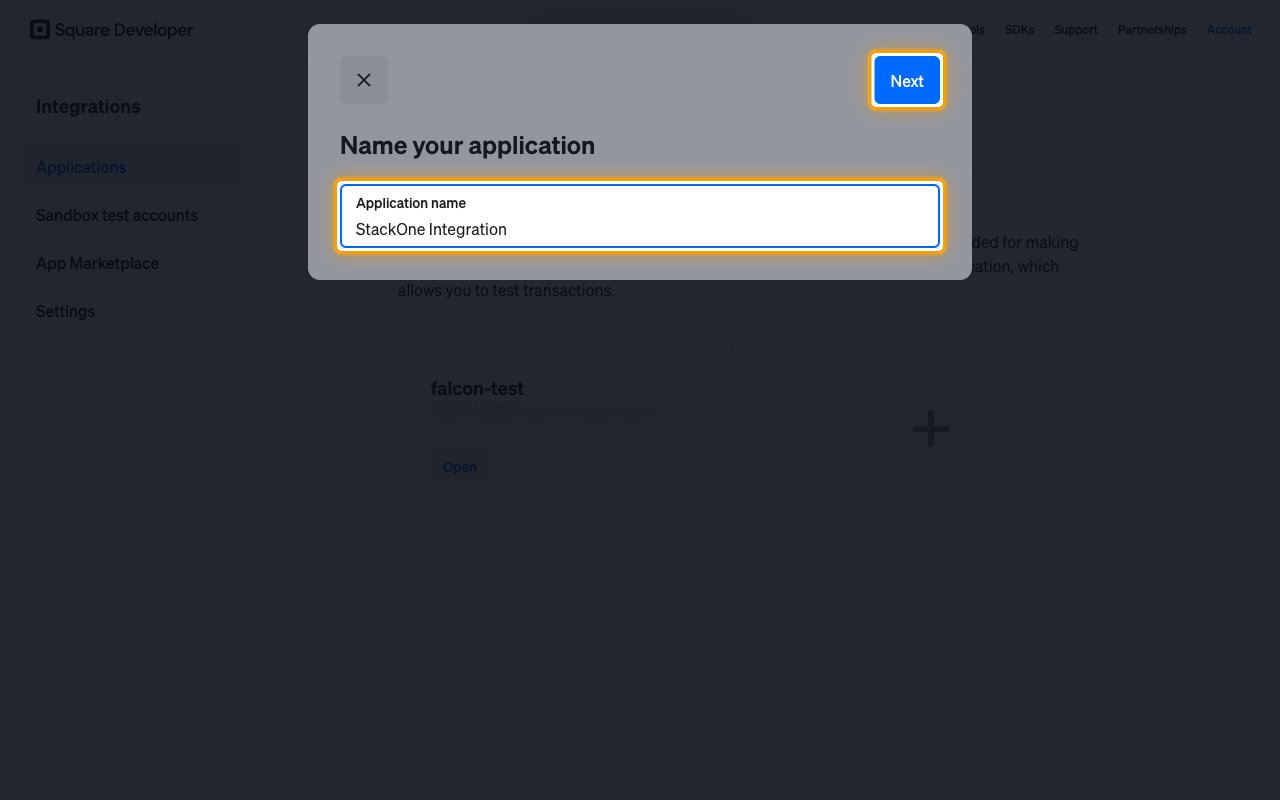
Sign in to the Square Developer Console. On the Applications page, click the empty tile with the plus icon.
- Application name:
StackOne Integration - Click Next.
- On What will you build first?, click Skip.
- On Find your audience, click Skip.
2
Copy the access token
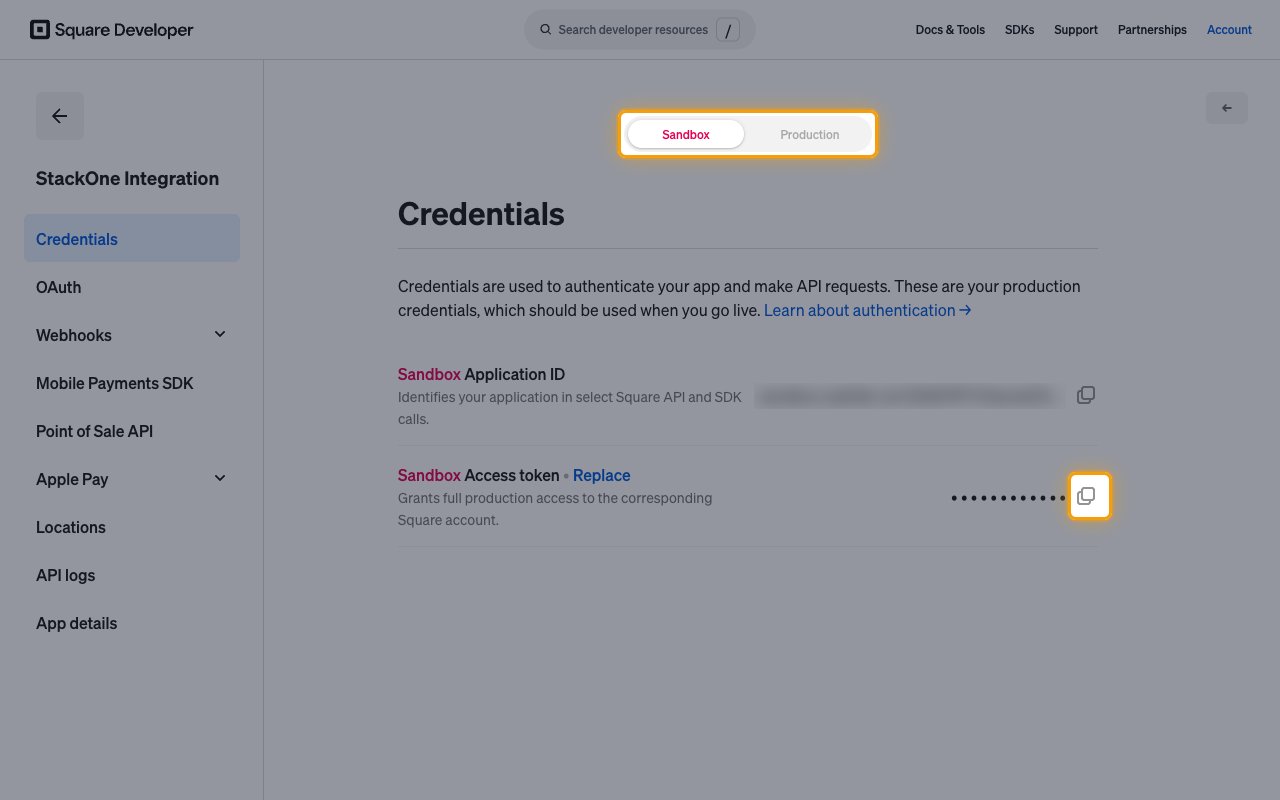
On the Applications page, click Open on the application. It opens on the Credentials page.
- At the top of the page, select Production or Sandbox.
- Click the copy icon next to Access token.
- Copy the Access Token across.
Link the Account
1
Connect
- Click Connect.
- If applicable, the provider will redirect you to a sign-in or authorization page. Complete the provider’s authorization flow.
- Once authorization is successful, you will see a confirmation popup.
2
Use Actions
Connect an AI platform to the linked account’s actions. See AI Platforms.Other ways to call actions are listed in Protocols & SDKs.
Next Steps
Webhooks setup
Configure receiving Events for Square into StackOne.