

Get your Okta credentials
Create an API token in the Okta Admin Console and copy it.
1
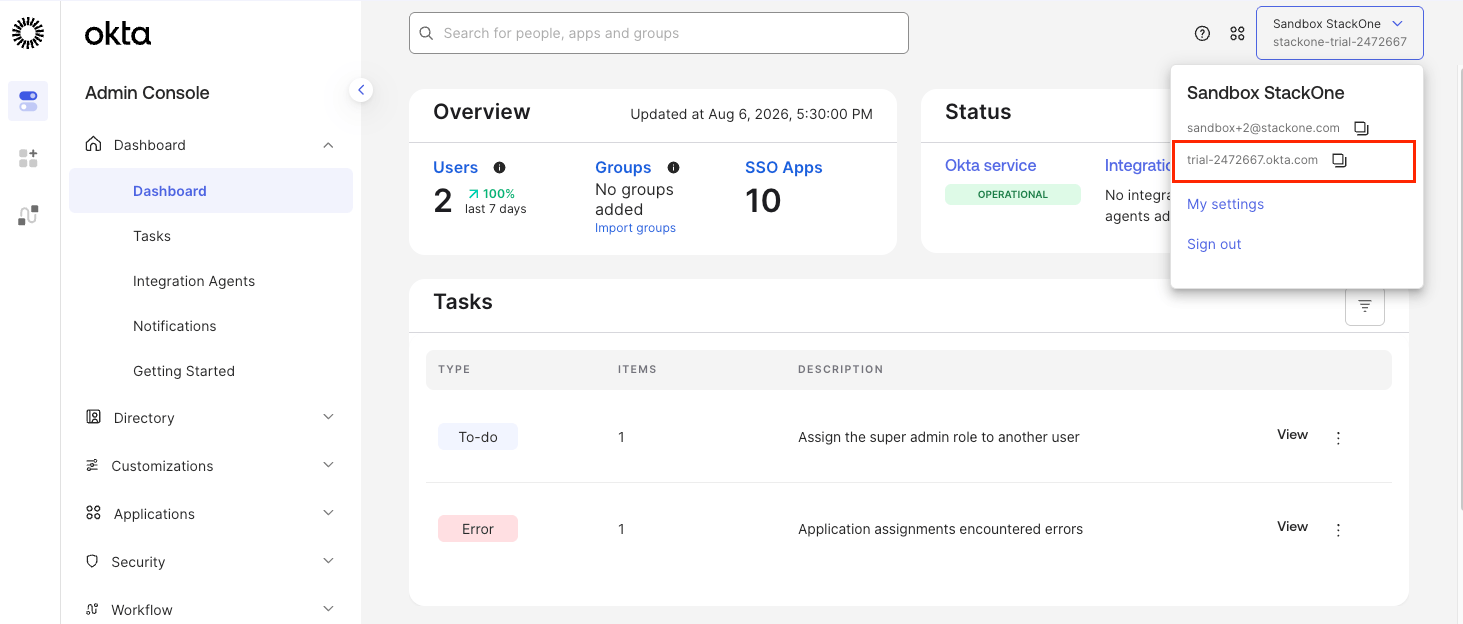
Find your Okta domain
Sign in to your Okta account.
- Click Admin in the top right corner.
- Click your organization name in the top right corner.
- Copy the Okta Domain URL shown under your email address across.
2
Create the API token
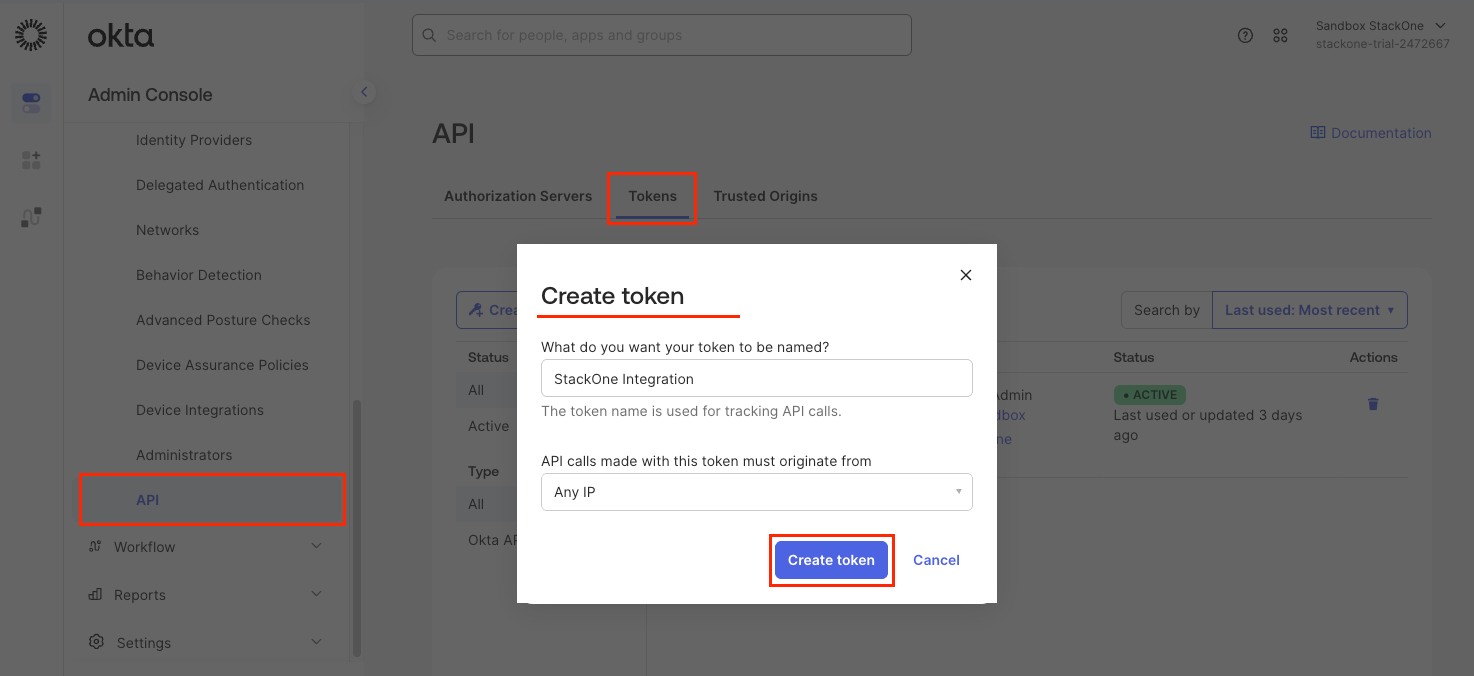
In the left navigation menu, open Security > API to create a token for the StackOne integration.
- Open the Tokens tab.
- Click Create token.
- Name:
StackOne Integration - API calls made with this token must originate from: Any IP, unless your organization requires specific network zones
- Click Create token.
3
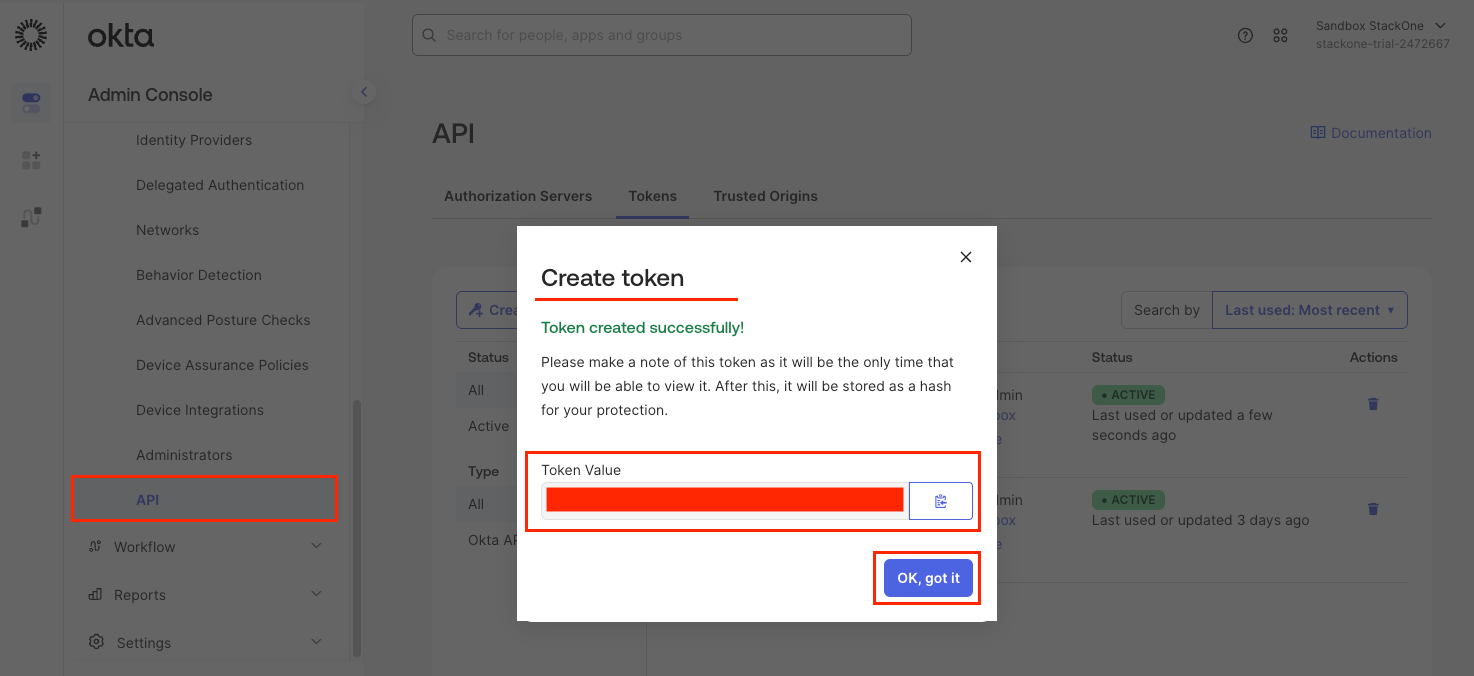
Copy the API token
Copy the API Token across. Okta only shows it once.
Link the Account
1
Connect
- Click Connect.
- If applicable, the provider will redirect you to a sign-in or authorization page. Complete the provider’s authorization flow.
- Once authorization is successful, you will see a confirmation popup.
2
Use Actions
Connect an AI platform to the linked account’s actions. See AI Platforms.Other ways to call actions are listed in Protocols & SDKs.
Next Steps
Webhooks setup
Configure receiving Events for Okta into StackOne.