

Prerequisites
The connector should already be set up, with a Connector Profile and a Linked Account. See Getting Started on the Metabase connector page.Retrieve the Native Webhook URL
The Native Webhook URL is StackOne’s address for your Metabase account. It appears on the form you use to link your Metabase account in StackOne.
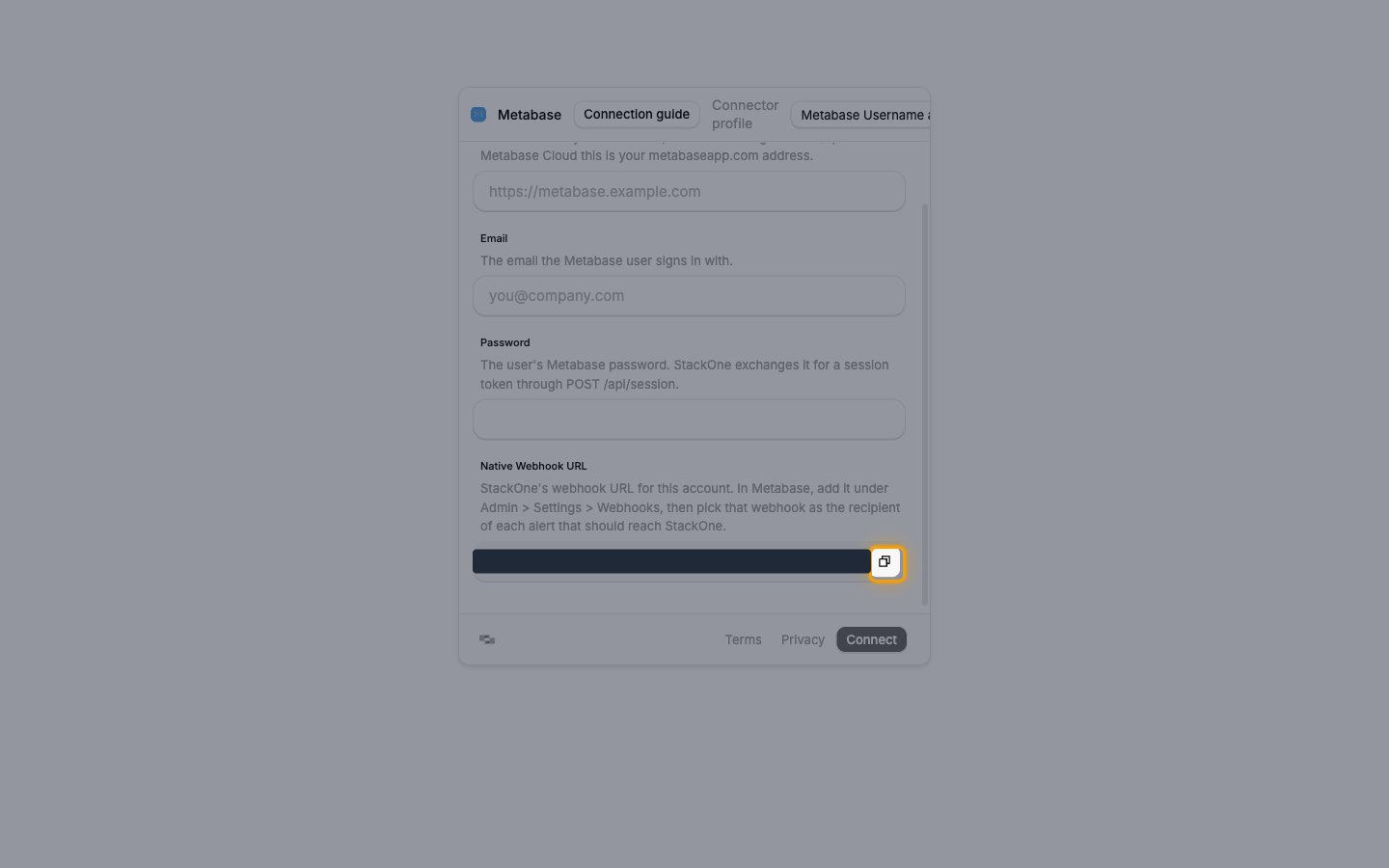
Copy the Native Webhook URL
On the account form in StackOne, find the Native Webhook URL field.
- Click the Copy icon next to Native Webhook URL.
Configure Metabase
Metabase sends alert results to a webhook, so add StackOne as a webhook destination, then point an alert at it. Each alert sends the results of one saved question.
Add the StackOne webhook
Sign in to your Metabase as an admin.
- Click the Settings menu in the top right and select Admin.
- Open Settings > Webhooks.
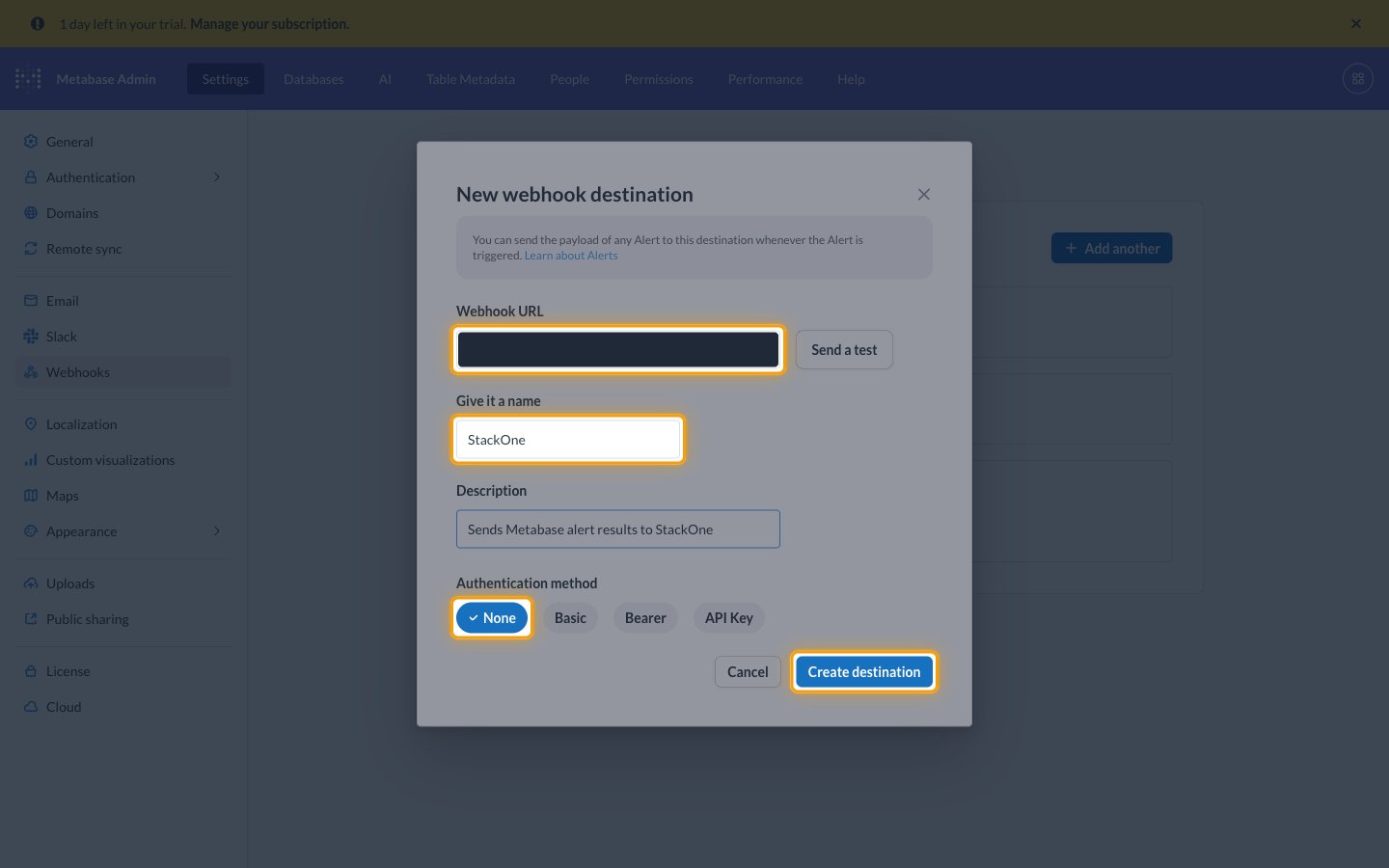
- Click Add a webhook, or Add another when the page already lists webhooks.
- Webhook URL: the Native Webhook URL
- Give it a name:
StackOne - Authentication method: None
- Click Create destination.
Create an alert on a question
Open the saved question whose results StackOne should receive.
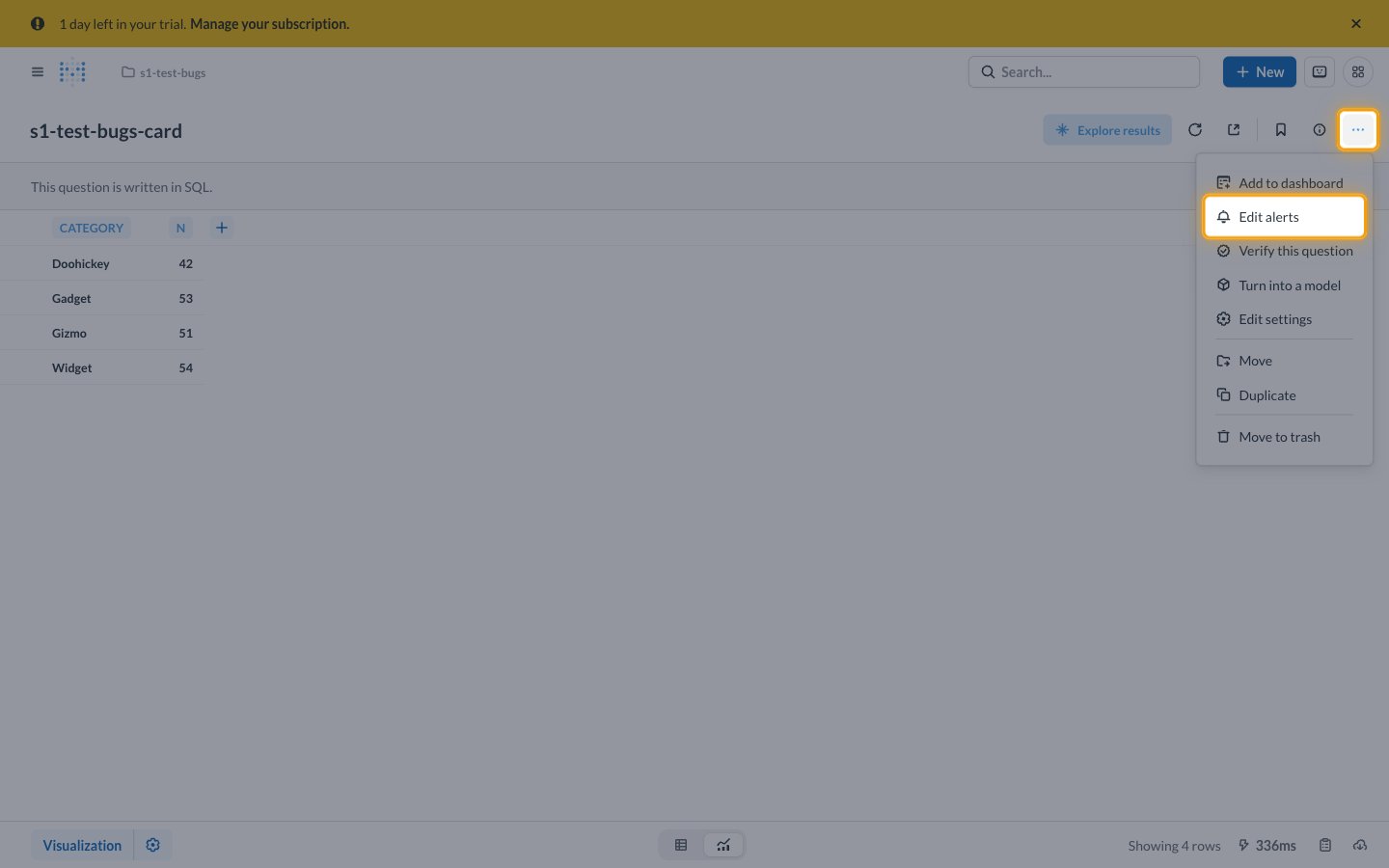
- Click the three-dot menu in the top right.
- Question with no alerts: select Create an alert.
- Question with alerts: select Edit alerts, then click New alert.
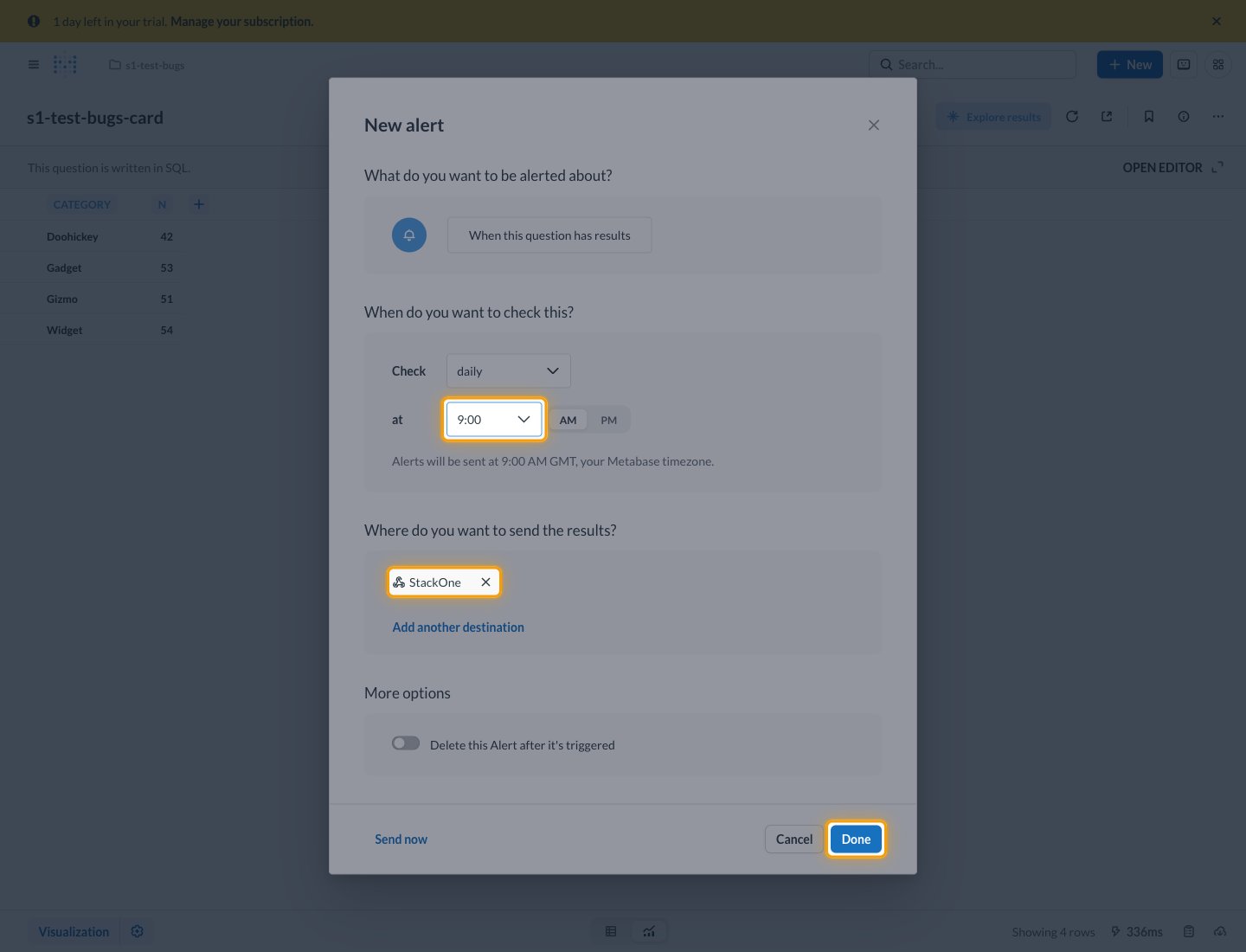
- Check: how often Metabase checks the question
- at: the time of day to check
Add StackOne as the destination
Under Where do you want to send the results?, add the StackOne webhook.
- Click Add another destination.
- Select StackOne under Webhooks.
- Click the remove icon next to Email to send the alert only to StackOne.
- Click Done.
- Note: Send now sends the alert’s current results straight away.
Available webhook events
The following Metabase event can be enabled. Only events selected in StackOne are delivered.
Alert events
Events from alerts on saved questions.
- Alert Sent (
alert) — Fired when an alert sends a question’s results to the StackOne webhook, on its schedule when its condition is met or when someone clicks Send now
Delivery format
Details of how Metabase delivers alerts to StackOne.
- Each alert send is one JSON request with
typeset toalert, carrying the question’s ID, name and link, its result columns and rows, and the chart as a base64 PNG image. - Metabase doesn’t sign webhook deliveries.