

Find your Deputy Endpoint
Your Deputy Endpoint is the address of your Deputy install, without https://.
- Sign in to your Deputy account and check the address bar.
- Format:
{install}.{region}.deputy.com - Example: if your address is
https://mycompany.au.deputy.com/#roster, your Deputy Endpoint ismycompany.au.deputy.com
Generating a permanent token
A permanent token is generated from an OAuth client in your own Deputy install, and only works for that install.
1
Create the OAuth client
In the same browser, open https://{your-deputy-endpoint}/exec/devapp/oauth_clients.
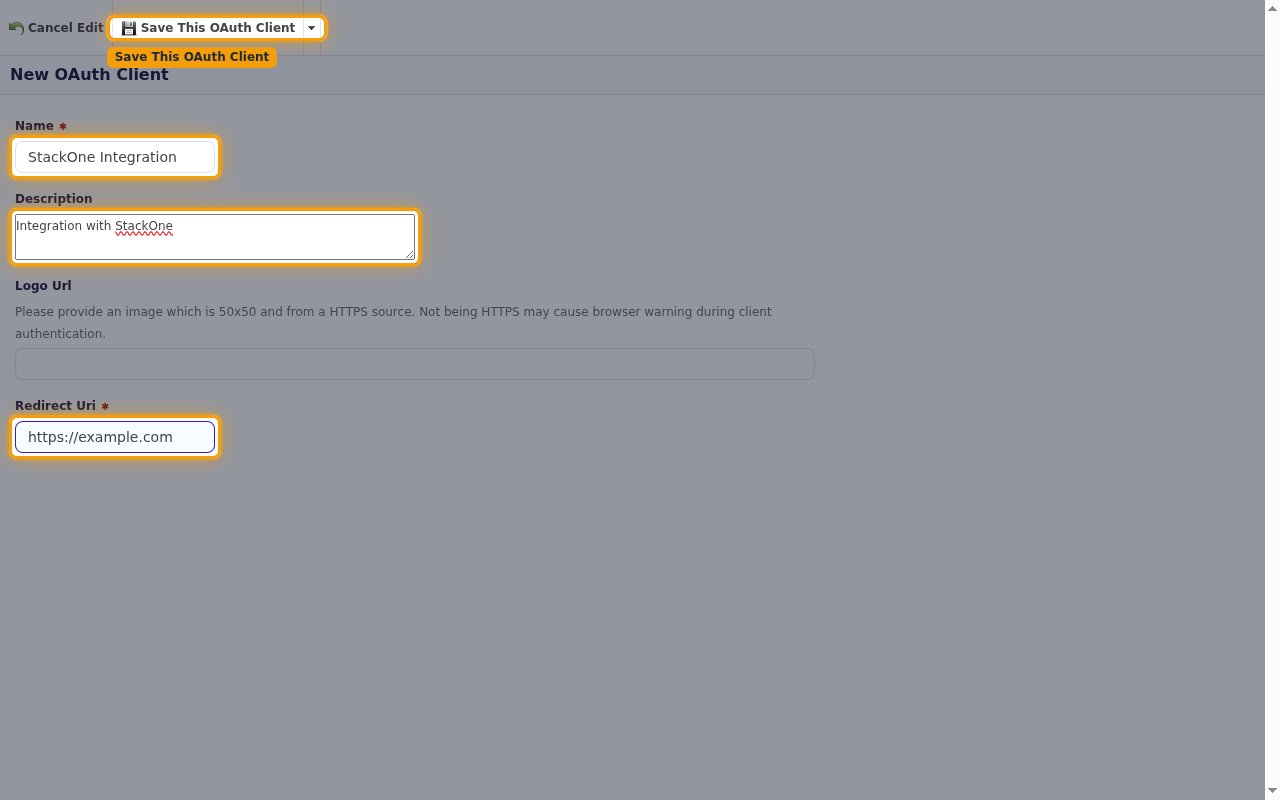
- Click New OAuth Client.
- Name: Enter a descriptive name (e.g.,
StackOne Integration) - Description:
Integration with StackOne - Redirect Uri: any URL, such as
https://example.com. Permanent tokens don’t use it. - Click Save This OAuth Client.
2
Copy the access token
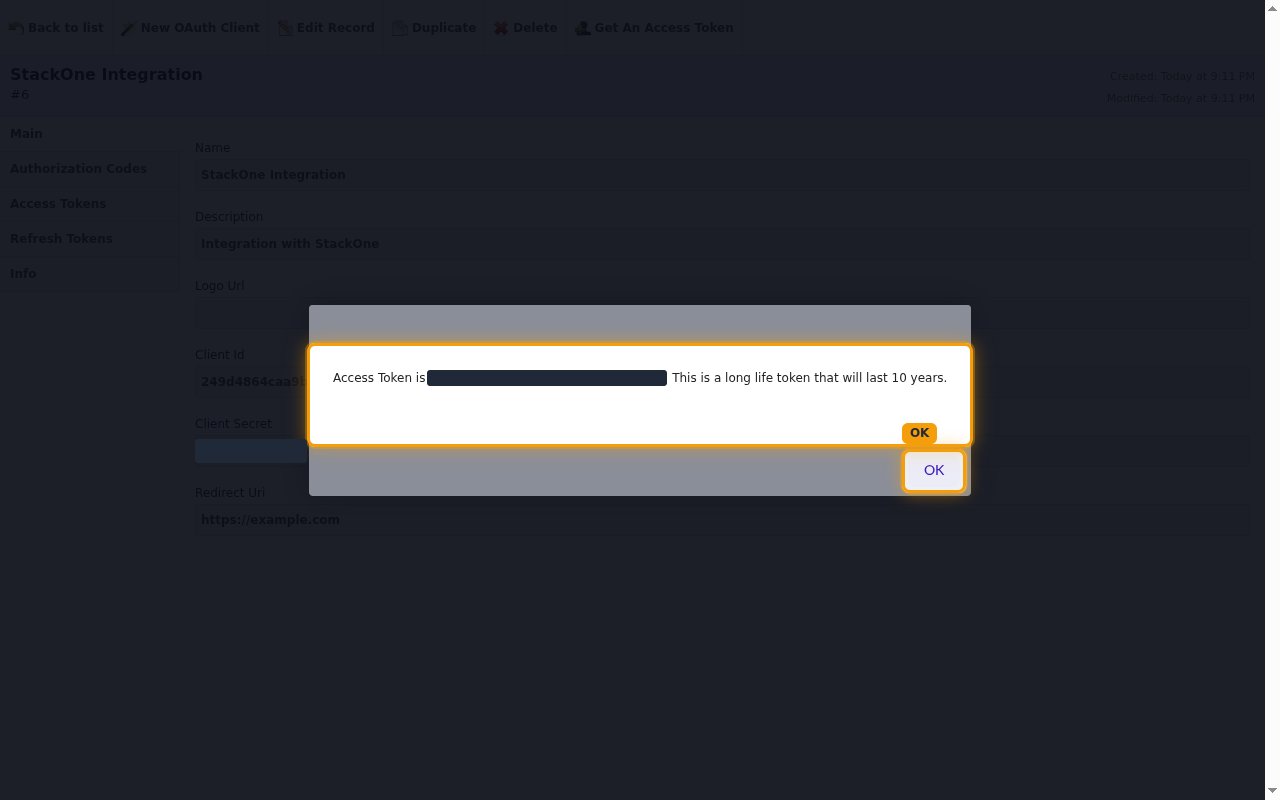
On the client’s page, click Get An Access Token.
- Copy the token shown after Access Token is across to Permanent Token.
- The token is only displayed once and cannot be retrieved later. It lasts 10 years.
- Click OK.
Link the Account
1
Connect
- Click Connect.
- If applicable, the provider will redirect you to a sign-in or authorization page. Complete the provider’s authorization flow.
- Once authorization is successful, you will see a confirmation popup.
2
Use Actions
Connect an AI platform to the linked account’s actions. See AI Platforms.Other ways to call actions are listed in Protocols & SDKs.
Next Steps
Webhooks setup
Configure receiving Events for Deputy into StackOne.