claude mcp add --transport http --scope user stackone https://mcp.stackone.com/mcp
This command adds the server to your user scope, so it’s available across all your projects. Remove --scope user if you only want it available in the current directory. See Scope options.
2
Authenticate
Claude Code waits for you to ask before opening a browser. Run /mcp, select stackone, then Authenticate.Sign in, pick the project and the linked accounts the connector should reach, then Authorize.
Walk through the consent screen
Sign in to StackOne. If you are already signed in to the dashboard you skip straight to the next step.
Check where the connection returns. The line under the client’s logo shows where it goes after you approve. If it names localhost or an app on this device, only continue if you started the connection from that client.
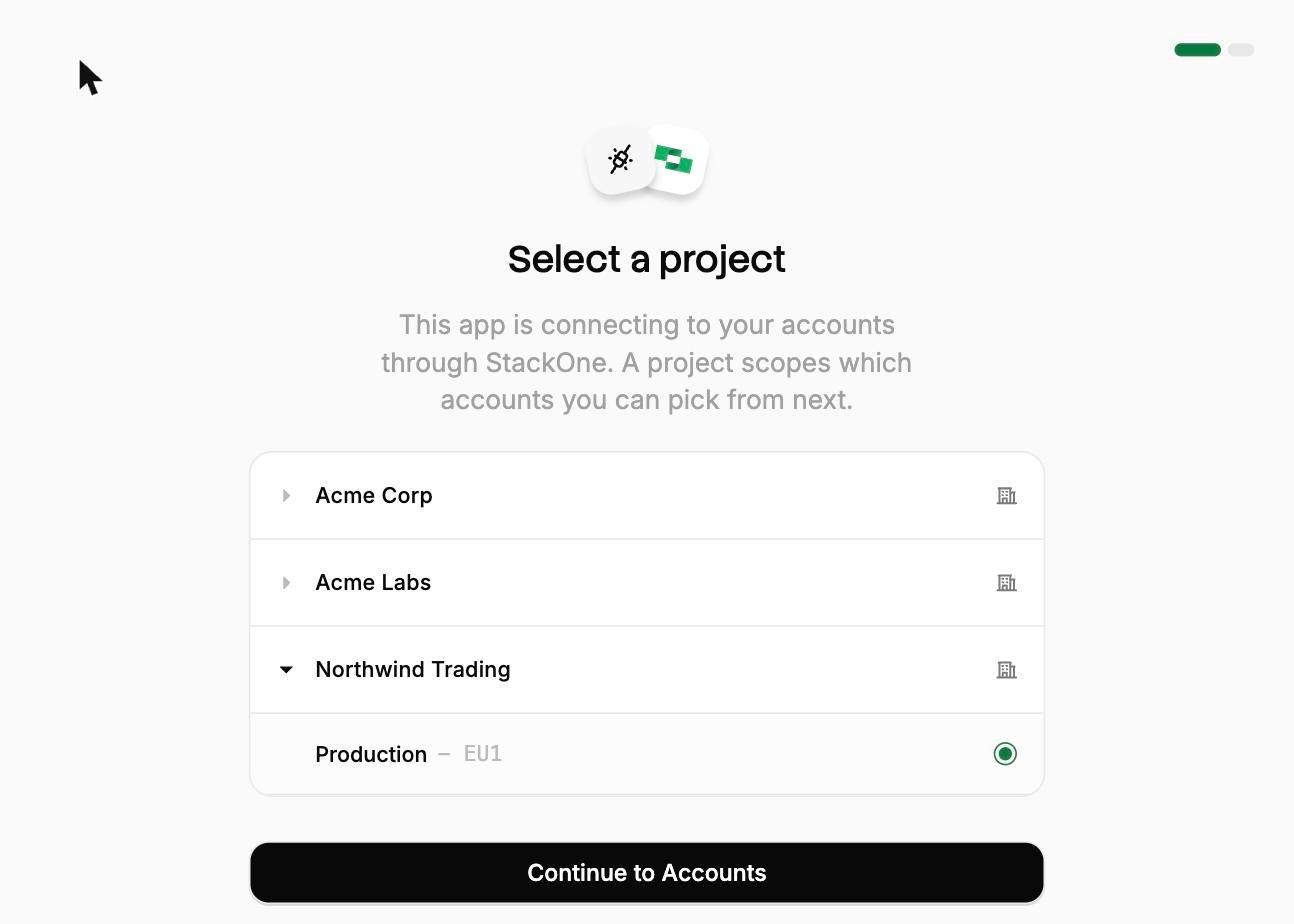
Select a project. Select the project you would like to associate the connection with.
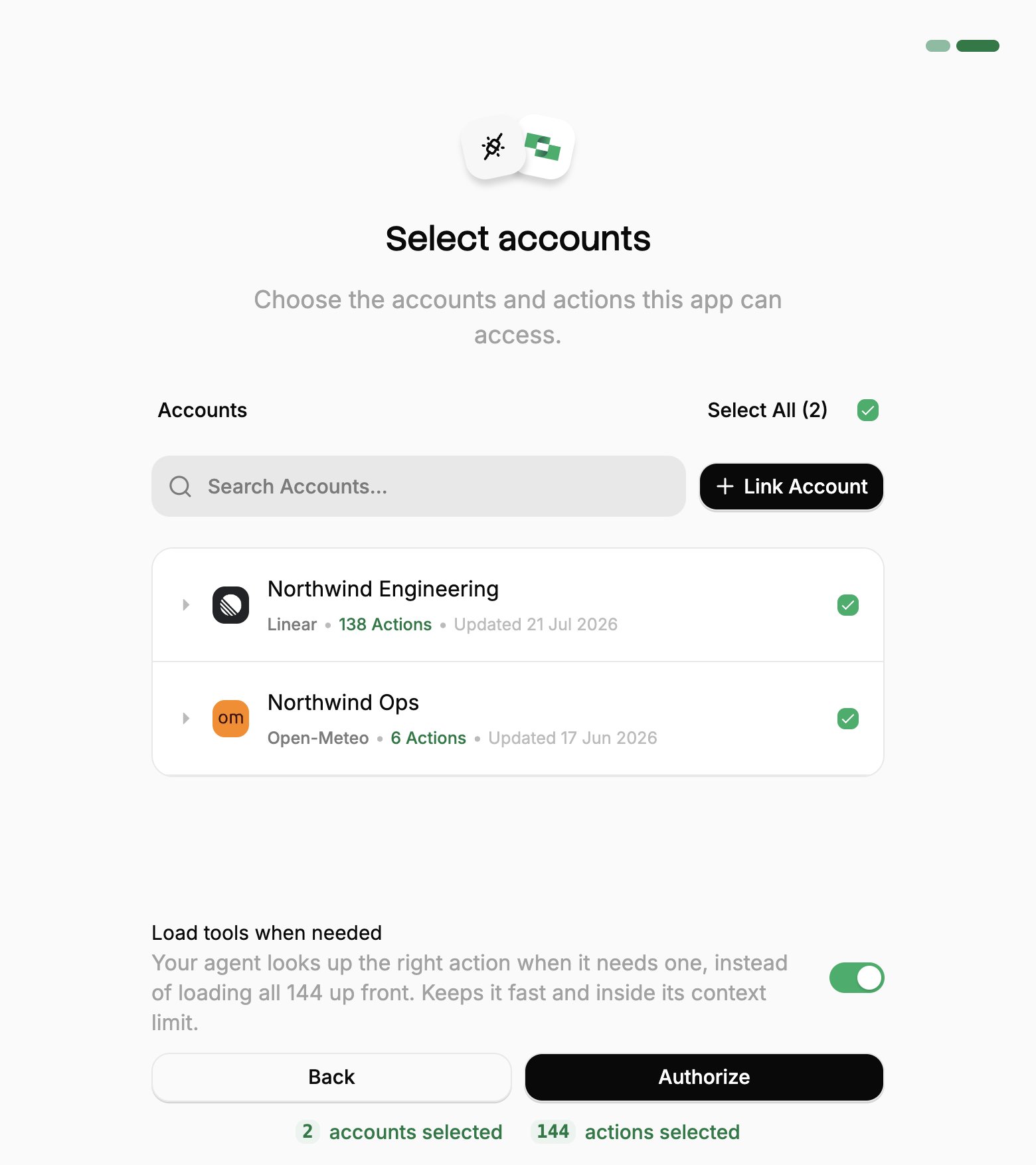
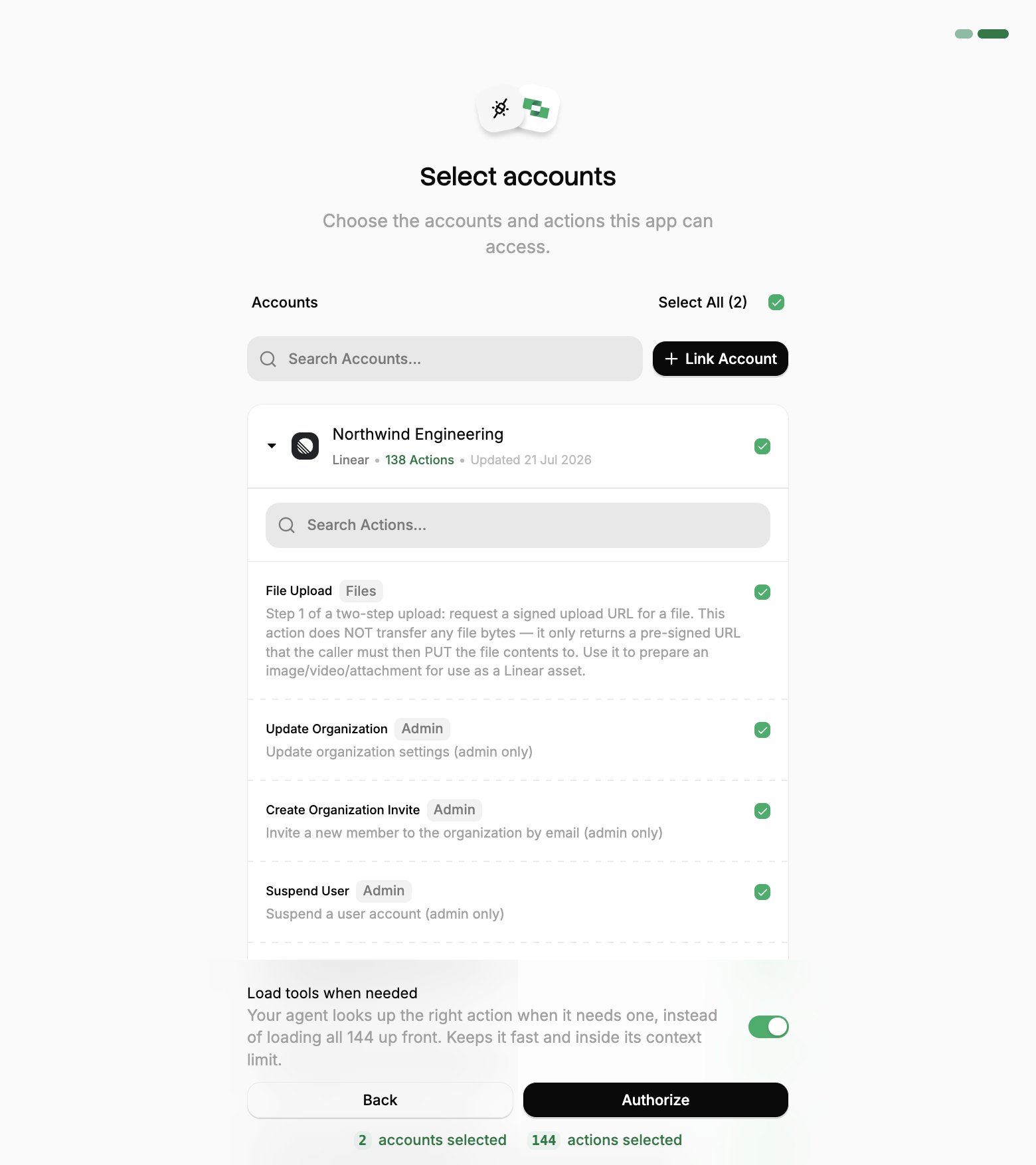
Select accounts and actions. Existing linked accounts are shown. New accounts can be linked by clicking + Link Account. You can either select the whole account (all actions will be granted) or refine by toggling individual actions.
(Optional) Load tools when needed. On by default, and the toggle that puts the connection into Advanced Tool Search. Leave it on for large action sets. Turn it off to hand the agent every selected action up front.
Authorize. Completes the connection; you can return to your client.
Select a project
Select accounts
Toggle actions
If you see a sentence where the Load tools when needed toggle should be, an admin has already settled it for the whole project. See project settings.
3
Verify connection
Check the server status:
claude mcp list
Within a session, use /mcp to view server details and available tools, then select View tools to browse the operations you granted.
One grant covers every account you approved, so a single stackone server is usually all you need. To change which accounts or actions it can reach, re-run /mcp and authenticate again; to revoke it, use Connected Apps in the StackOne dashboard.
Example with user scope (available across all projects):
claude mcp add --transport http --scope user stackone https://mcp.stackone.com/mcp
A --scope project entry is safe to commit, because the URL carries no access of its own. Each teammate authenticates as themselves and gets their own accounts.
claude mcp list # View all configured serversclaude mcp get stackone # Show details for a specific serverclaude mcp remove stackone # Remove a server
Connecting with a session token instead
A session token URL carries its own credential, so it covers the cases OAuth can’t: a shared server, a scheduled job, or anywhere nobody is present to approve a consent screen. For a comparison of each connection method, see Choosing a connection method.From the StackOne dashboard, go to Connectors, open a connector, then click Use in Agent.
Pick a linked account.
Set the expiry (one year by default).
Select HTTPS MCP and copy the URL. It should be in the format of:
This URL covers one linked account, and anyone holding it has that access until it expires, so treat it like a password.To enable Advanced Tool Search, add the tool-mode query parameter to the URL: