0. At a Glance
- Connector: Workday LMS External Content Provider
- Supported Write Resources: Content (upsert), Completions (push), Categories (list/get)
- Integration Direction: Bidirectional (content push, completion tracking)
- Partnership Requirements: Standard Workday tenant access required
- Key Behaviours:
- Auto-completes content when users launch from Workday UI
- Uses both
external_referenceandtitlefor content deduplication - Requires base64 encoded cover images
- Key Quirks:
- Auto-creates enrollments and completions, causing potential discrepancies
- Content categorization may show as internal even for external providers
- Rate limited to 5-10 requests per second
1. Integration Overview
1.1 What This Connector Does
This connector pushes learning content and completion data from your platform into Workday’s learning management system. What users see:- Content appears in Workday’s Learning → Discover section
- Users can filter content by topics, languages, and content providers
- When users launch content, they’re directed to your platform while Workday tracks their progress
- Workday automatically creates course wrappers around individual content items
- Content integrates seamlessly with Workday’s existing catalog
- Workday manages the enrollment and completion lifecycle
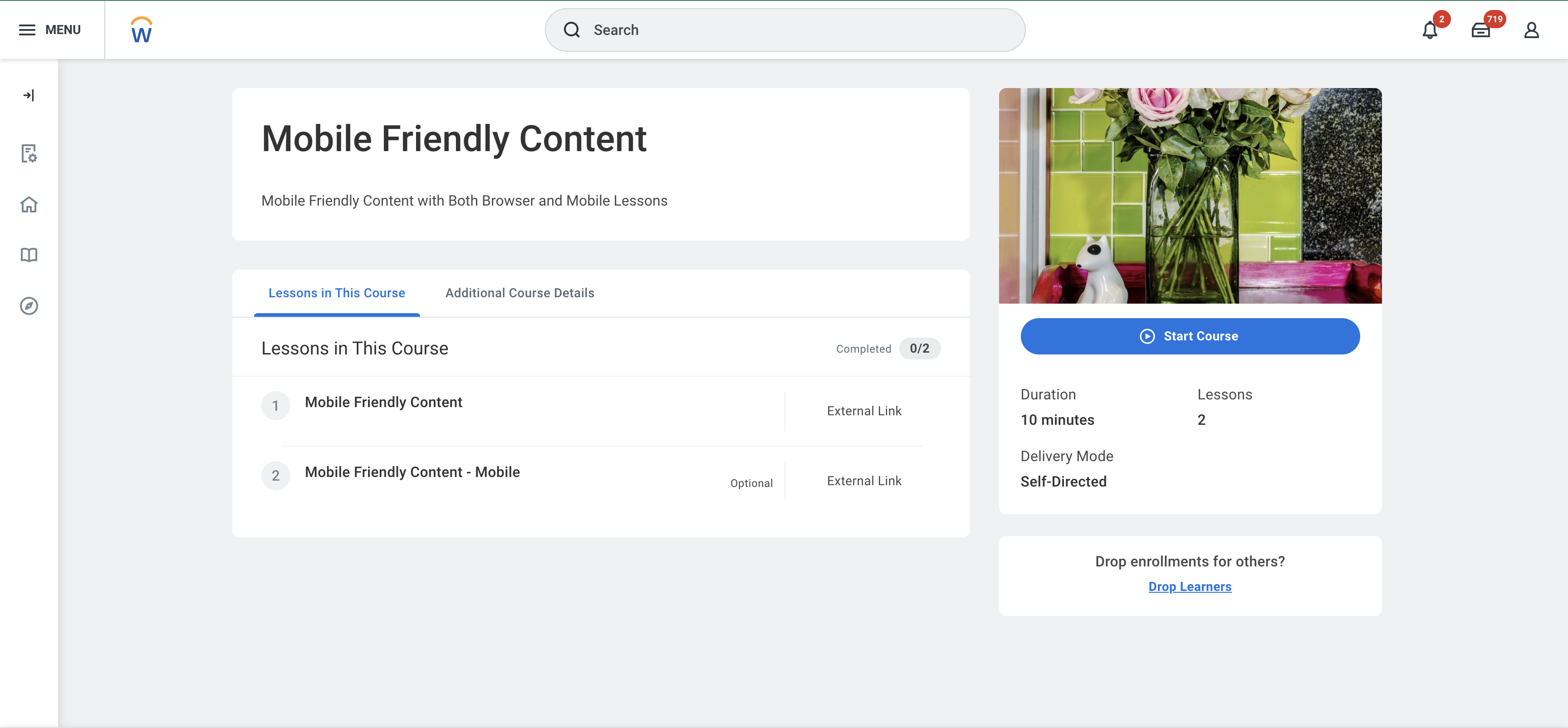
1.2 System UI Overview (Video)
Content and Completions within Workday1.3 High-Level Data Flow
For a comprehensive overview of the data flow and integration architecture, see the Learning Content Provider LMS Use Case.2. Requirements & Prerequisites
2.1 Partnership / Commercial Requirements
- Vendor partnership: Not required - standard integration
- Customer-specific setup: Yes - Workday tenant configuration required
- Marketplace approval: Not required
- Any mandatory agreements or feature enablement: Standard Workday LMS module access
2.2 System-Side Prerequisites
- Required modules: Workday Learning Management System
- Required admin permissions: Learning Administrator role for content management
- Required system features: External content feature enabled in Workday tenant
2.3 StackOne-Side Prerequisites
- Required connector meta fields: Content categories configuration
- Required configuration flags: Enrollment requirements, mobile content duplication
- Sandbox/test requirements: Workday sandbox tenant for testing
3. Behaviour of Write Operations
3.1 Content / Object Upsert
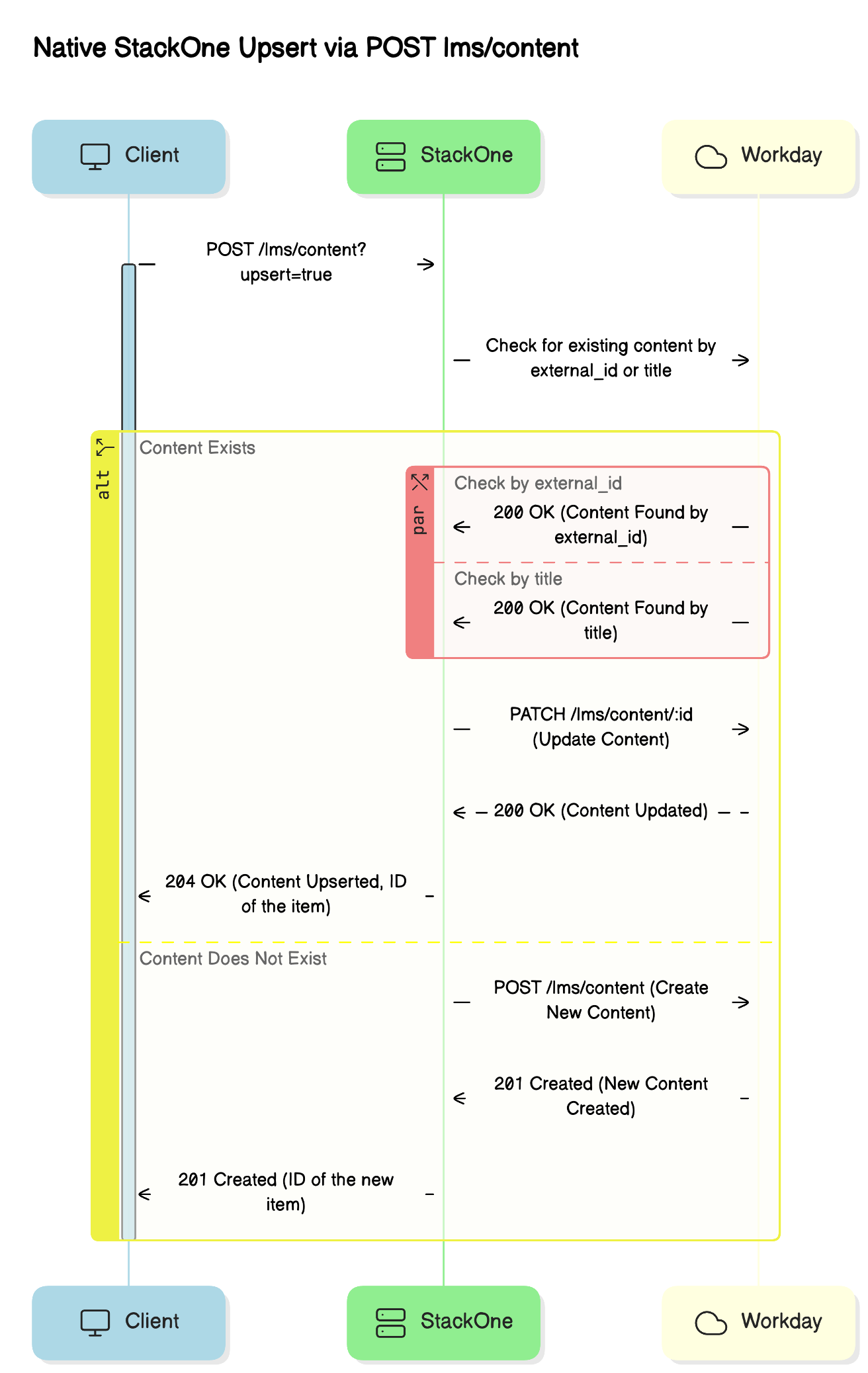
Supported operations: Create and update content items How Workday identifies content: Workday uses bothexternal_reference and title to identify content:
- If a
titlematches existing content, Workday updates theexternal_reference - This ensures content remains unique even if references change
-
Creation: Workday automatically creates a course wrapper with these defaults:
- Lesson Order: 1
- Lesson Mandatory: True
- Registrable Status: Open
- Requires Enrollment: True (configurable)
- Updates: Workday updates existing content based on the matching rules above
-
Disabling content: Set the
activefield tofalseto hide courses from learners
- Cover images must be base64 encoded (StackOne handles this automatically)
- Content must include a valid Workday category
- Categories must be customer-specific or retrieved from the unified categories endpoint
3.2 Completion / Status Push
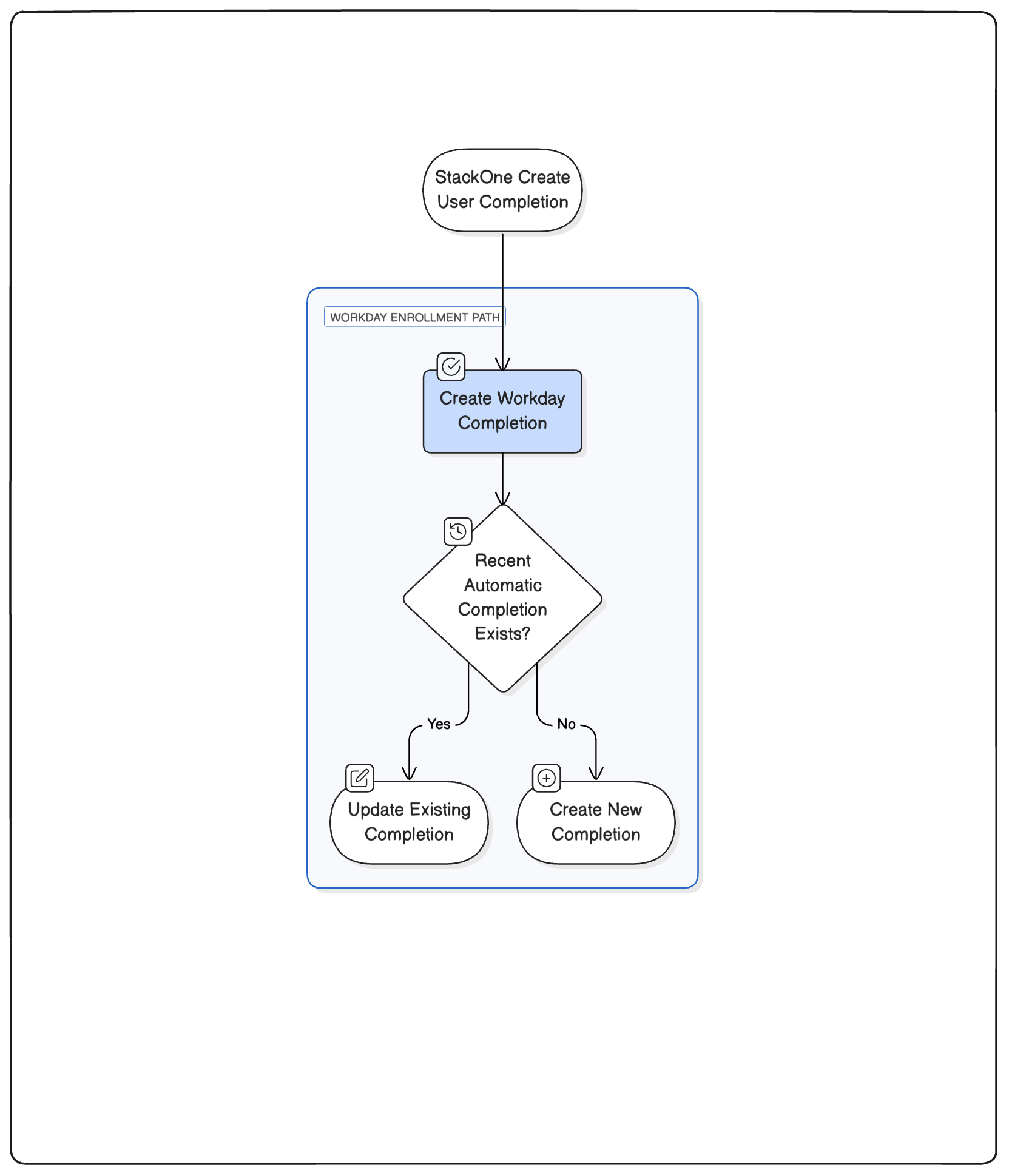
How completions work: StackOne uses thelearning_object_external_reference to identify which content the completion relates to.
Update behavior:
- StackOne updates existing completion records instead of creating duplicates
- This prevents discrepancies between your platform and Workday
3.3 Additional Writeable Resources
Categories:- List/get categories from Workday tenant
- Required for content categorization during upsert
4. Field-to-UI Mapping
4.1 Overview
This section shows how each unified API field maps into the Workday learner and admin UI. This is essential for previewing how course metadata appears inside Learning → Discover, Course Details, and Admin View.4.2 Mapping Table
| Unified API Field | Workday Field / Behaviour | UI Location | Screenshot Placeholder | Notes |
|---|---|---|---|---|
| title | Course & Lesson Title | Discover card + Course header | 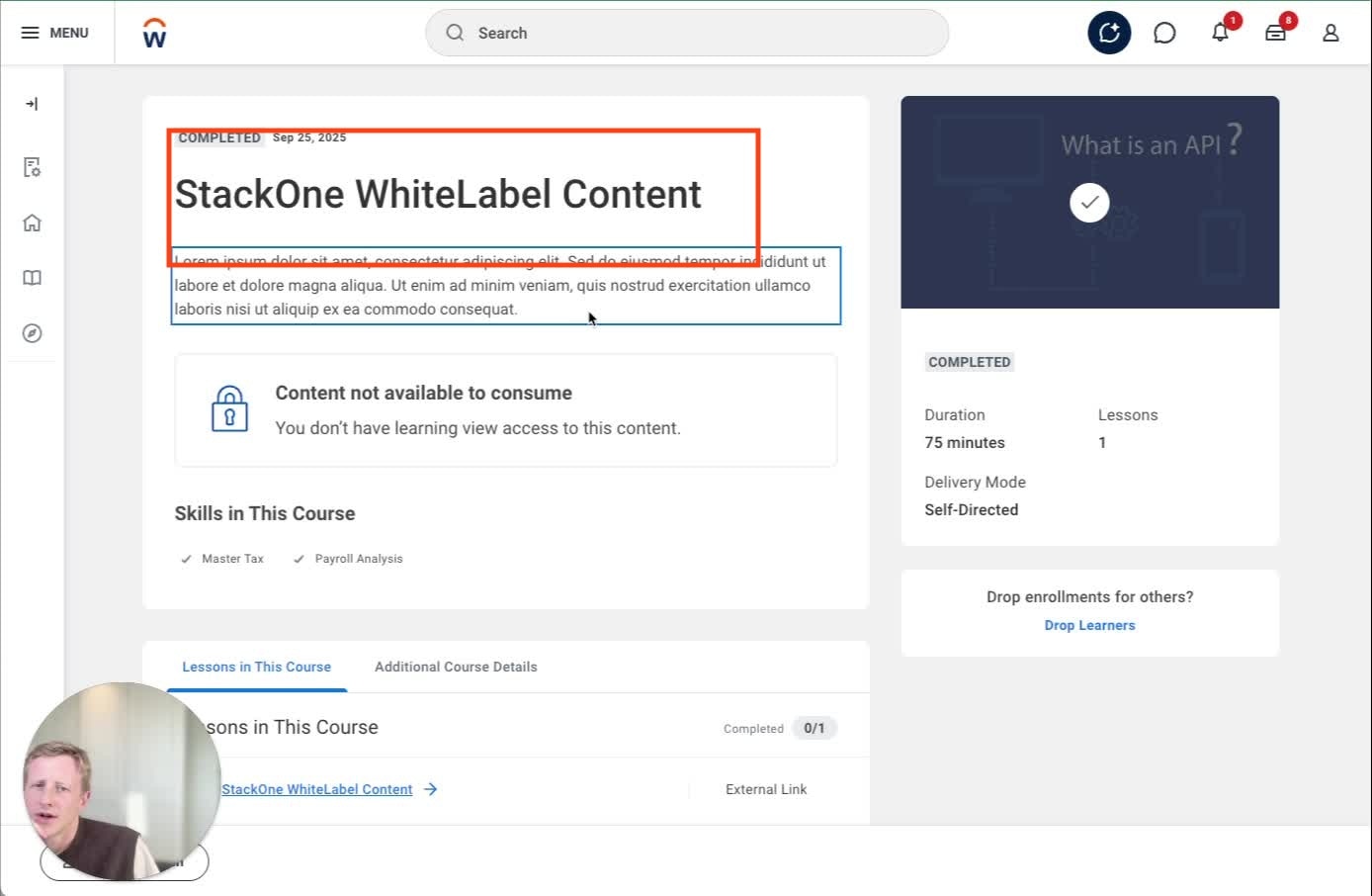 | Updates everywhere when changed |
| external_reference | Learning Course ID | Admin View | Must be unique; changing creates new course | |
| description | Description | Course page | 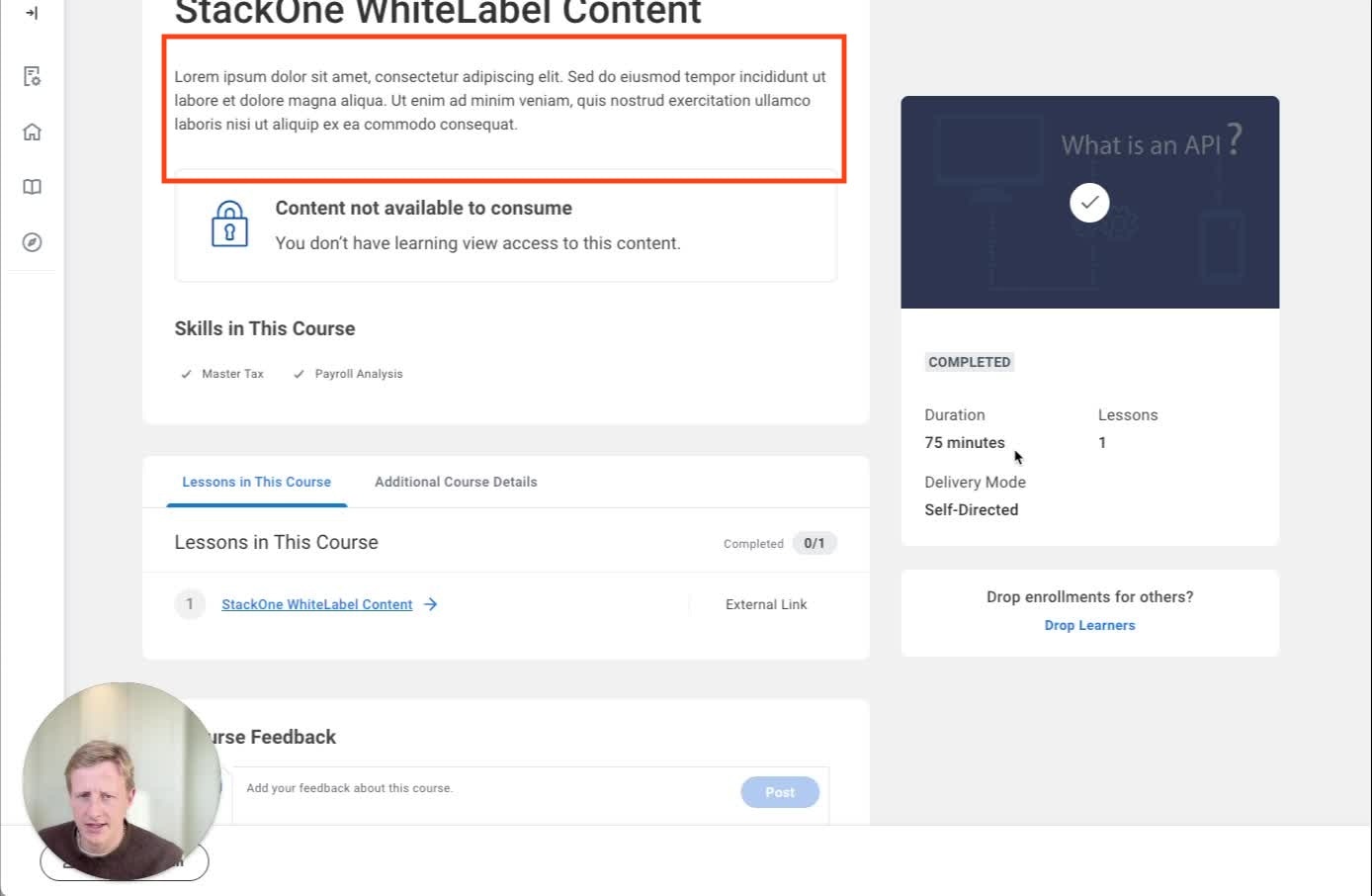 | HTML stripped; truncated on tiles |
| duration | Time Value Reference + Total Course Duration | Course page + Admin | 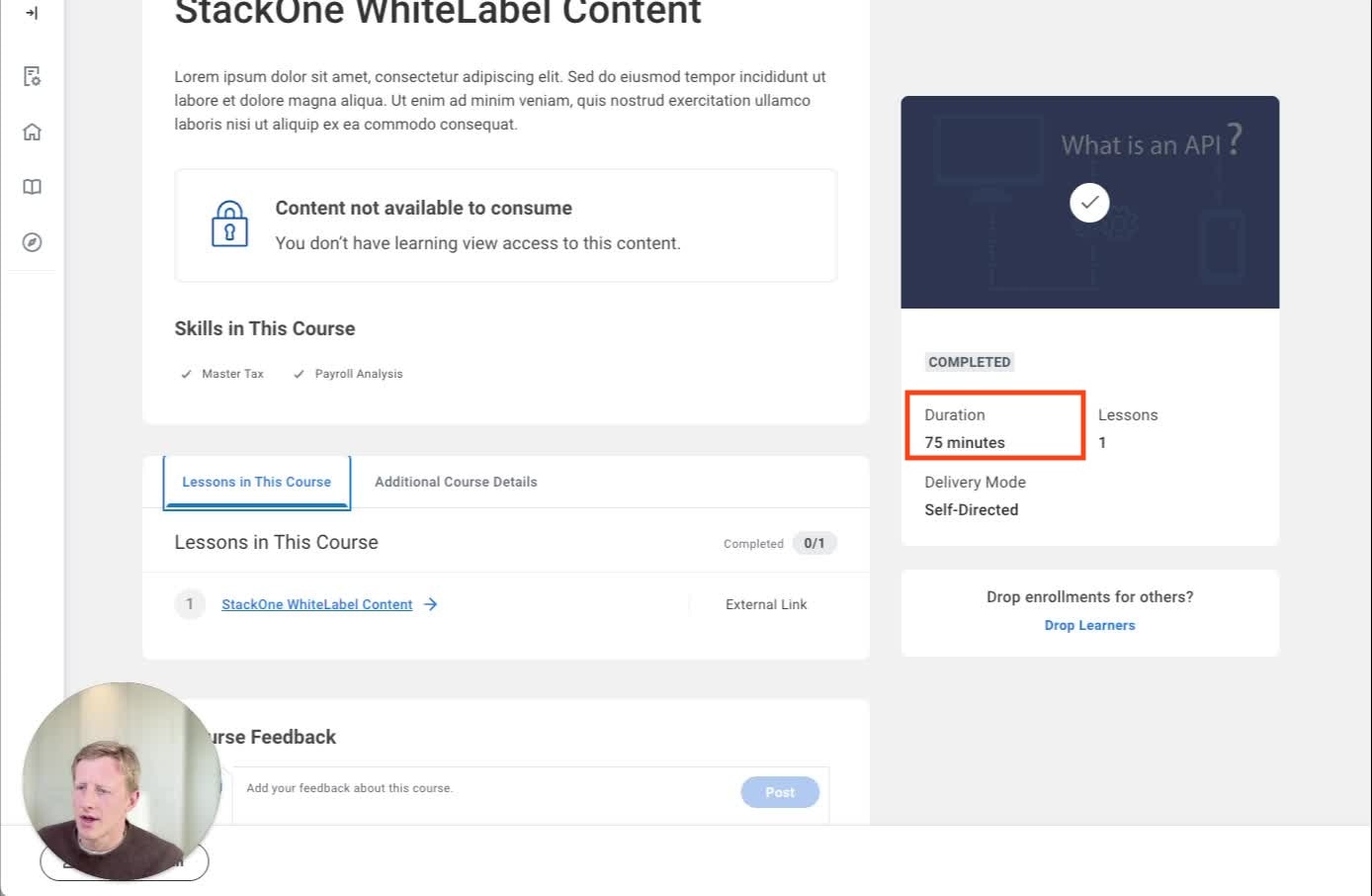 | ISO-8601 converted to minutes |
| categories | Topics Reference | Additional Course Details | 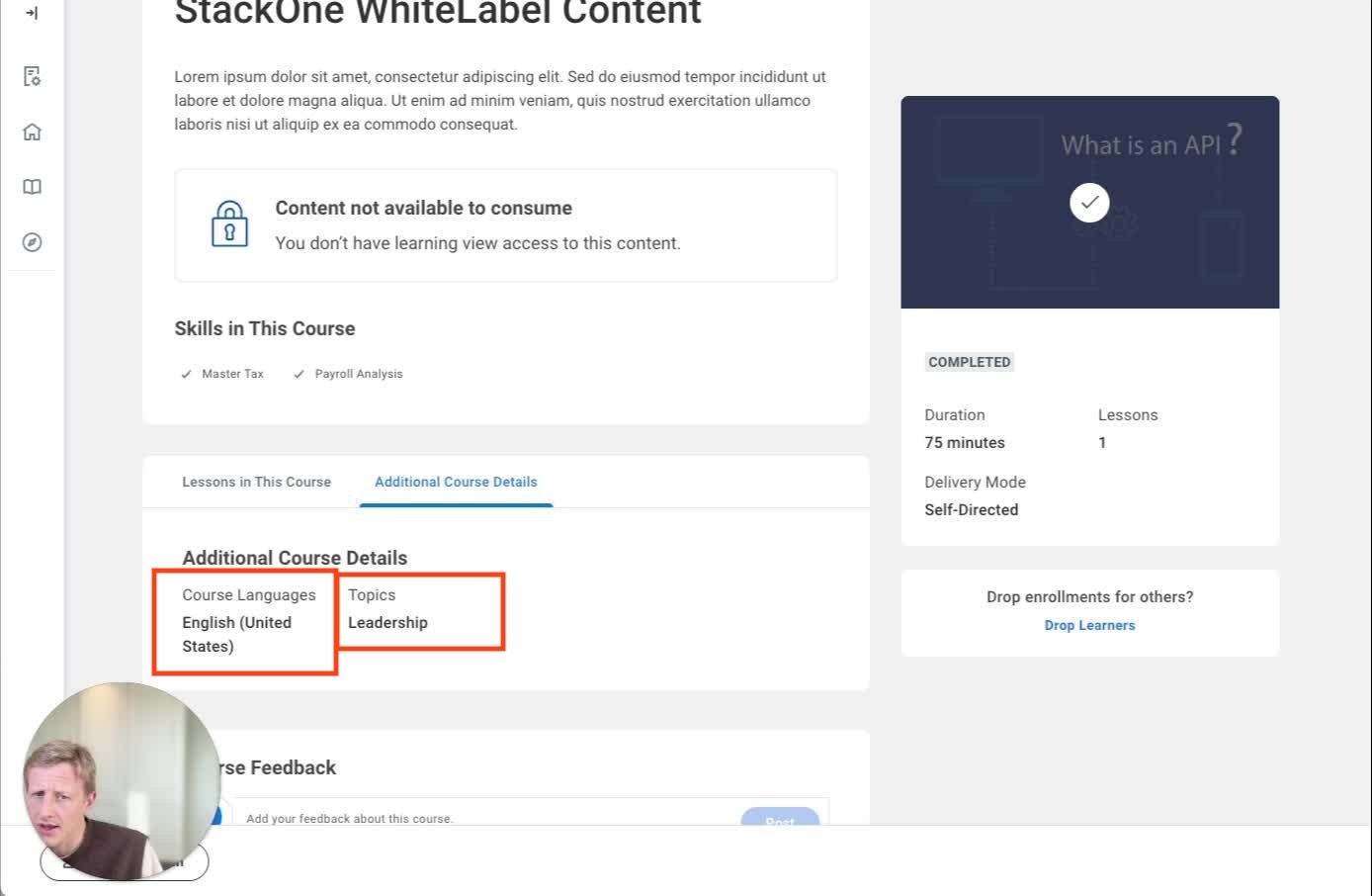 | Must match existing topics |
| skills | Skill Reference | Course page | 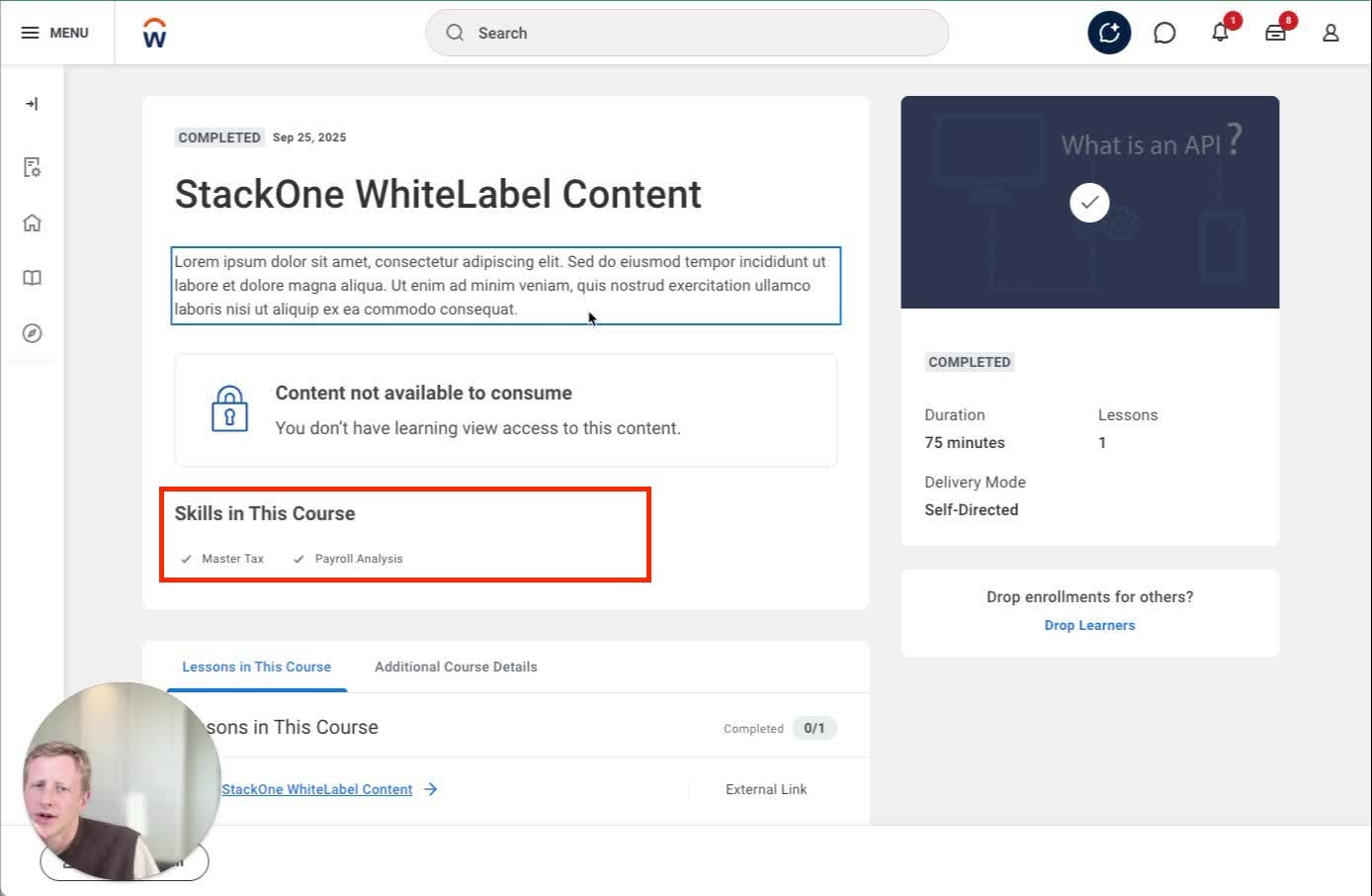 | Unknown skills cause failure |
| languages | Language Reference | Additional Details | | Only first language displayed |
| content_url | External Content URL | Admin → Lessons | 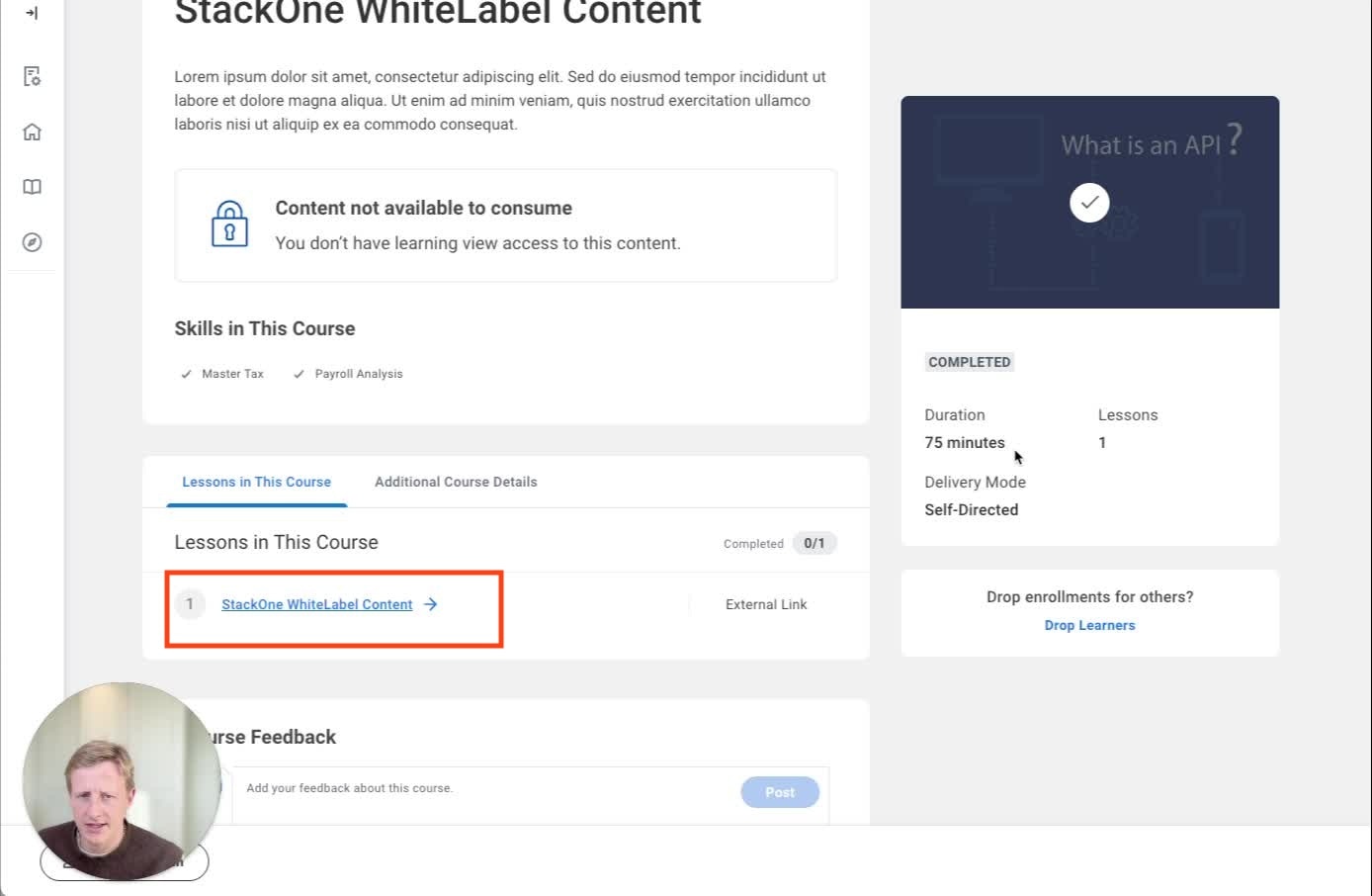 | Hidden from learners; launched via Start/Enroll |
| cover_url | Course Image Data | Discover tile + Course page | 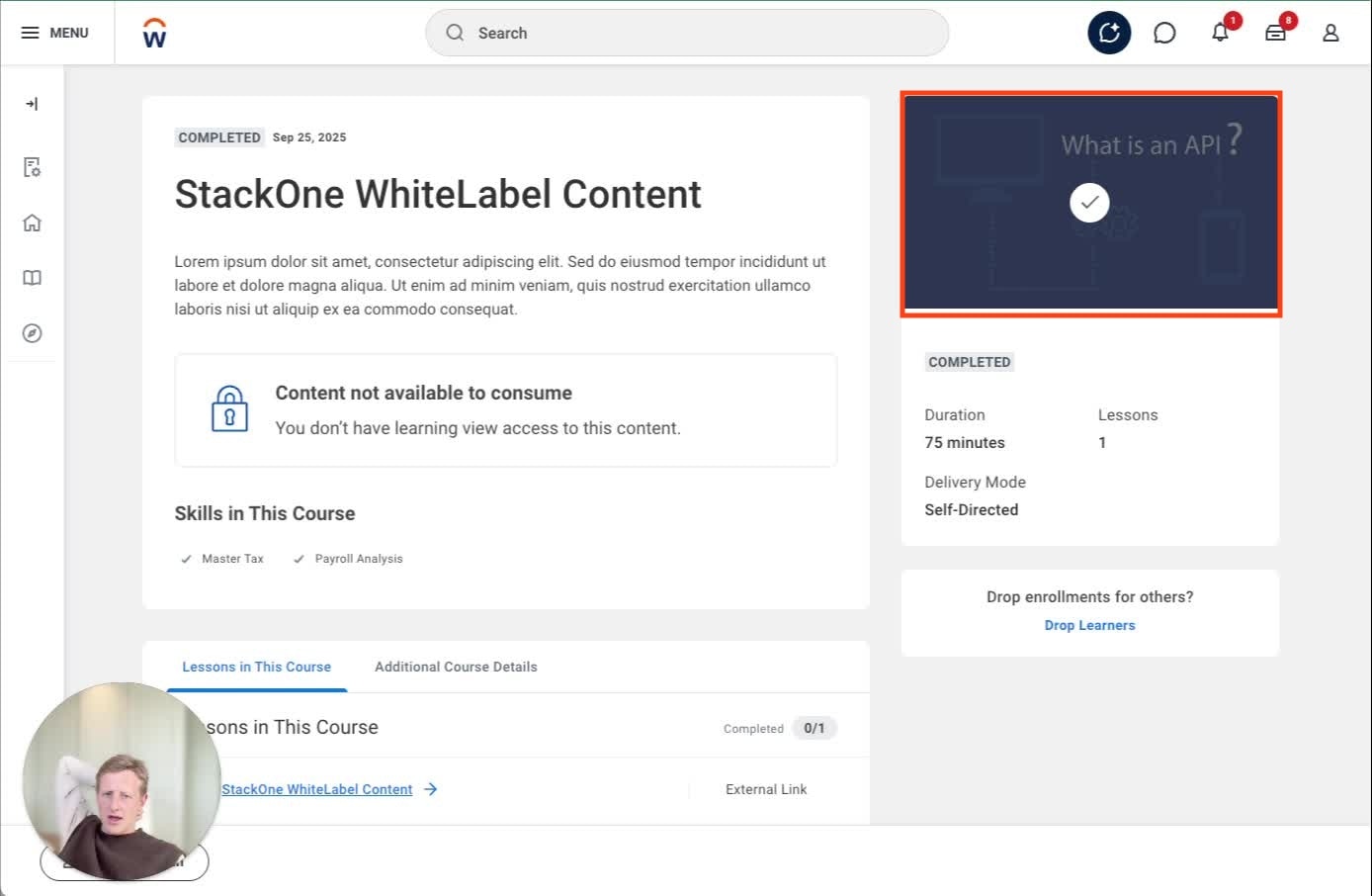 | Must be publicly accessible |
| active | Inactive | Admin | false → hides course | |
| requires_enrollment | Requires Enrollment | Admin | 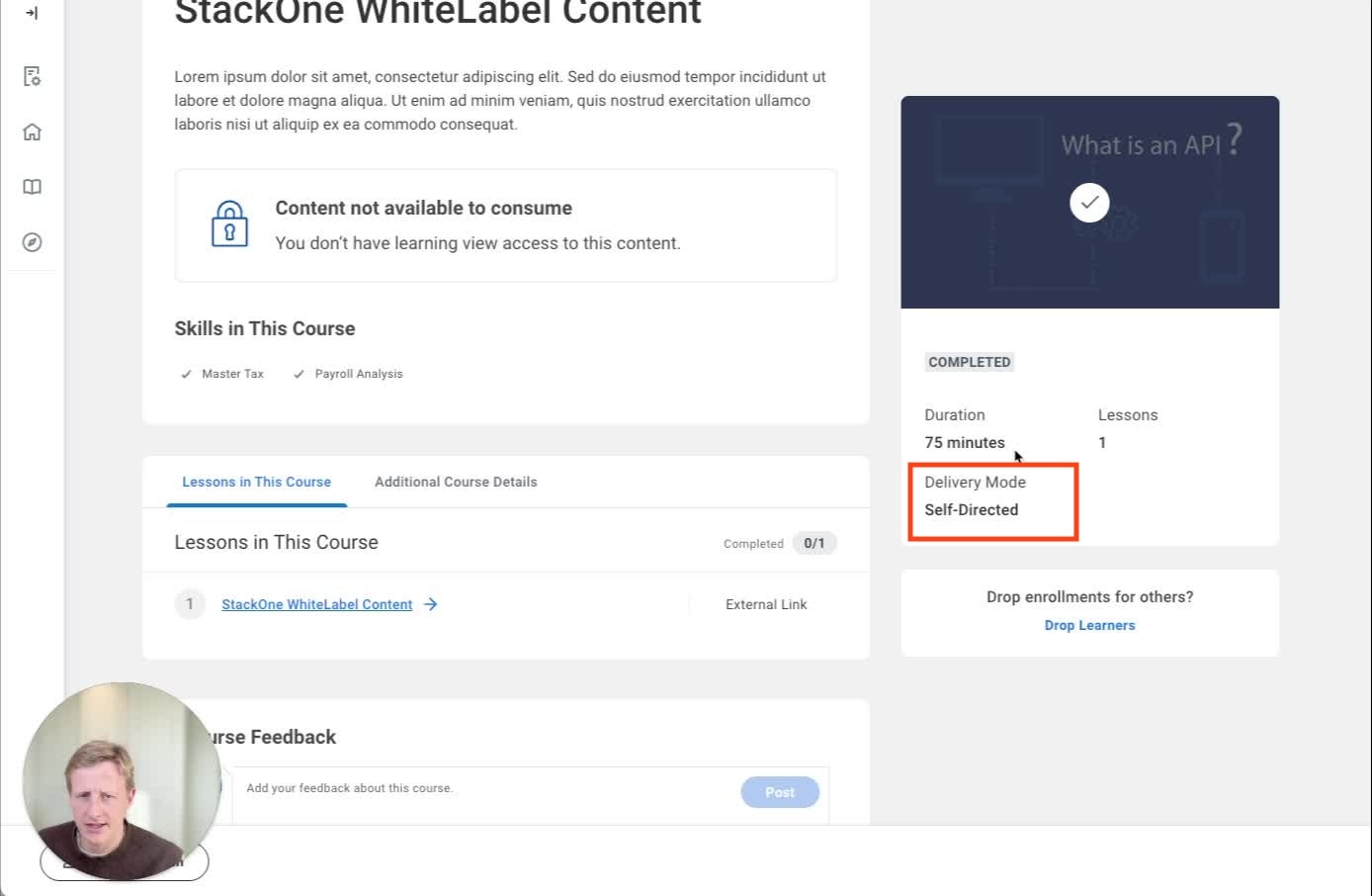 | false → self-directed |
| mobile_url | Mobile Lesson | Lessons tab | Creates additional mobile lesson |
4.3 UI Walkthrough
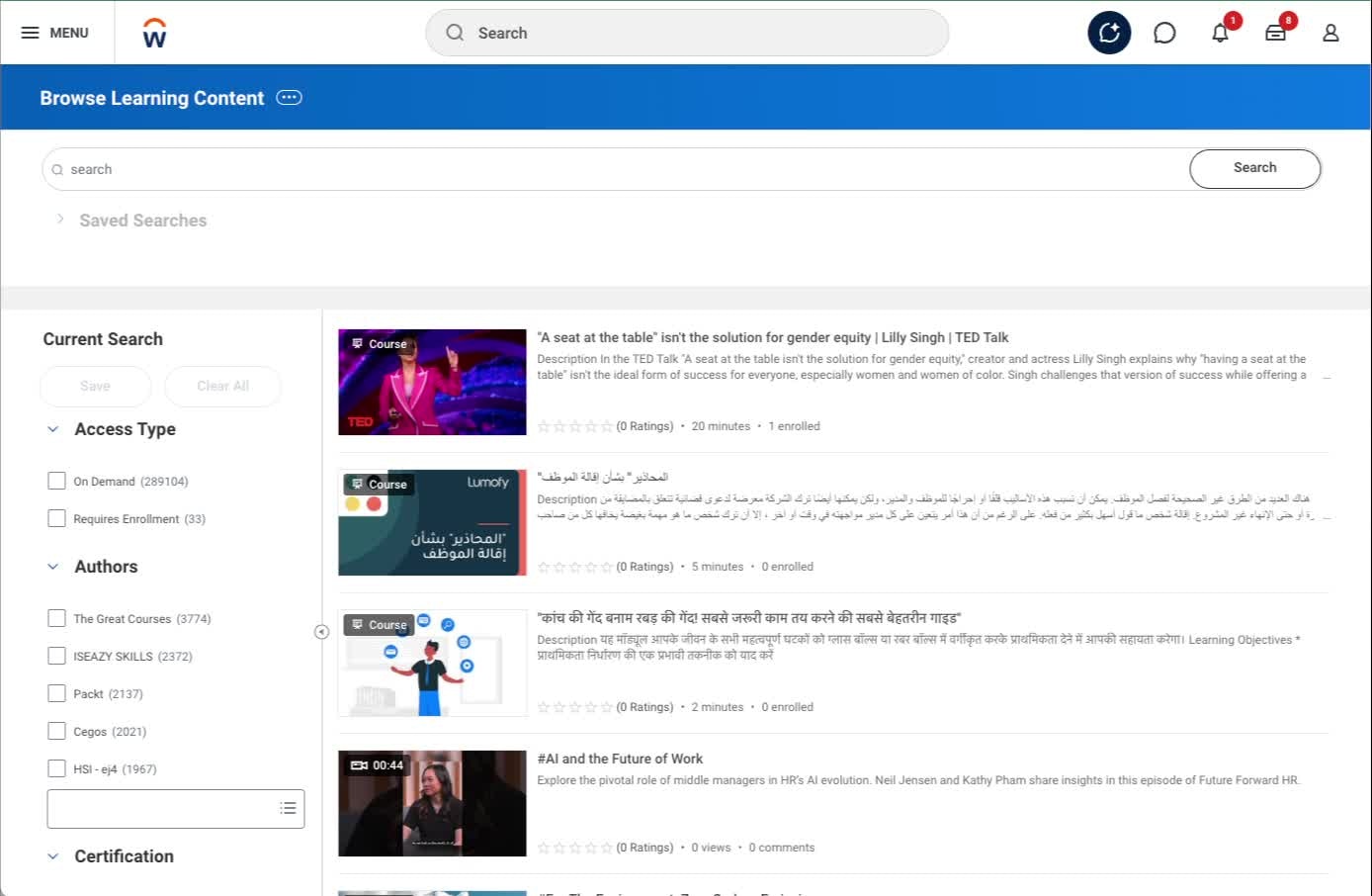
4.3.1 Discover Catalogue
- Course appears with:
- Cover image
- Title
- Duration
- Short description excerpt
- Users can filter by Topic, Language, Content Provider
Screenshot:Screenshot:
Screenshot:
4.3.2 Course Page (Learner View)
- Full description
- Skills
- Cover image
- Start/Enroll button
- Completion badge if completed
Screenshot:
4.3.3 Lessons in This Course
- Lesson 1 auto-generated
- Type: External Lesson
- Required flag visible
Screenshot:
4.3.4 Admin View
- External Reference
- Requires Enrollment
- Enforce Lesson Order
- Topics, Skills, Languages
5. Derived Values & Defaults
5.1 Derived / Computed Values
- Cover images: URLs converted to base64 encoding automatically
- Duration: ISO-8601 format converted to minutes for Workday display
- Course wrapper: Auto-generated around individual content items
5.2 System Defaults Applied by StackOne
- Content requires enrollment: True (configurable at account level)
- Lesson Mandatory: True
- Lesson Order: 1
- Registrable Status: Open
- Course creation: Auto-wraps individual content in course structure
5.3 Hardcoded / Strict Enums
- Languages: Locale codes (e.g.,
en_gb) - Result:
passorfail - Categories: Must match existing Workday categories or use unified categories endpoint
6. Configuration
6.1 StackOne Config Options
- Enrollment Required (Content): Yes/No - Controls whether content requires enrollment
- Create Duplicate Content for Mobile: Yes/No - Creates additional mobile lesson when mobile_url provided
- Content Categories: Customer-specific category mapping
6.2 System-Level Configuration
- External content feature must be enabled in Workday tenant
- Learning Administrator role assigned to managing users
- Category structure configured for content organization
6.3 Identity / SSO Mapping
- Users identified through Workday’s internal user management
- Completions linked via
learning_object_external_reference - Auto-enrollment creates user-content relationships
6.4 Account Configuration
- Requires Enrollment (Account): Yes/No - Toggle whether a user needs approval to launch a course.
- Media File ID (WID): If using the Media File CompletionBlocker approach, enter the Workday WID of the file used for the blocker.
7. Quirks & Limitations
Known Limitations
Rate limits:- 5-10 requests per second maximum
- Must be base64 encoded (StackOne handles this automatically)
- If URL conversion fails, the content upsert will fail
- Workday doesn’t natively support mobile-specific URLs
- Requires creating a duplicate lesson (see Section 6.1 for configuration)
System-Specific Behaviors
Content categorization:- Content may appear categorized as “internal” even when it links to an external provider
- This is a Workday UI behavior and doesn’t affect functionality
- Workday automatically marks content as complete when users launch it from the UI
- For single-lesson courses, Workday completes the entire course immediately on launch
- Workday uses both
external_referenceANDtitlefor deduplication - This differs from other LMS systems that typically use only the external reference
Potential Issues and Solutions
How to handle this:- StackOne updates existing completion records instead of creating new ones
- Use the DELETE user completion endpoint to clean up incorrect records
- Consider the SCORM course blocker workaround for auto-completion issues (see Section 8 → Integration Configurations)
8. Testing & Validation
8.1 Recommended Test Cases
- Content Creation: Push new content with all fields → Verify appears in Discover with correct metadata
- Content Update: Update existing content title → Verify deduplication works correctly
- Completion Push: Send completion for enrolled user → Verify updates existing record without duplicate
- Mobile Content: Push content with mobile_url and mobile duplication enabled → Verify two lessons created
- Category Validation: Push content with invalid category → Verify appropriate error handling
- Cover Image Handling: Push content with URL-based cover image → Verify base64 conversion success
8.2 Sample Payloads
8.3 Troubleshooting Checklist
8.4 Troubleshooting Unified Logs
When creating content in Workday, StackOne makes several API requests. Some of these requests are expected to fail during normal operation—this is not an indication of a problem.Expected Request Patterns for Each Content Item
For each content item, StackOne makes the following requests: 1. Two GET requests to check if content exists These requests search bytitle and external_reference to determine if content already exists in Workday.
Expected 500 errors: If the content doesn’t exist, these requests return a 500 status code with the error message:
Validation error occurred. Invalid ID value. 'XYZ' is not a valid ID value for type = 'Learning_Course_ID' or type = 'Learning_Course'This is normal behavior and does not indicate an underlying issue.You can identify this request by the URL, which will point to your image hosting service.
- Update: If content already exists (based on the earlier GET requests)
- Create: If the content is new
Integration Configurations
Media File Completion Blocker
Workday fires automatic completions when a user launches a course from the UI. If the Workday course is a single content item (i.e. one lesson within the course) Workday will also complete the course at this point. This means that there will often be a discrepancy between the real user progress on the course in the external content provider and the completion status in Workday. Workday doesn’t allow configuration on this but we can provide a Workday approved workaround. This will require your customer to upload a media file to the Workday system which will contain a PDF instructing the user to return to and complete any previous lessons on the external content provider page before completing the media lesson. As a result it blocks the completion of the course where it would normally auto-complete.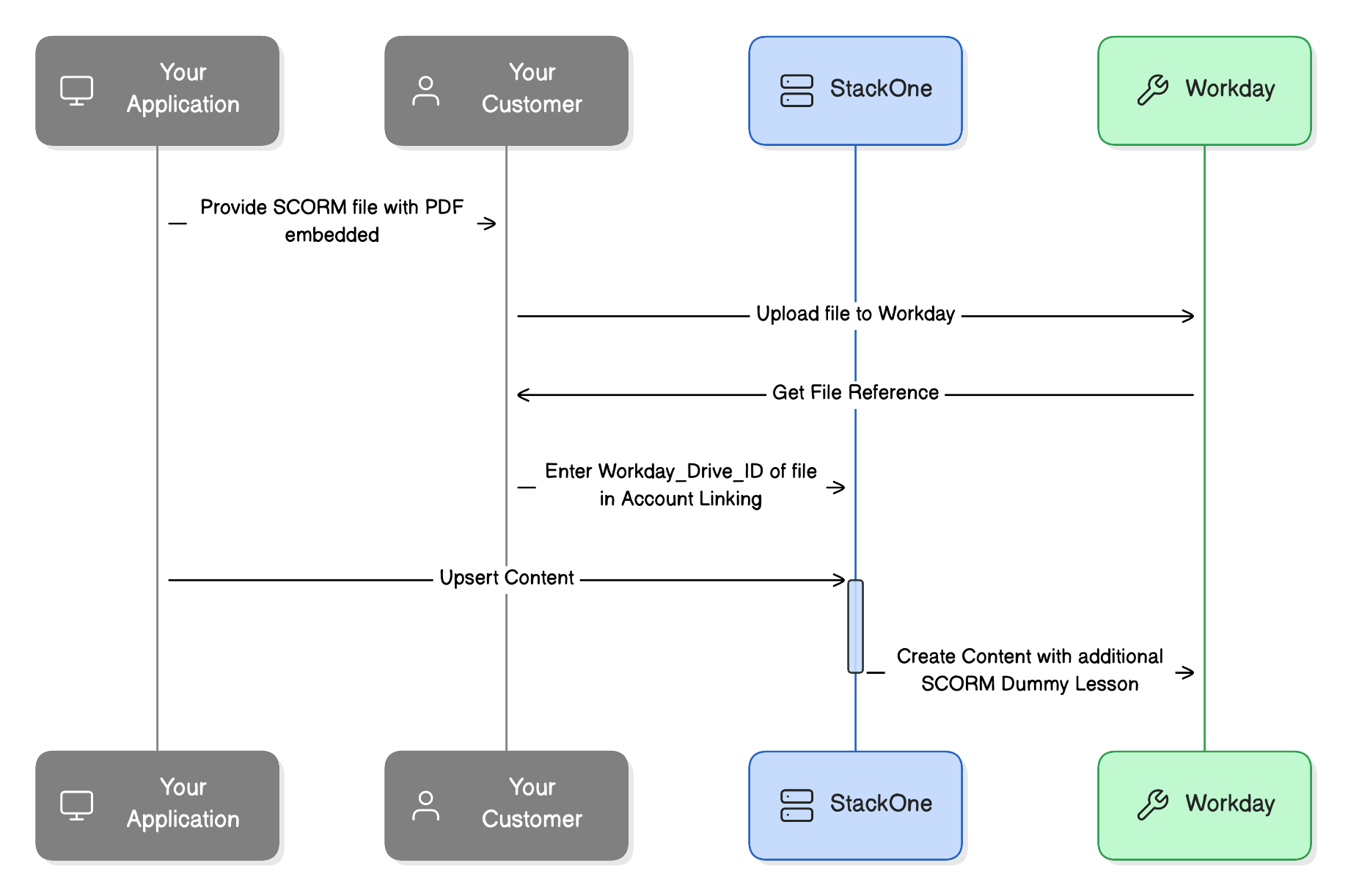
Mobile Content Lesson
Workday doesn’t support the use of additional mobile friendly content urls with a lesson. In order to help support this we can create an additional duplicate lesson in the content with a mobile specific url. There are 2 steps to enabling this:- Configure the Create Duplicate Content for Mobile to Yes in the Integration Configuration
- Include a value in the Mobile Launch Content URL field.