

Organization
Your organization is the top level, holding your projects, organization members, and organization-wide security (roles, MFA, SSO). Organization members hold one of two organization roles:- Admin: manages who has access and creates projects. Organization Admins automatically see and can access all projects in the organization.
- Member: only sees the projects they’re granted access to, directly or through a group.
Manage Team
Invite members and assign organization and project roles.
Single Sign-On
Single sign-on for your organization.
Projects
An isolated workspace inside the organization. Each project has its own:- Name: can be changed at any time without affecting linked accounts or other settings.
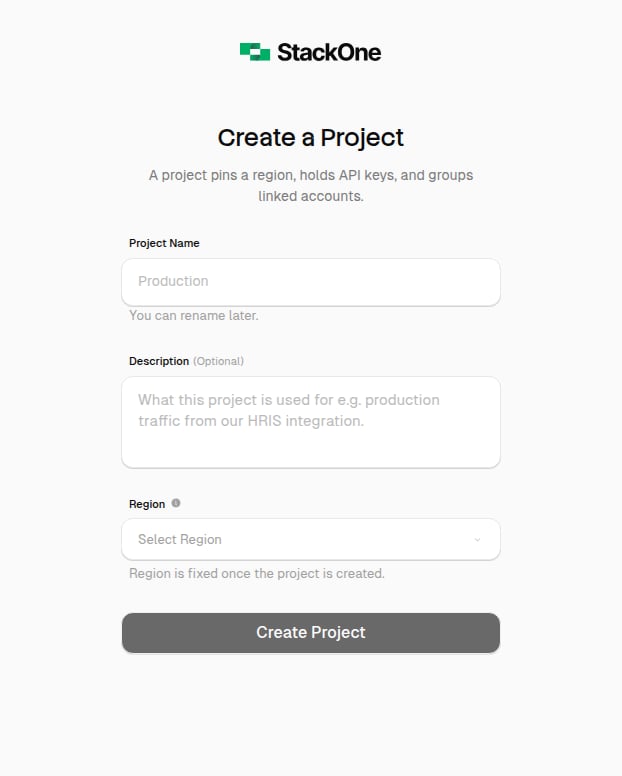
- Region: set at creation and fixed afterward; it decides where data is stored and appears in the API key as
v1.{region}.xxxxx. - API keys: scoped to one project, so a production key can’t reach dev data.
- Project members: project-level roles, so someone can be a project Admin without organization-wide access.
- Connector profiles and linked accounts: its own connector profiles and linked accounts.
More than one project is only available on certain plans. See plans and pricing.
Create a project
Click the project selector in the top-left of the sidebar and select Create a project.Only organization Admins can create new projects.
Available regions
Available regions
Need a region that isn’t generally available? Contact your StackOne account manager.
Switch projects
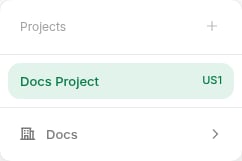
The project selector in the top-left of the sidebar lists the projects you have access to. The region code appears next to each project name (e.g.EU1 or US1).
Project settings
Configure a project from Project Settings in the dashboard sidebar. Each setting is covered where it’s used:API Keys
Create keys and set their scopes.
Project Roles
Manage who has access to the project and what they can do.
Observability
Request-log retention, error-only mode, and PII redaction.
Defender
Prompt-injection scanning and blocking thresholds.
Connector Versioning
Whether published connector versions can be overwritten.