

What’s logged
Security logs
Security logs are a record of every login attempt, success or failure, for monitoring and audit. Open them under Organization > Security > Logs.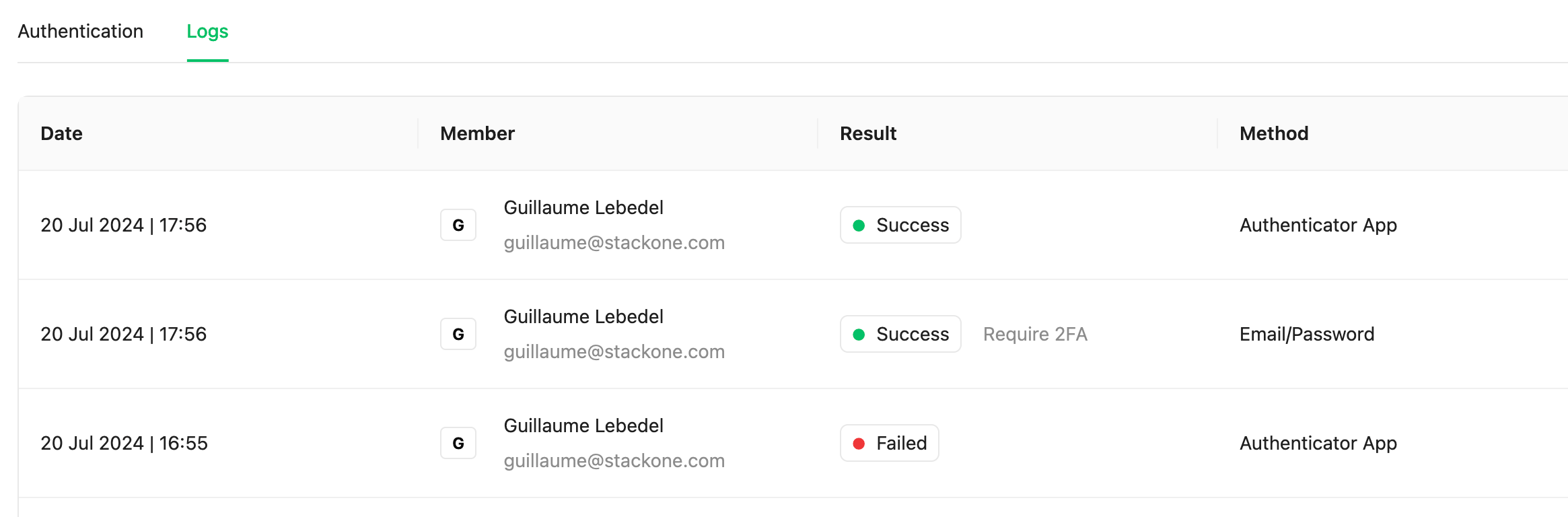
Advanced Logs
Advanced Logs stores the request and response bodies of your project’s calls, so you can debug a failed request step by step. See Request Logs for how to read them. Open Project Settings → Advanced Logs to configure it. Settings apply to the whole project.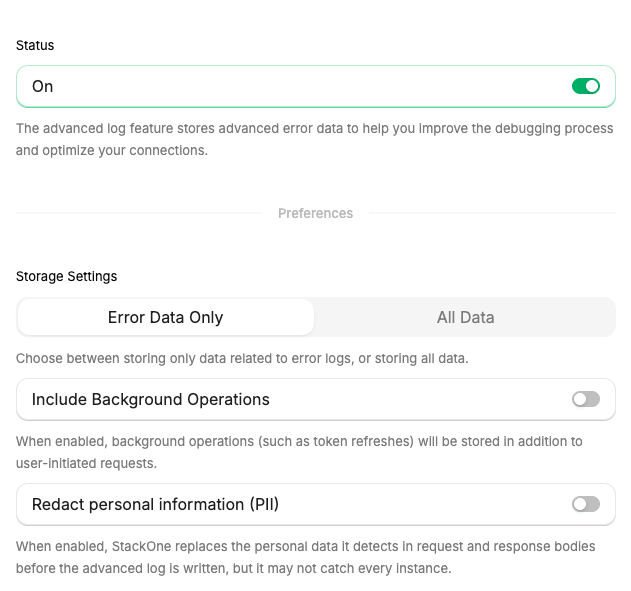
Settings
The other settings can only be changed while Status is on.
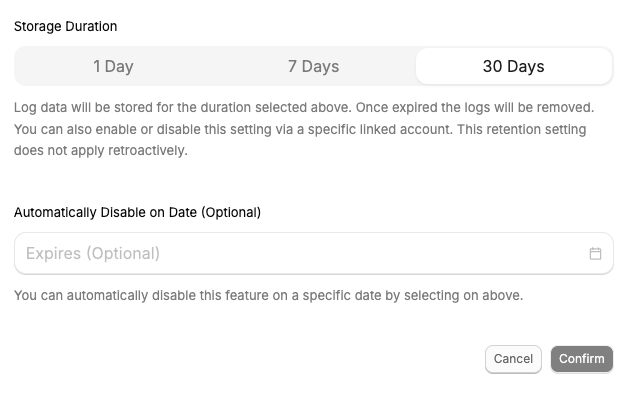
Retention changes apply only to new logs. Existing logs keep the retention they were stored with.
PII redaction
PII redaction removes personally identifiable information (PII) from stored bodies. To redact PII from tool inputs and responses, see PII Redaction. When Redact personal information (PII) is on, StackOne scans each body before the log is written and replaces each personal value it detects with a tag naming its type, such as<REDACTED_EMAIL> or <REDACTED_PHONE_NUMBER>. Credential-like tokens the patterns catch have no type and become <REDACTED>; named credential fields follow the Credentials rule below. Only the redacted copy is stored.
- Detection. Patterns catch email addresses and credential-like tokens. A model finds names, phone numbers, postal addresses, government ID numbers, payment card numbers, and other personal data.
- Scope. Request and response bodies only. Log metadata such as the path, status code, connector, and Linked Account stays intact, so logs remain searchable.
- Coverage. The bodies of action call logs.
- Applies to new logs only. Logs that are already stored are not changed.
- Credentials. Fields whose names match a fixed list of credential names, such as
password,token,api_key,client_secret, andauthorization, are masked in every stored body whether or not PII redaction is on. The value is replaced with**redacted**, followed by its last five characters when it is longer than 10 characters.