

 MCP
MCP A2A
A2AGather your Timesheet Portal API credentials
First, log in to your Timesheet Portal account athttps://{your-account-name}.timesheetportal.com (or use the generic
Timesheet Portal login if you have a single account).
You need three values: your Account Name (login subdomain) and the Email and
Password of an API-authorised System Administrator user. StackOne uses these to obtain a
session API token automatically.
Find your account name
Open the Settings menu from the account dropdown in the top-right corner (click your
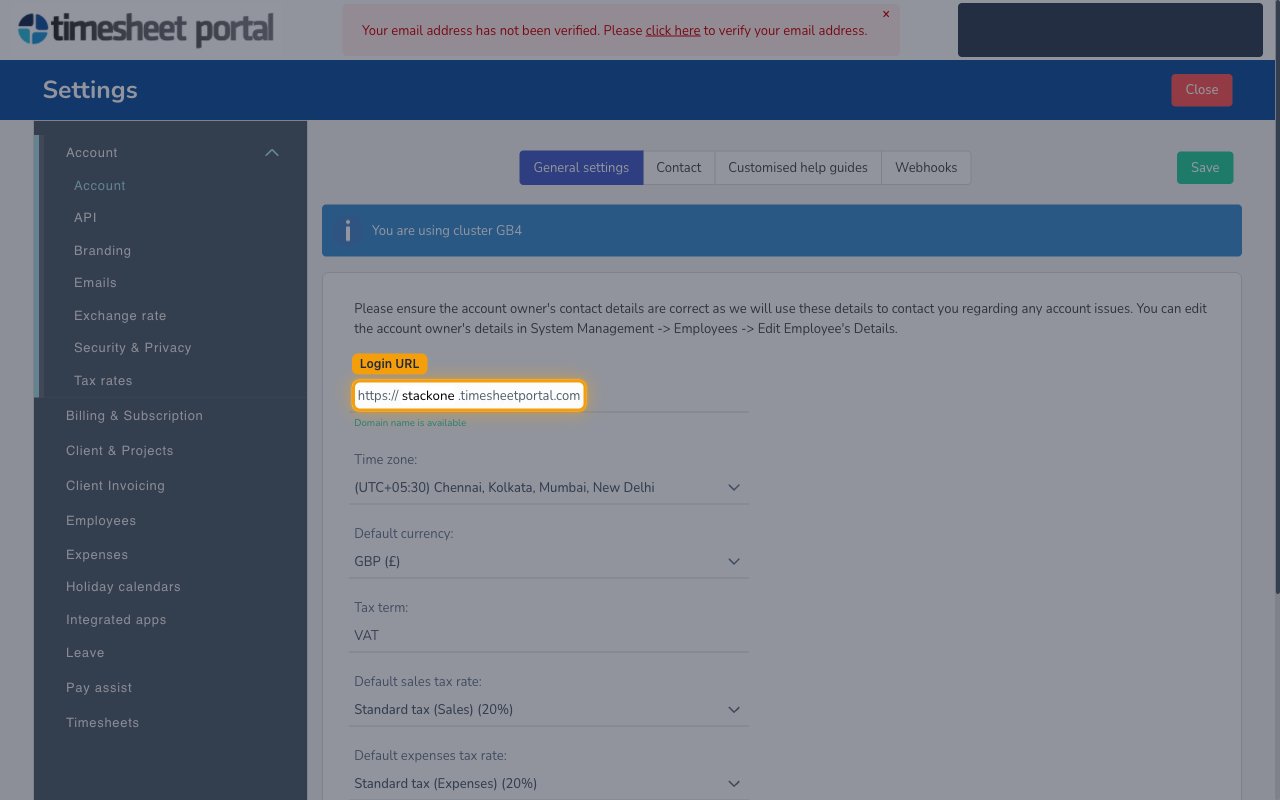
name/avatar), then under the Account section open Account. On the
General settings tab, read the Login URL field. Your Account Name is the
subdomain shown before .timesheetportal.com.
- Format:
https://{account-name}.timesheetportal.com - Example: for
https://acme.timesheetportal.comthe Account Name isacme. - Enter the subdomain only (e.g.
acme) into the Account Name field in StackOne Hub — not the full URL.
Enter an API-authorised user's email and password
The Email and Password must belong to a Timesheet Portal user with the
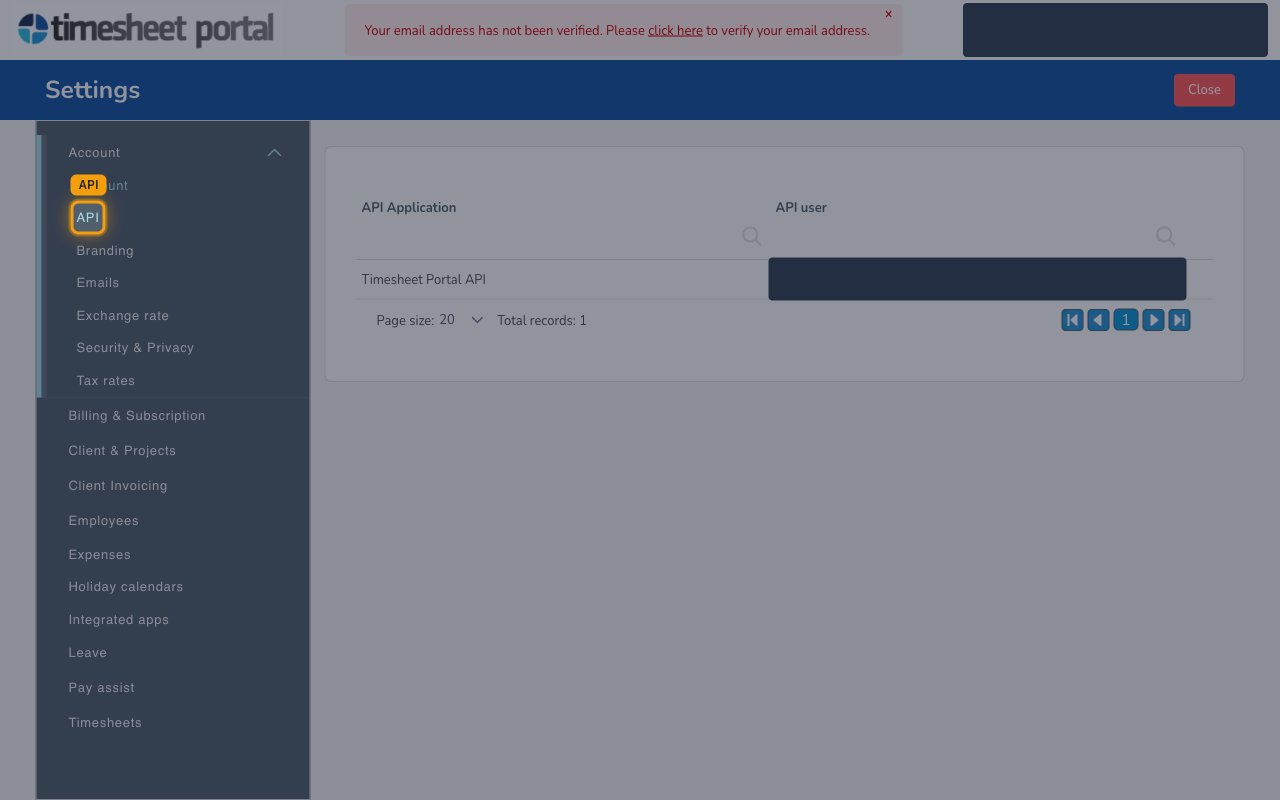
System Administrator role that is authorised for API access. Under Settings →
Account → API, the Timesheet Portal API application lists its assigned
API user — that is the user whose credentials to enter.
- Enter that user’s login email into the Email field in StackOne Hub.
- Enter that user’s password into the Password field in StackOne Hub. It is used only to obtain a session API token.
Linking the Account from the Hub
Navigate to the Hub
Fill out the fields
- Account Name
- Password
Connect
- Click Connect
- If applicable, the provider will redirect you to a sign-in or authorization page. Complete the provider’s authorization flow.
- Once authorization is successful, you will see a confirmation popup
If the account linking is successful, you will see the newly linked account in your Accounts page.