

Recommended Set up with your agent
Paste it into Amazon Quick chat or any AI assistant, and it walks you through each step.
Help me connect StackOne to Amazon Quick. Someone at my company already added StackOne to Amazon Quick. Read the setup guide at https://docs.stackone.com/ai-platforms/setup-guide.md and guide me one step at a time.
Or follow the steps yourself
Connect
1
Open StackOne
- In Amazon Quick, choose Connectors.
- Choose StackOne in your list of connectors.
- Choose Sign in.
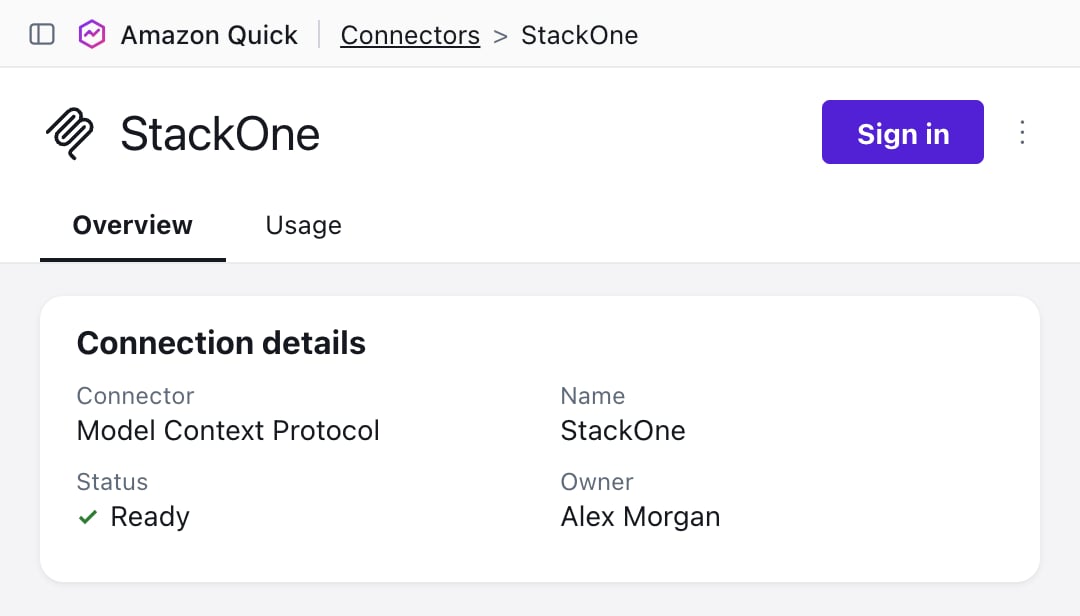
StackOne isn't there
StackOne isn't there
Ask your Amazon Quick admin to add it for your organization. Send them this:
2
Sign in and authorize
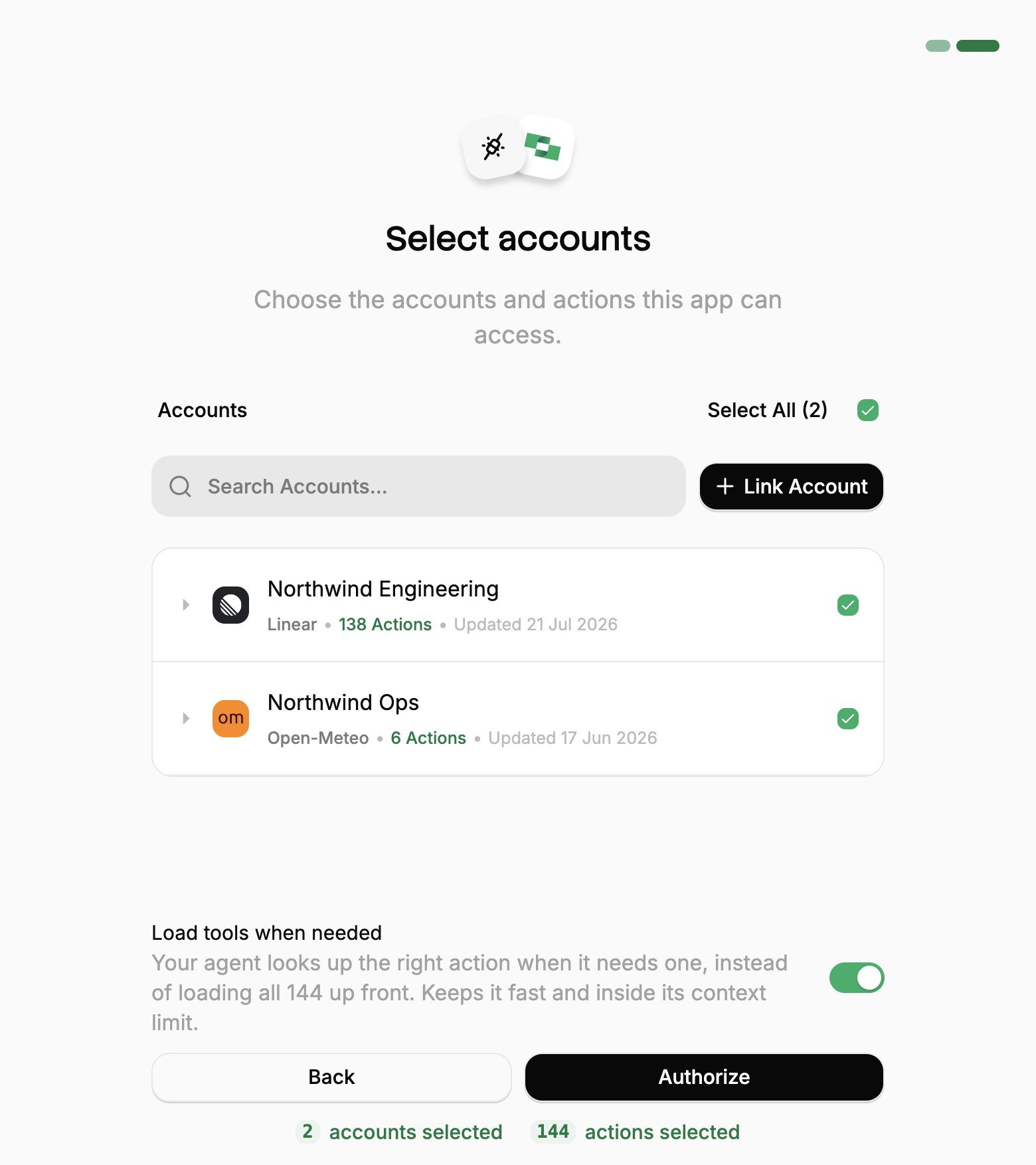
- Sign in to StackOne. In a desktop app or code editor, this opens in your browser.
- If StackOne asks for a project, pick yours and click Continue to Accounts.
- Pick the work systems Amazon Quick can use (your Linked Accounts).
- If you see Load tools when needed, leave it on.
- Click Authorize.
3
Use it in chat
- Start a new chat in Amazon Quick.
- Make sure the data filter is set to All data and apps. To use only StackOne, choose Specific data and apps, then Choose resource, and pick StackOne.
-
To check it works, send:
If something goes wrong
If something goes wrong
Can’t find StackOne. With a Professional subscription, you can use StackOne once someone shares it with you. If you can’t use connectors in chat at all, your Amazon Quick admin may have turned off actions for you.You use the Amazon Quick desktop app. Go to Customize, then the Connectors tab, and choose Sign in for StackOne.A system you need is missing. Ask your StackOne admin, or see Linking Accounts.It stopped working. Go to Connectors, choose StackOne, then choose Re-Connect. Access lasts 90 days from when you clicked Authorize.It can’t do something. It can do only what your own StackOne access allows. Ask your StackOne admin.
Add or change accounts
Add or change accounts
Amazon Quick reaches only the Linked Accounts you approved when you connected. To add one you link later, or one someone shares with you afterwards:To review or revoke the connection, use the same ⋮ menu in Connected Apps.
1
Open Connected Apps
In the StackOne dashboard, go to Connected Apps.
2
Edit the connection
- Open the ⋮ menu on the row for Amazon Quick and select Edit tool access.
- Select the Linked Account.
- Click Save changes.