> ## Documentation Index
> Fetch the complete documentation index at: https://docs.stackone.com/llms.txt
> Use this file to discover all available pages before exploring further.

# GitBook Webhook Setup Guide

> Configure GitBook to deliver events to StackOne.

## Prerequisites

Before continuing, you should have already completed the following for this connector:

<Steps>
  <Step title="Configure the Connector">
    Enable the connector and set up its connector profile in your project. See <a href="/connect/managing-connectors/overview">Managing Connectors</a>.

    <Columns cols={2}>
      <Card title="Connector Profile" href="/connectors/gitbook/guides/connector-profile/api-key" icon="https://stackone-logos.com/api/gitbook/filled/svg" horizontal>
        GitBook - API Key
      </Card>
    </Columns>
  </Step>

  <Step title="Link an Account">
    Connect an account using <a href="/embed/account-linking/overview">StackOne Hub</a> or <a href="/embed/account-linking/auth-link">Auth Link</a>.

    <Columns cols={2}>
      <Card title="Link Account" href="/connectors/gitbook/guides/link-account/api-key" icon="https://stackone-logos.com/api/gitbook/filled/svg" horizontal>
        GitBook - API Key
      </Card>
    </Columns>
  </Step>
</Steps>

<section data-guide-section data-guide-scopes="">
  <h2>Sign in to GitBook</h2>

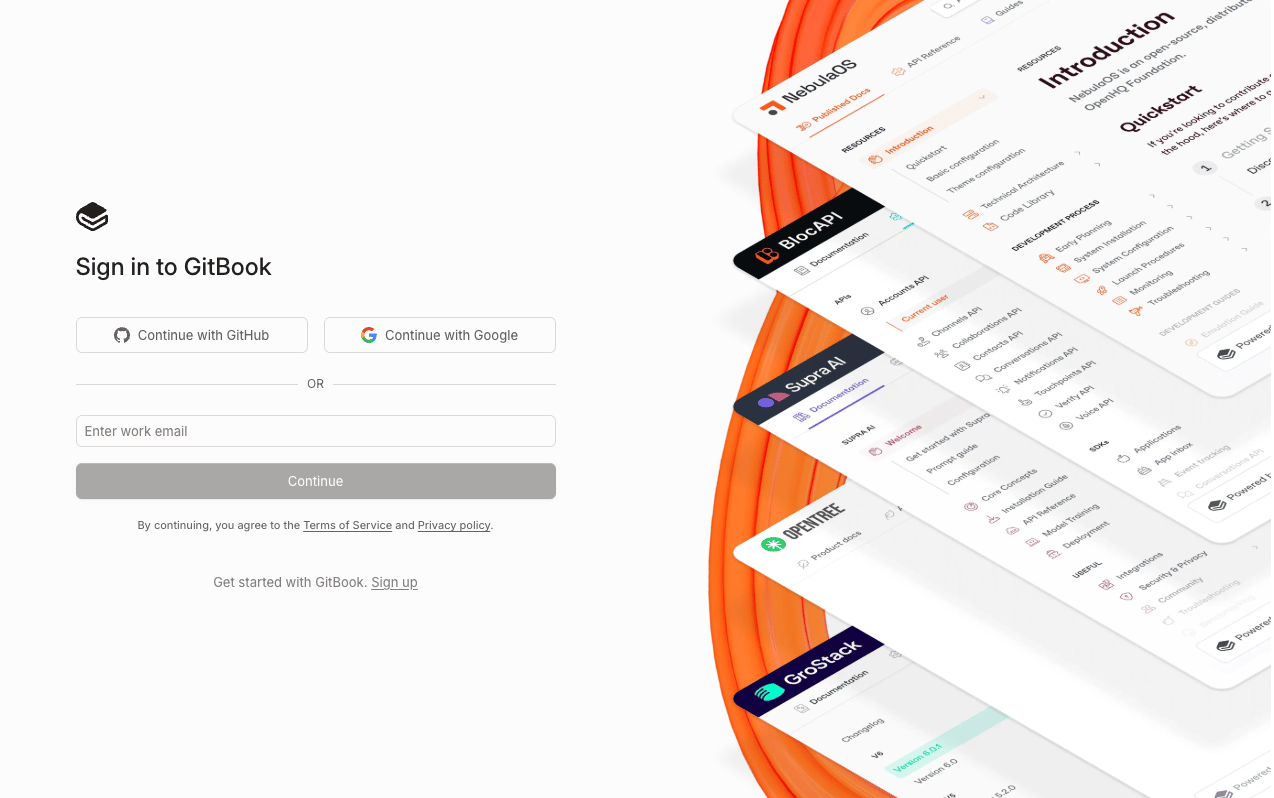
  <p>Sign in to your <a href="https://app.gitbook.com" target="_blank" rel="noopener noreferrer">GitBook account</a>.</p>

  <img src="https://mintcdn.com/stackone-60/MWWqCynAD54jCJRQ/connectors/gitbook/images/events-webhook-gitbook-signin.png?fit=max&auto=format&n=MWWqCynAD54jCJRQ&q=85&s=605c070fc724e7209d4dfe6fae4f246b" alt="GitBook sign-in page" width="1274" height="798" data-path="connectors/gitbook/images/events-webhook-gitbook-signin.png" />
</section>

<section data-guide-section data-guide-scopes="">
  <h2>Access Integrations</h2>

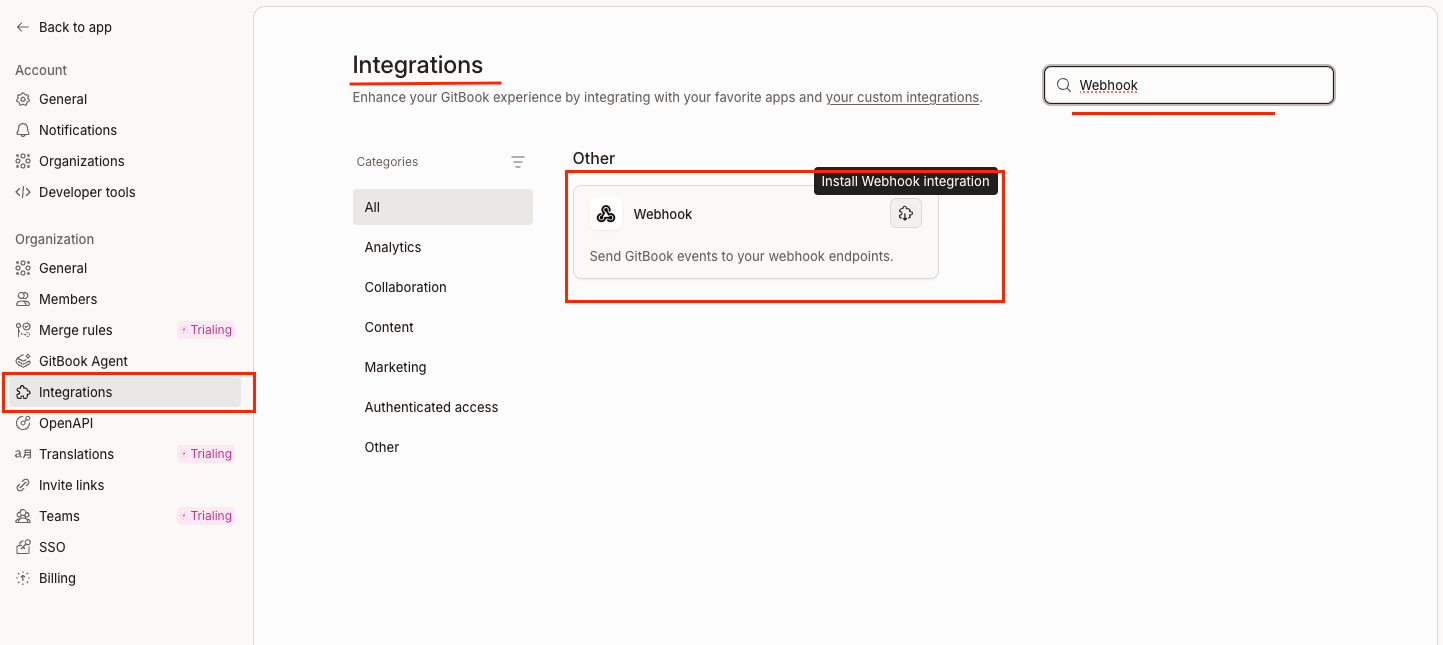
  <p>Navigate to the <strong>Integrations</strong> page.</p>

  <ul>
    <li>Click <strong>Settings</strong> in the left sidebar under Organization.</li>
    <li>Click <strong>Integrations</strong> in the left sidebar under Organization.</li>
    <li>Search for <strong>Webhook</strong> in the search bar and click the <strong>Webhook</strong> integration.</li>
  </ul>

  <img src="https://mintcdn.com/stackone-60/MWWqCynAD54jCJRQ/connectors/gitbook/images/events-webhook-search-webhook.png?fit=max&auto=format&n=MWWqCynAD54jCJRQ&q=85&s=28572f47e1c96bf9dbfcda27d5c84f14" alt="GitBook Settings page showing Integrations" width="1443" height="645" data-path="connectors/gitbook/images/events-webhook-search-webhook.png" />
</section>

<section data-guide-section data-guide-scopes="">
  <h2>Configure the Webhook</h2>

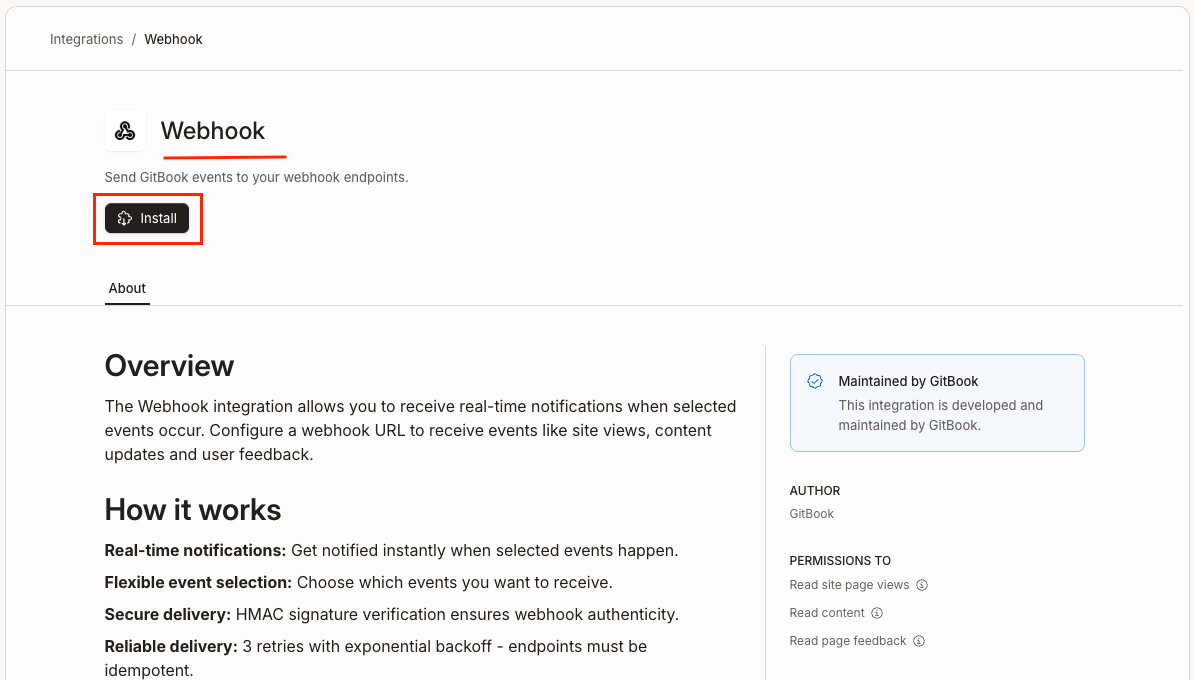
  <p>Install and configure the <strong>Webhook</strong> integration for Space, Site, and Page Feedback events.</p>

  <img src="https://mintcdn.com/stackone-60/MWWqCynAD54jCJRQ/connectors/gitbook/images/events-install-webhook-app.png?fit=max&auto=format&n=MWWqCynAD54jCJRQ&q=85&s=874c0f32692665118781b926c8c8fc3c" alt="Installed Webhook integration" width="1195" height="680" data-path="connectors/gitbook/images/events-install-webhook-app.png" />

  <Steps>
    <Step title="Webhook configuration for Space">
      <div data-guide-step data-guide-scopes="" data-guide-display-scopes-list="">
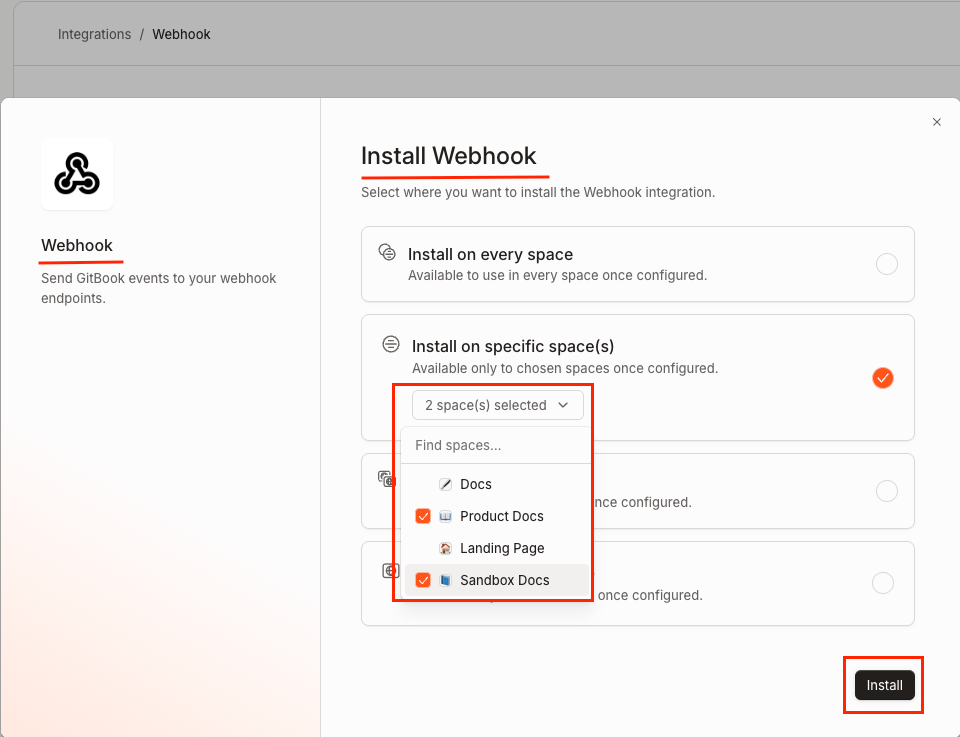
        <p>On the <strong>Install Webhook</strong> modal, select <strong>Install on the specific space(s)</strong> and click the <strong>Install</strong> button.</p>

        <img src="https://mintcdn.com/stackone-60/MWWqCynAD54jCJRQ/connectors/gitbook/images/events-webhook-for-specific-spaces.png?fit=max&auto=format&n=MWWqCynAD54jCJRQ&q=85&s=7c3aa9ad59d54f67c1a564a9db3aafa7" alt="Webhook for Install on the specific space(s)" width="960" height="737" data-path="connectors/gitbook/images/events-webhook-for-specific-spaces.png" />
      </div>
    </Step>

    <Step title="Paste the Webhook URL">
      <div data-guide-step data-guide-scopes="" data-guide-display-scopes-list="">
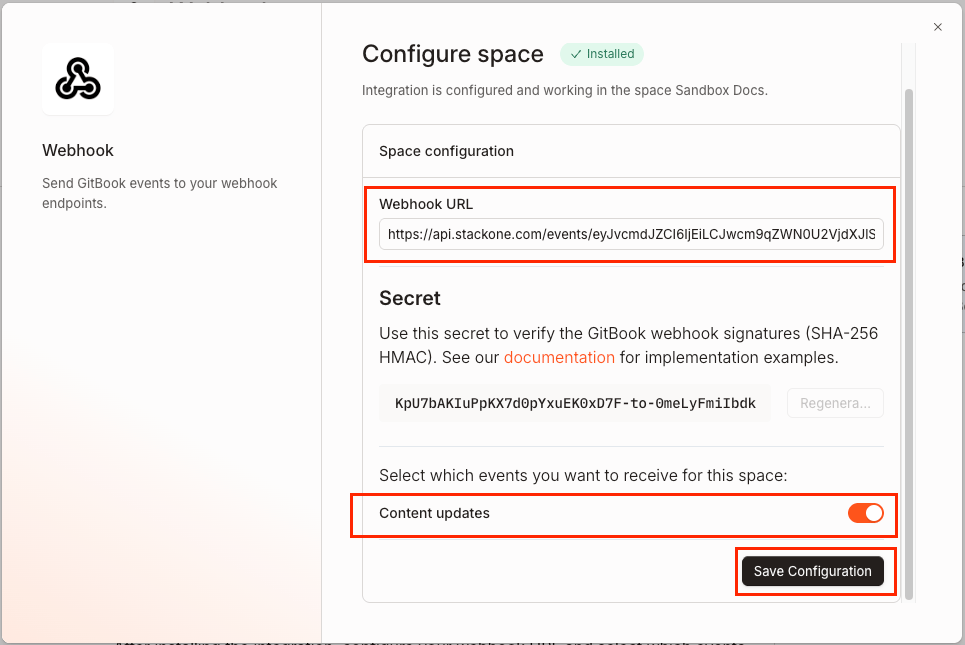
        <p>In the <strong>Configure space</strong> dialogue under <strong>Space configuration</strong>:</p>

        <ul>
          <li>Paste the <strong>Native Webhook URL</strong> you copied from StackOne Hub into the <strong>Webhook URL</strong> field.</li>
          <li>Enable the <strong>Content updates</strong> toggle under <strong>Select which events you want to receive for this space</strong>.</li>
          <li>Click <strong>Save Configuration</strong> to save.</li>
        </ul>

        <img src="https://mintcdn.com/stackone-60/MWWqCynAD54jCJRQ/connectors/gitbook/images/events-space-content-updates.png?fit=max&auto=format&n=MWWqCynAD54jCJRQ&q=85&s=0707db8df4f1b5ca1d1b0e5e7a8cd7ee" alt="Enable content updates" width="965" height="645" data-path="connectors/gitbook/images/events-space-content-updates.png" />
      </div>
    </Step>

    <Step title="Webhook configuration for Site and Page Feedback">
      <div data-guide-step data-guide-scopes="" data-guide-display-scopes-list="">
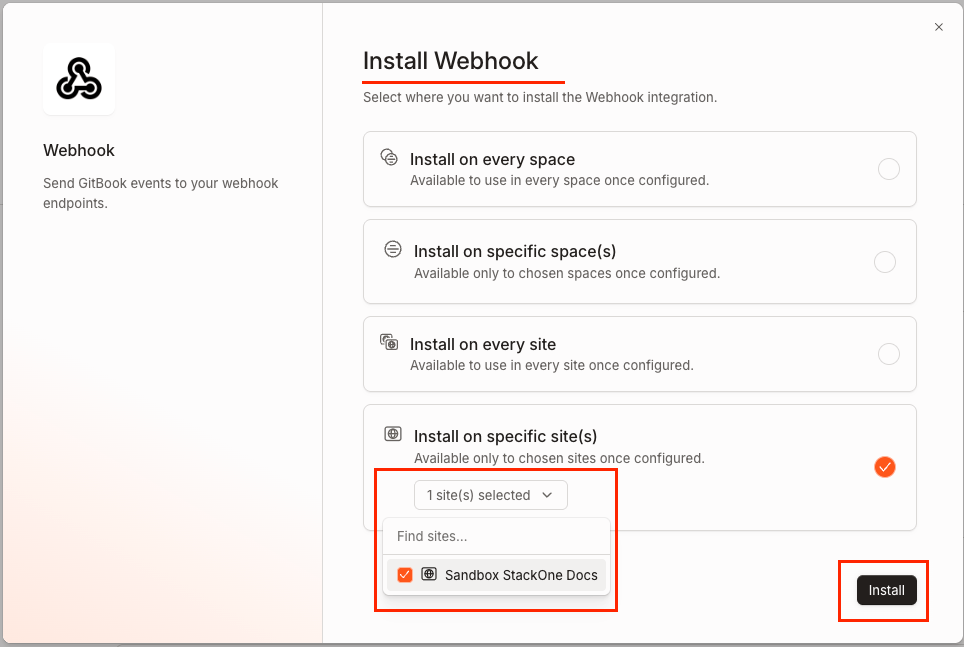
        <p>On the <strong>Install Webhook</strong> modal, select <strong>Install on the specific site(s)</strong> and click the <strong>Install</strong> button.</p>

        <img src="https://mintcdn.com/stackone-60/MWWqCynAD54jCJRQ/connectors/gitbook/images/events-webhooks-for-site.png?fit=max&auto=format&n=MWWqCynAD54jCJRQ&q=85&s=0ba7153913c9fa0dc05785f2a57cc069" alt="Webhook for Install on the specific site(s)" width="964" height="647" data-path="connectors/gitbook/images/events-webhooks-for-site.png" />
      </div>
    </Step>

    <Step title="Enable the Site and Page Feedback events">
      <div data-guide-step data-guide-scopes="" data-guide-display-scopes-list="">
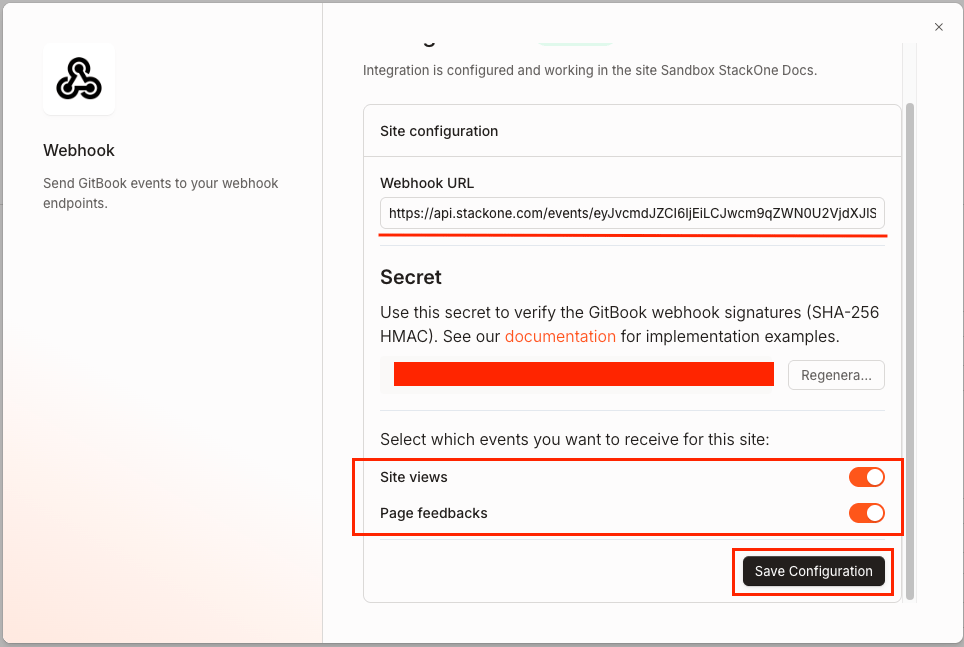
        <p>The <strong>Webhook URL</strong> field will be automatically populated. If not, paste the <strong>Native Webhook URL</strong> you copied from StackOne Hub.</p>

        <ul>
          <li>Enable the <strong>Site views</strong> and <strong>Page feedbacks</strong> toggles under <strong>Select which events you want to receive for this site</strong>.</li>
          <li>Click <strong>Save Configuration</strong> to save.</li>
        </ul>

        <img src="https://mintcdn.com/stackone-60/MWWqCynAD54jCJRQ/connectors/gitbook/images/events-enable-events.png?fit=max&auto=format&n=MWWqCynAD54jCJRQ&q=85&s=26d52f7592855ebaf276b5da09f0d6a8" alt="Enable site and page feedback events" width="964" height="647" data-path="connectors/gitbook/images/events-enable-events.png" />
      </div>
    </Step>
  </Steps>
</section>

<section data-guide-section data-guide-scopes="">
  <h2>Complete the Webhook configuration</h2>

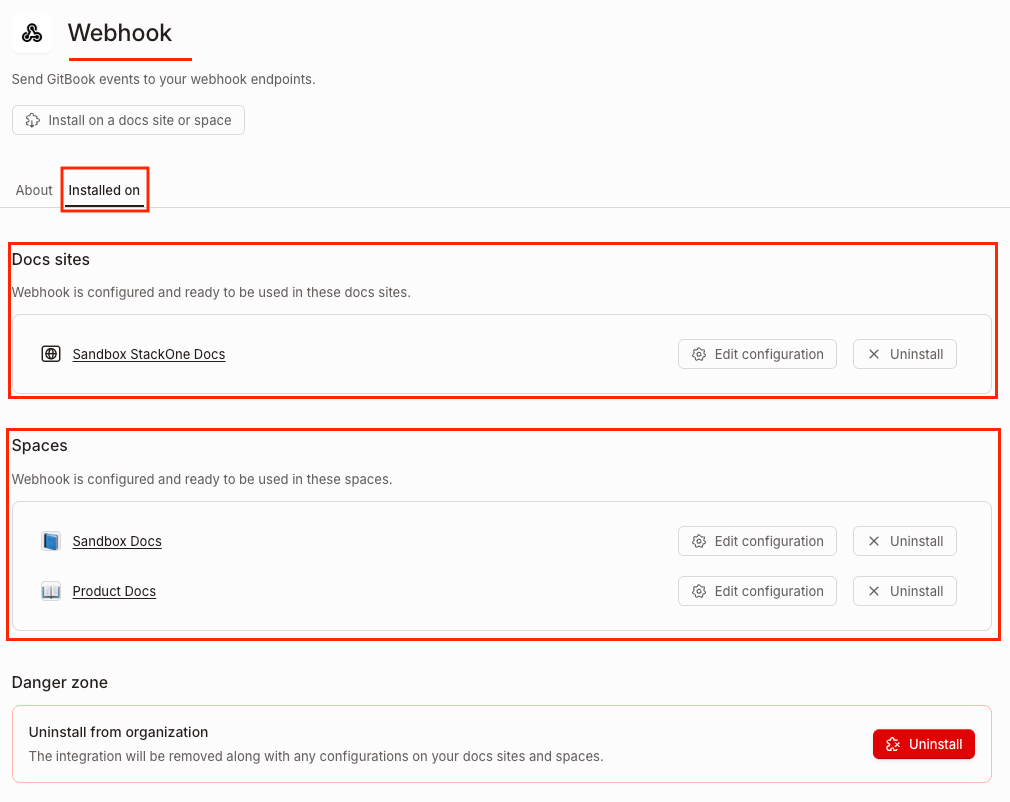
  <p>After saving the configurations for the space and sites, the webhook setup is complete.</p>

  <img src="https://mintcdn.com/stackone-60/MWWqCynAD54jCJRQ/connectors/gitbook/images/events-webhook-for-space-and-sites.png?fit=max&auto=format&n=MWWqCynAD54jCJRQ&q=85&s=61a8b87da4b59d874a947eccf211eb40" alt="Webhook configuration success message" width="1010" height="802" data-path="connectors/gitbook/images/events-webhook-for-space-and-sites.png" />
</section>

<section data-guide-section data-guide-scopes="">
  <h2>Available webhook events</h2>

  <p>The following GitBook events can be enabled. Only events selected in StackOne are delivered — GitBook will not send events that are not subscribed. Events are configured per space or site installation.</p>

  <Steps>
    <Step title="Content events">
      <div data-guide-step data-guide-scopes="" data-guide-display-scopes-list="">
        <p>Events related to space content changes.</p>

        <ul>
          <li><strong>Space Content Updated</strong> (`space_content_updated`) — Fired when content in a space is created or modified, including page edits and new revisions.</li>
        </ul>
      </div>
    </Step>

    <Step title="Analytics events">
      <div data-guide-step data-guide-scopes="" data-guide-display-scopes-list="">
        <p>Events related to published site page views.</p>

        <ul>
          <li><strong>Site View</strong> (`site_view`) — Fired when a user visits a page on a published GitBook site.</li>
        </ul>
      </div>
    </Step>

    <Step title="Feedback events">
      <div data-guide-step data-guide-scopes="" data-guide-display-scopes-list="">
        <p>Events related to user feedback on published pages.</p>

        <ul>
          <li><strong>Page Feedback</strong> (`page_feedback`) — Fired when a user submits thumbs-up or thumbs-down feedback on a published site page, optionally with a comment.</li>
        </ul>
      </div>
    </Step>
  </Steps>
</section>

## Verify

Your Connector should now be able to receive and process events. Try triggering an event and you should see an Event appear in the Connector logs.