> ## Documentation Index
> Fetch the complete documentation index at: https://docs.stackone.com/llms.txt
> Use this file to discover all available pages before exploring further.
# Observability
> Track activity and control how long request data is kept.
StackOne records activity at two levels: security logs at the organization level and request logs at the project level. Together they cover who signed in and what calls your project made.
## What's logged
| Log | Level | Covers |
| ------------- | ------------ | --------------------------------------------------------------------------------------------------------------------- |
| Security logs | Organization | Every login attempt, success or failure. See [Team Management](/secure/team-management#organization-security). |
| Request logs | Project | API and webhook requests, with status and payload detail for debugging. See [Request Logs](/connect/troubleshooting). |
## Advanced Logs
Advanced Logs is **off by default** — enable it under **Project Settings → Advanced Logs** before detailed request logging starts.
Request log retention is set per project under **Project Settings → Advanced Logs**. You can:
* Set how long logs are kept before automatic deletion
* Store only error responses (HTTP status ≥ 400)
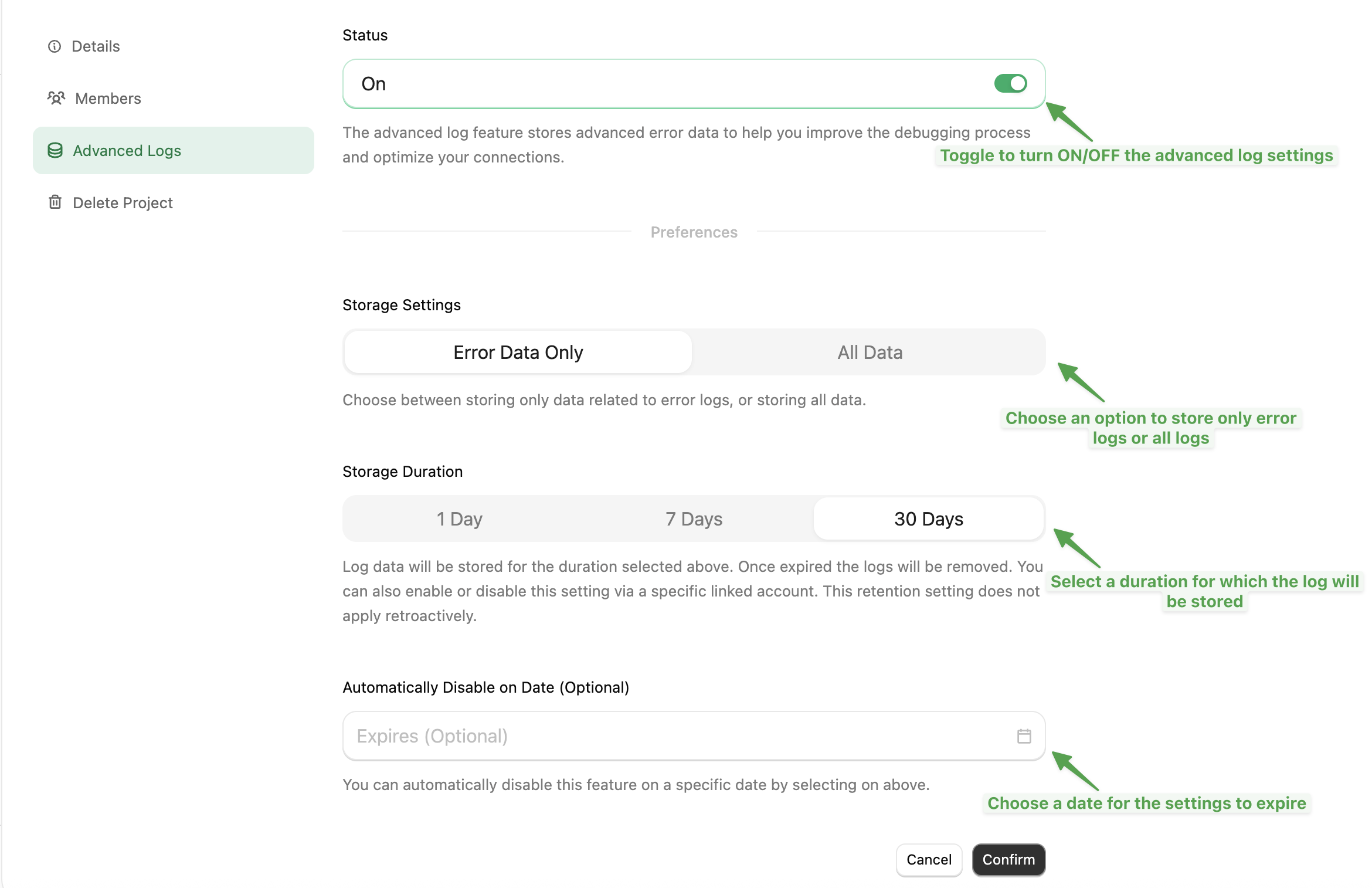 Retention changes apply only to new logs — existing logs keep the retention they were stored with.
For compliance requirements beyond these settings, contact your StackOne account manager.
Retention changes apply only to new logs — existing logs keep the retention they were stored with.
For compliance requirements beyond these settings, contact your StackOne account manager.