> ## Documentation Index
> Fetch the complete documentation index at: https://docs.stackone.com/llms.txt
> Use this file to discover all available pages before exploring further.
# Automated Employee Provisioning
> Automate the creation of employees in your customer's HRIS and keep the employee details updated.
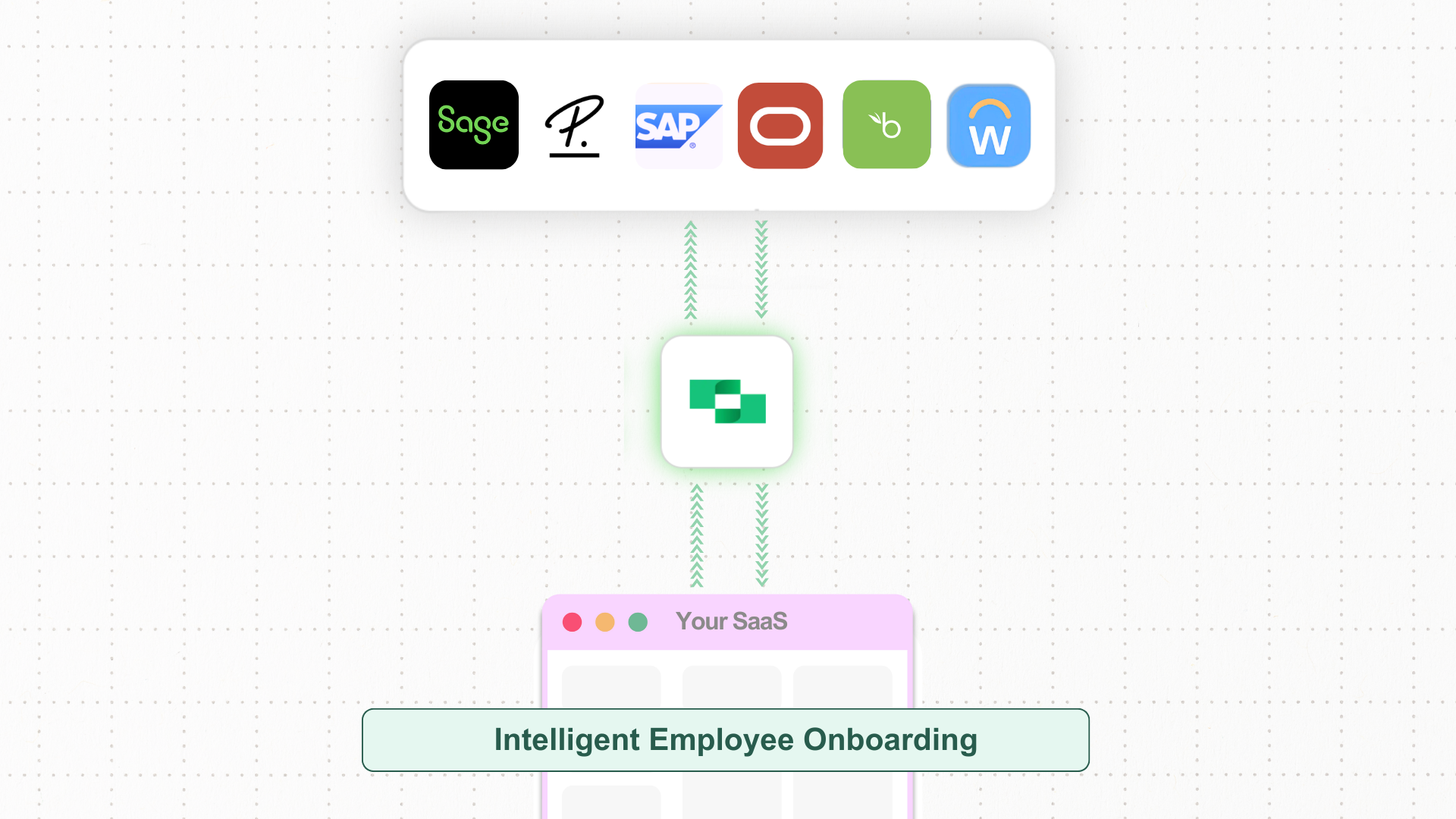 Think about your SaaS platform helping HR teams make onboarding easier by connecting to different HRIS systems. You want to make it simple to set up employee profiles, sync recruitment data, and upload important documents. However, working with multiple HRIS systems can quickly get complicated.
Each HRIS has its own way of handling data and different methods to keep things updated. Without a single solution to bring everything together, pushing employee records accurately across different customer systems takes a lot of time and effort.
* **Unified API** connects multiple HRIS systems, making it easy to sync employee data across platforms.
* **Scalability** to add more HRIS providers as your organization's needs grow.
* **Standardized data formats** to keep data consistent and organized across different HRIS platforms.
## Key Steps and System Interactions
Enhancing your SaaS system with automated employee onboarding allows for direct data transfer from recruitment platforms to HRIS providers, automating the creation of employee profiles, mapping of recruitment data, and uploading of essential documents. This enables HR teams to manage new hires more efficiently, reducing manual work and improving accuracy.
Below are the steps to set up automated employee onboarding in your SaaS, allowing you to sync recruitment data, create employee profiles, and link onboarding documents efficiently.
Start by connecting to a HRIS (guide on making your first API request [here](/guides/making-your-first-api-request)) and enable admins to retrieve essential metadata to your dashboard.
This includes data such as **employees**, **job roles**, **work locations**, and **document categories** to ensure accurate mapping of recruitment data.
* **API Endpoint**: [GET /hris/employees](/hris/api-reference/employees/list-employees)
* **API Endpoint**: [GET /hris/jobs](/hris/api-reference/jobs/list-jobs)
* **API Endpoint**: [GET /hris/groups/departments](/hris/api-reference/groups/list-department-groups)
* **API Endpoint**: [GET /hris/locations](/hris/api-reference/locations/list-work-locations)
* **API Endpoint**: [GET /hris/documents/employee\_categories](/hris/api-reference/documents/list-employee-document-categories)
Programmatically map (or allow your user to map via your UI) key metadata required to create an employee such as **job roles**, **teams**, and other **recruitment-specific data** from the SaaS platform to the relevant fields in selected HRIS provider. This mapping step ensures data alignment between systems.
After a candidate is hired in the recruitment platform, enable your users to create a new employee record in a selected HRIS by making a request to the Create Employee endpoint.
* **API Endpoint**: [POST /hris/employees](/hris/api-reference/employees/creates-an-employee)
Add support for uploading relevant documents such as the signed offer letter and proof of eligibility to the employee profile using the employee `id` of the newly created employee.
* **API Endpoint**: [POST /hris/employees/:id/documents/upload](/hris/api-reference/employees/documents/upload-employee-document)
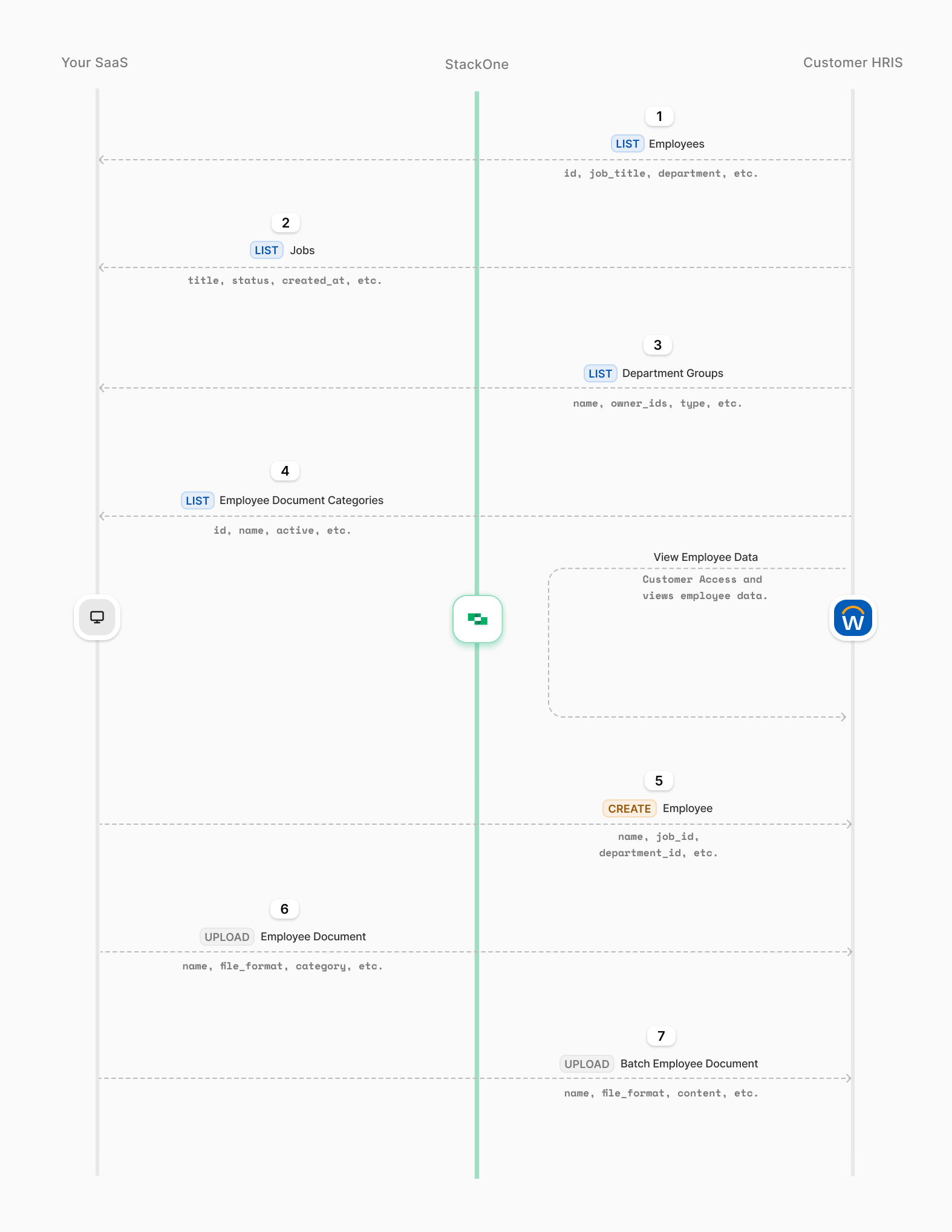
The diagram below illustrates the key steps in automating employee onboarding with StackOne, including retrieving HRIS data, setting up employee profiles, and uploading and syncing essential documents.
Think about your SaaS platform helping HR teams make onboarding easier by connecting to different HRIS systems. You want to make it simple to set up employee profiles, sync recruitment data, and upload important documents. However, working with multiple HRIS systems can quickly get complicated.
Each HRIS has its own way of handling data and different methods to keep things updated. Without a single solution to bring everything together, pushing employee records accurately across different customer systems takes a lot of time and effort.
* **Unified API** connects multiple HRIS systems, making it easy to sync employee data across platforms.
* **Scalability** to add more HRIS providers as your organization's needs grow.
* **Standardized data formats** to keep data consistent and organized across different HRIS platforms.
## Key Steps and System Interactions
Enhancing your SaaS system with automated employee onboarding allows for direct data transfer from recruitment platforms to HRIS providers, automating the creation of employee profiles, mapping of recruitment data, and uploading of essential documents. This enables HR teams to manage new hires more efficiently, reducing manual work and improving accuracy.
Below are the steps to set up automated employee onboarding in your SaaS, allowing you to sync recruitment data, create employee profiles, and link onboarding documents efficiently.
Start by connecting to a HRIS (guide on making your first API request [here](/guides/making-your-first-api-request)) and enable admins to retrieve essential metadata to your dashboard.
This includes data such as **employees**, **job roles**, **work locations**, and **document categories** to ensure accurate mapping of recruitment data.
* **API Endpoint**: [GET /hris/employees](/hris/api-reference/employees/list-employees)
* **API Endpoint**: [GET /hris/jobs](/hris/api-reference/jobs/list-jobs)
* **API Endpoint**: [GET /hris/groups/departments](/hris/api-reference/groups/list-department-groups)
* **API Endpoint**: [GET /hris/locations](/hris/api-reference/locations/list-work-locations)
* **API Endpoint**: [GET /hris/documents/employee\_categories](/hris/api-reference/documents/list-employee-document-categories)
Programmatically map (or allow your user to map via your UI) key metadata required to create an employee such as **job roles**, **teams**, and other **recruitment-specific data** from the SaaS platform to the relevant fields in selected HRIS provider. This mapping step ensures data alignment between systems.
After a candidate is hired in the recruitment platform, enable your users to create a new employee record in a selected HRIS by making a request to the Create Employee endpoint.
* **API Endpoint**: [POST /hris/employees](/hris/api-reference/employees/creates-an-employee)
Add support for uploading relevant documents such as the signed offer letter and proof of eligibility to the employee profile using the employee `id` of the newly created employee.
* **API Endpoint**: [POST /hris/employees/:id/documents/upload](/hris/api-reference/employees/documents/upload-employee-document)
The diagram below illustrates the key steps in automating employee onboarding with StackOne, including retrieving HRIS data, setting up employee profiles, and uploading and syncing essential documents.