> ## Documentation Index
> Fetch the complete documentation index at: https://docs.stackone.com/llms.txt
> Use this file to discover all available pages before exploring further.
# Project Settings
> Configure project details, team members, logging, IP restrictions, AI features, Defender, and project deletion.
Access project settings by clicking **Project Settings** in the sidebar, or navigating to your project's settings page directly.
## Project Details
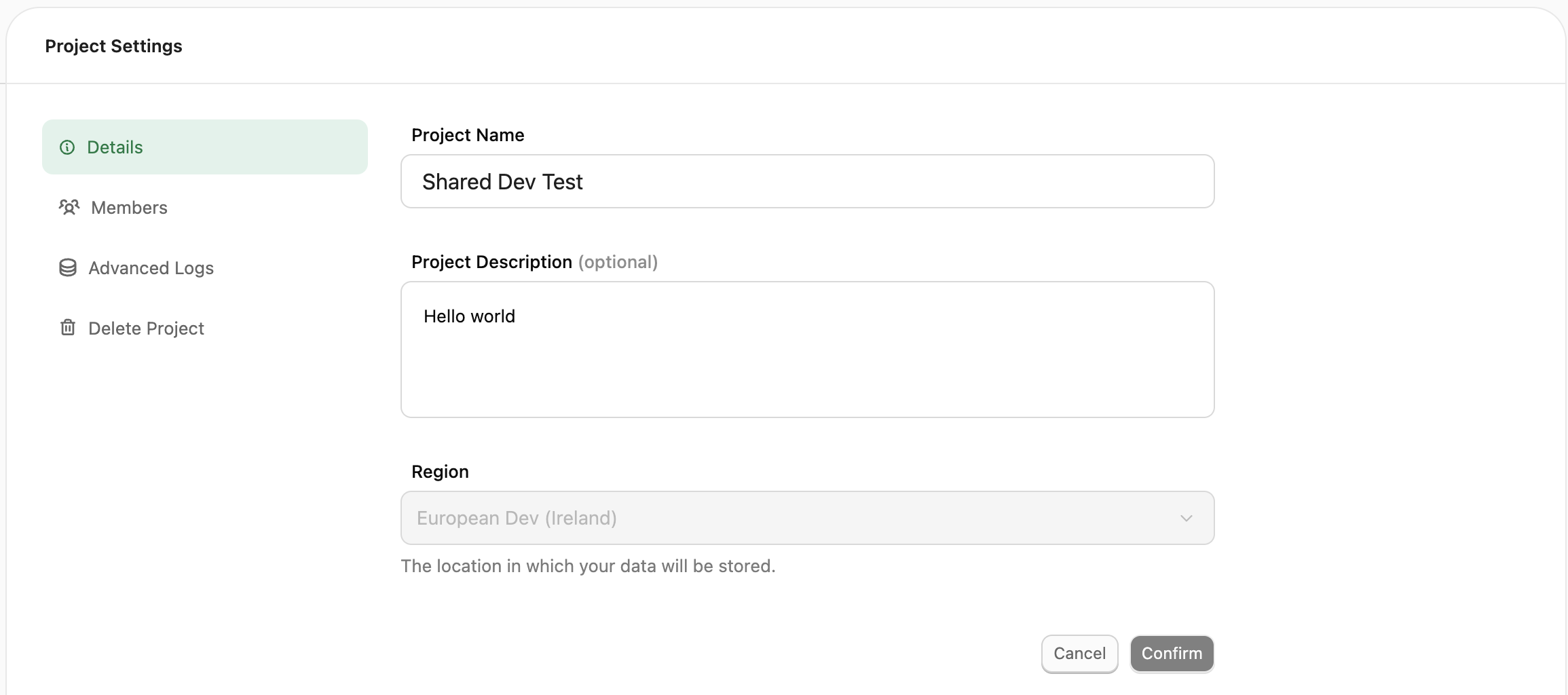
Update your project name anytime without affecting linked accounts or other settings. The region cannot be changed after creation.
 ## Team Members
Add, remove, or modify project-level roles for team members.
## Team Members
Add, remove, or modify project-level roles for team members.
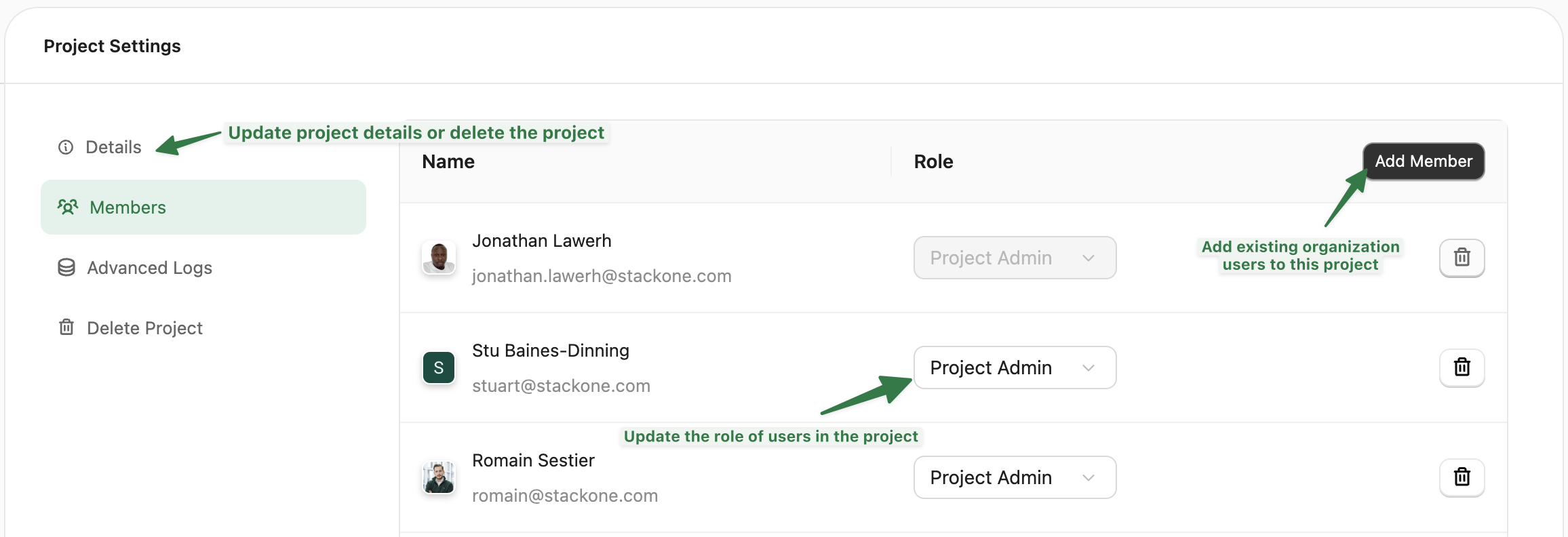 **Access Roles:**
* **Viewer**: Can view Dashboard, Accounts, and Connector Profiles. Cannot access API keys or modify settings.
* **Project Admin**: Full access to manage accounts, connectors, API keys, webhooks, and project settings.
## Advanced Logs
Enable detailed request logging for debugging. Configure:
* **Retention period**: How long logs are stored before automatic deletion
* **Error-only mode**: Store only logs with HTTP status ≥ 400
**Access Roles:**
* **Viewer**: Can view Dashboard, Accounts, and Connector Profiles. Cannot access API keys or modify settings.
* **Project Admin**: Full access to manage accounts, connectors, API keys, webhooks, and project settings.
## Advanced Logs
Enable detailed request logging for debugging. Configure:
* **Retention period**: How long logs are stored before automatic deletion
* **Error-only mode**: Store only logs with HTTP status ≥ 400
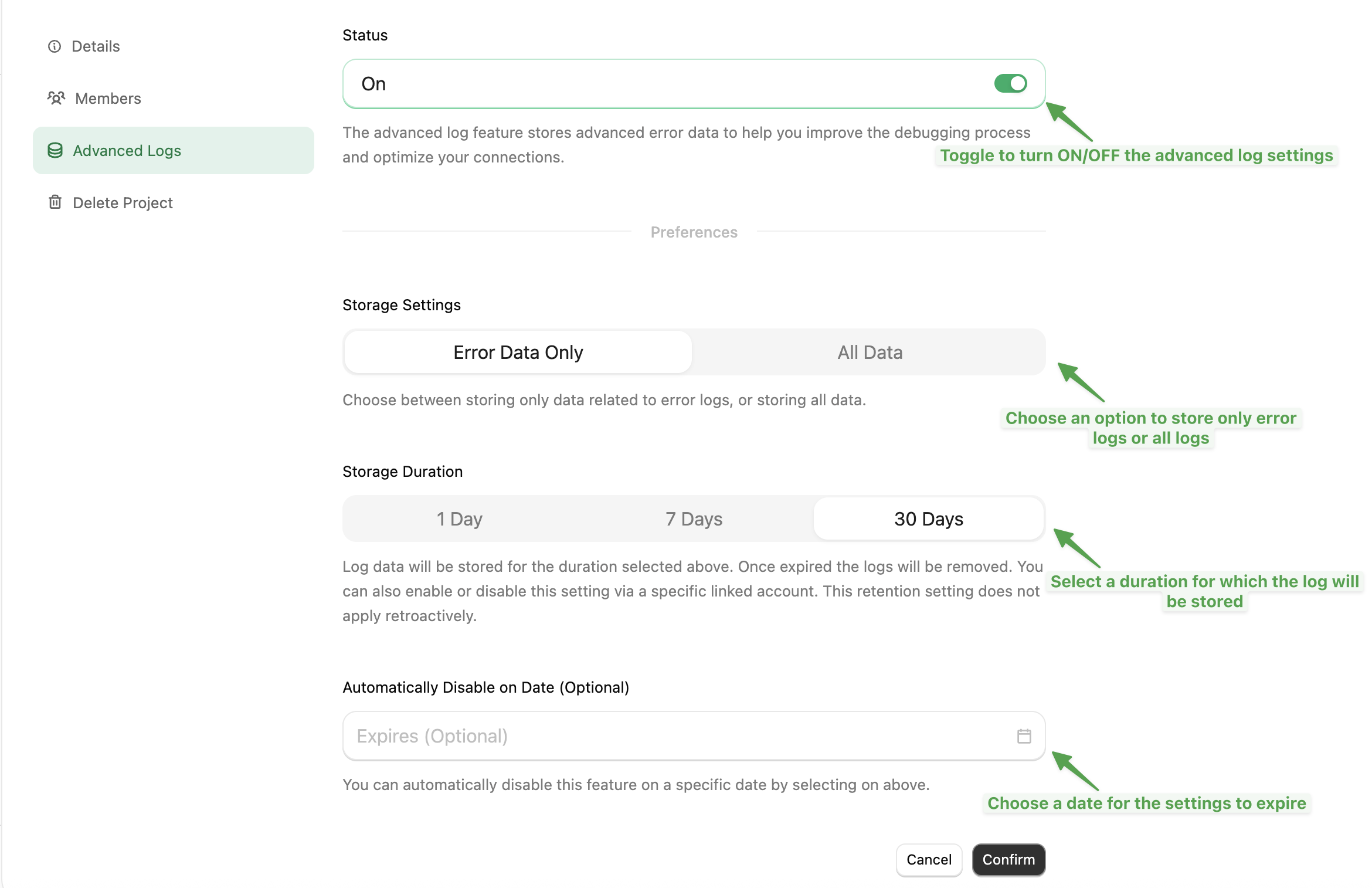 Changes to retention period only apply to new logs. Existing logs keep their original retention.
## IP Restrictions
Available to enterprise customers only
Restrict API access to specific IP addresses, ranges, or CIDR blocks:
* Single IP: `192.168.1.100`
* Range: `192.168.1.100-192.168.1.150`
* CIDR: `192.168.1.0/24`
If your network uses a NAT gateway, allow the gateway's external IP to permit all internal traffic.
Changes to retention period only apply to new logs. Existing logs keep their original retention.
## IP Restrictions
Available to enterprise customers only
Restrict API access to specific IP addresses, ranges, or CIDR blocks:
* Single IP: `192.168.1.100`
* Range: `192.168.1.100-192.168.1.150`
* CIDR: `192.168.1.0/24`
If your network uses a NAT gateway, allow the gateway's external IP to permit all internal traffic.
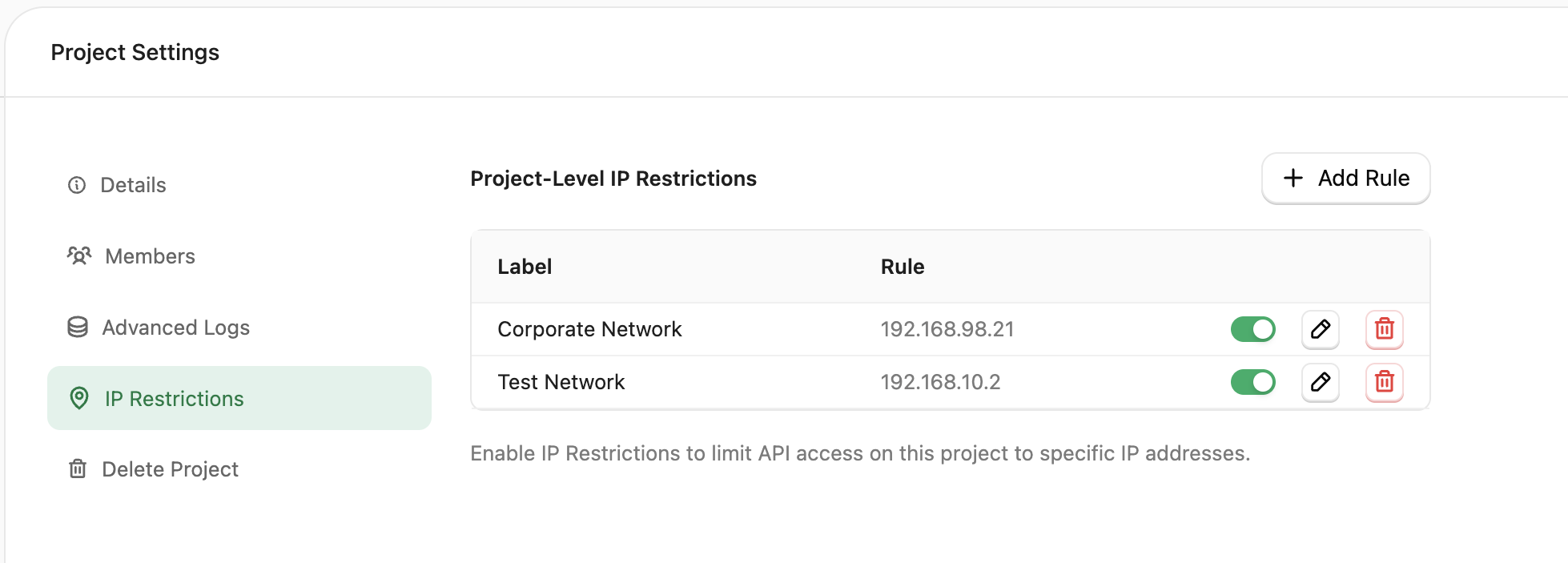 With no allowlist configured, all IPs are allowed. Once you add entries, only those IPs can access your project's API.
## AI Settings
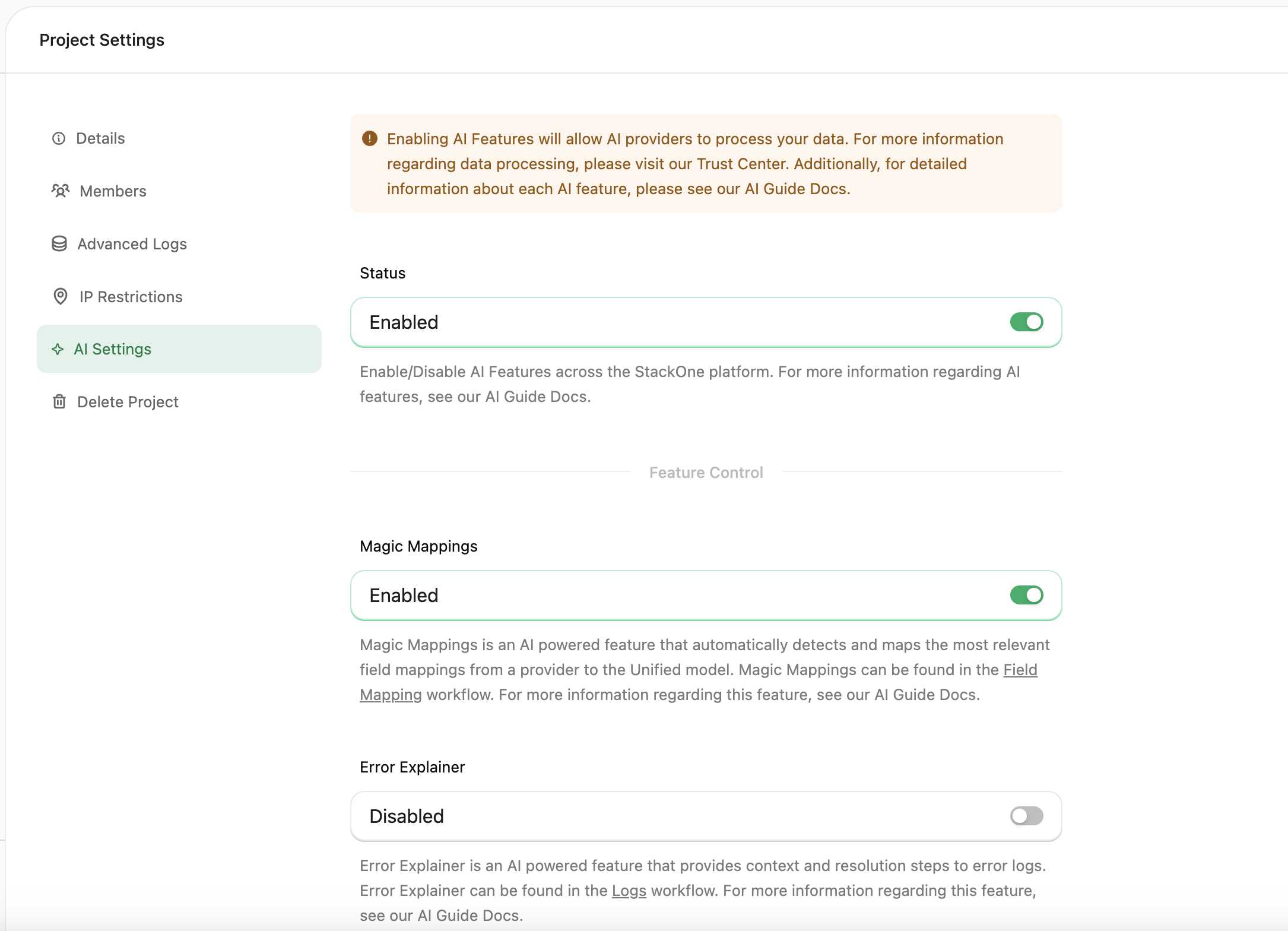
Control AI-powered features at the project level.
**Global Toggle**: Enable or disable all AI features for the project.
**Individual Features:**
* **[Error Explainer](/guides/ai-features#error-explainer)**: Provides context and resolution steps for error logs
With no allowlist configured, all IPs are allowed. Once you add entries, only those IPs can access your project's API.
## AI Settings
Control AI-powered features at the project level.
**Global Toggle**: Enable or disable all AI features for the project.
**Individual Features:**
* **[Error Explainer](/guides/ai-features#error-explainer)**: Provides context and resolution steps for error logs
 ## Defender
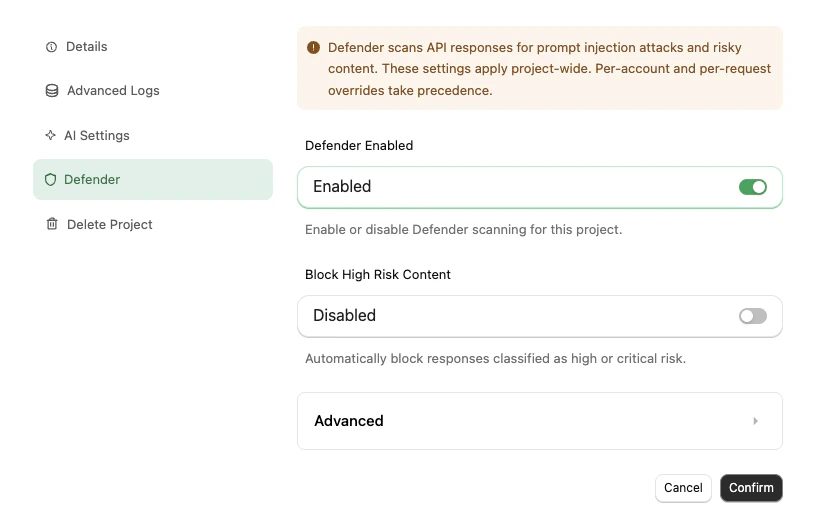
Configure [Defender](/guides/defender) — StackOne's prompt-injection defense for tool call responses — at the project level.
**Status**: Enable or disable Defender scanning for this project. Enabled by default on new projects.
**Block High Risk Content**: When on, responses classified as high or critical risk are blocked from reaching your agent. Off by default — flagged content still surfaces in the response metadata so you can observe before enforcing.
**Advanced Settings**: Detection Mode (pattern, AI, or both), risk thresholds, large-response handling, boundary annotation, and the Semantic Field Extractor preprocessor. High Risk Threshold must be greater than or equal to Medium Risk Threshold.
## Defender
Configure [Defender](/guides/defender) — StackOne's prompt-injection defense for tool call responses — at the project level.
**Status**: Enable or disable Defender scanning for this project. Enabled by default on new projects.
**Block High Risk Content**: When on, responses classified as high or critical risk are blocked from reaching your agent. Off by default — flagged content still surfaces in the response metadata so you can observe before enforcing.
**Advanced Settings**: Detection Mode (pattern, AI, or both), risk thresholds, large-response handling, boundary annotation, and the Semantic Field Extractor preprocessor. High Risk Threshold must be greater than or equal to Medium Risk Threshold.
 See the [Defender guide](/guides/defender) for the full configuration reference, classification details, and SDK overrides.
## Danger Zone
The Danger Zone tab contains settings that affect connector publishing behaviour and project lifecycle.
See the [Defender guide](/guides/defender) for the full configuration reference, classification details, and SDK overrides.
## Danger Zone
The Danger Zone tab contains settings that affect connector publishing behaviour and project lifecycle.
 ### Immutable Versioning
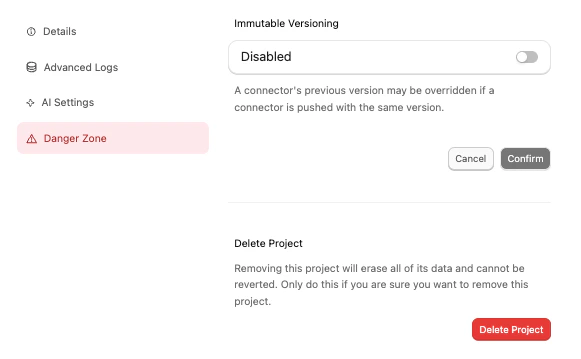
Controls whether published connector versions can be overwritten. Enabled by default — each version number is locked once published, and subsequent pushes must use a new version number. When disabled, the CLI's `stackone push --force` flag can overwrite an existing version.
See [Connector Versioning](./connector-versioning#immutable-versioning) for the full behaviour and how this interacts with linked accounts pinned to a version.
### Deleting a Project
Delete a project from the settings page. Deletion is immediate and permanent.
Deleting a project is irreversible. It removes everything inside it: linked accounts, API keys, webhooks, and all associated data. There is no grace period and deletions cannot be reversed.
### Immutable Versioning
Controls whether published connector versions can be overwritten. Enabled by default — each version number is locked once published, and subsequent pushes must use a new version number. When disabled, the CLI's `stackone push --force` flag can overwrite an existing version.
See [Connector Versioning](./connector-versioning#immutable-versioning) for the full behaviour and how this interacts with linked accounts pinned to a version.
### Deleting a Project
Delete a project from the settings page. Deletion is immediate and permanent.
Deleting a project is irreversible. It removes everything inside it: linked accounts, API keys, webhooks, and all associated data. There is no grace period and deletions cannot be reversed.