> ## Documentation Index
> Fetch the complete documentation index at: https://docs.stackone.com/llms.txt
> Use this file to discover all available pages before exploring further.
# Hub (Auth Link)
> Get end-users to connect their accounts with only a link!
Hub **Auth Links** let you deliver a secure URL to your end users for a secure, in-browser connection experience **without** embedding the StackOne Hub in your application. The hosted webpage already includes an implementation of the Hub so there's no front end implementation required from your side.
## Generating a link
There are two ways to generate an Auth Link — from the dashboard, or programmatically via the API.
An Auth Link can be generated directly from the StackOne dashboard. Here's how:
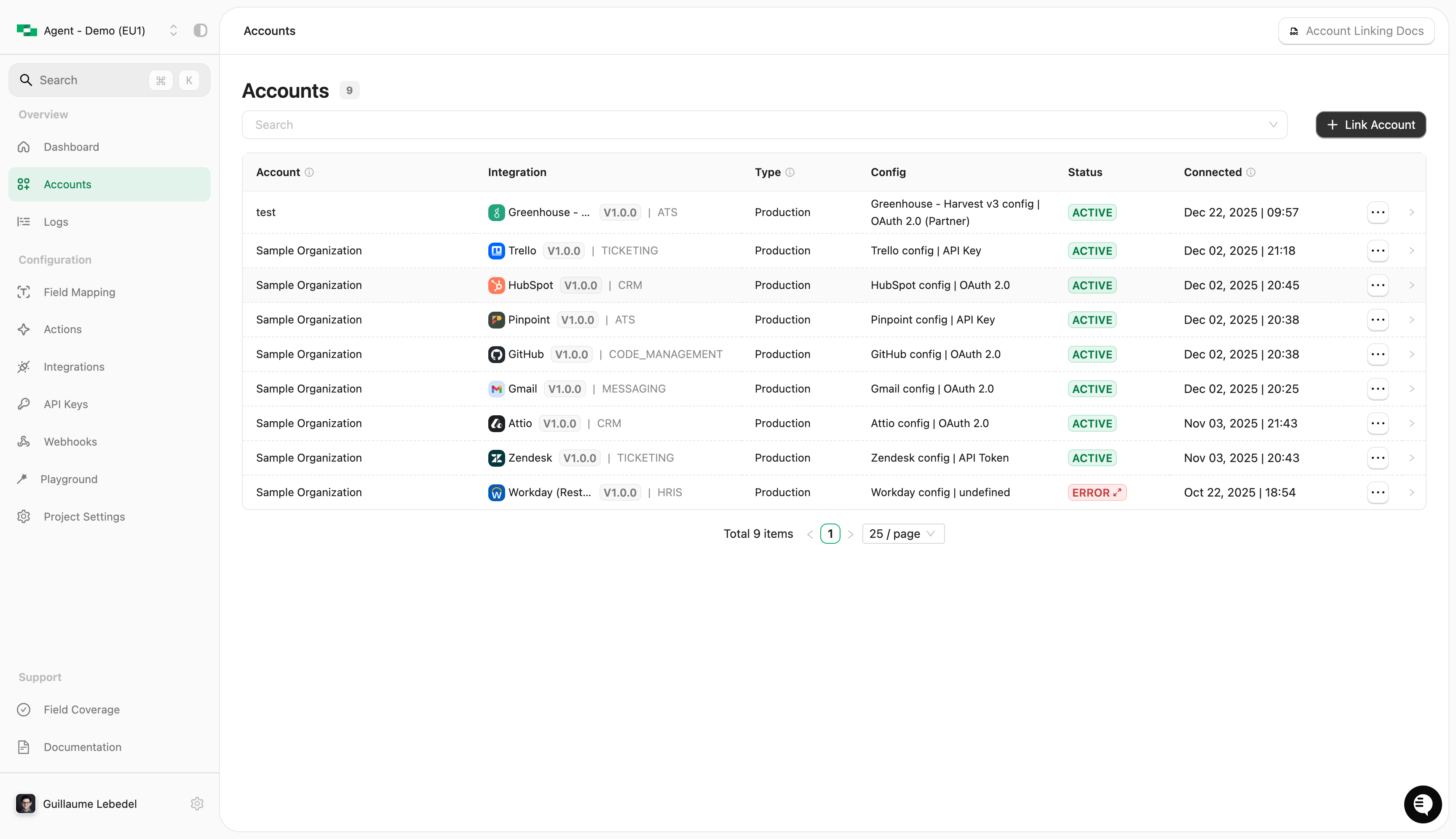
Log in to the StackOne dashboard and select [Accounts](https://app.stackone.com/accounts) from the left menu.
A popup will appear asking you to select a method — choose **Method 1 - Request Authentication**.
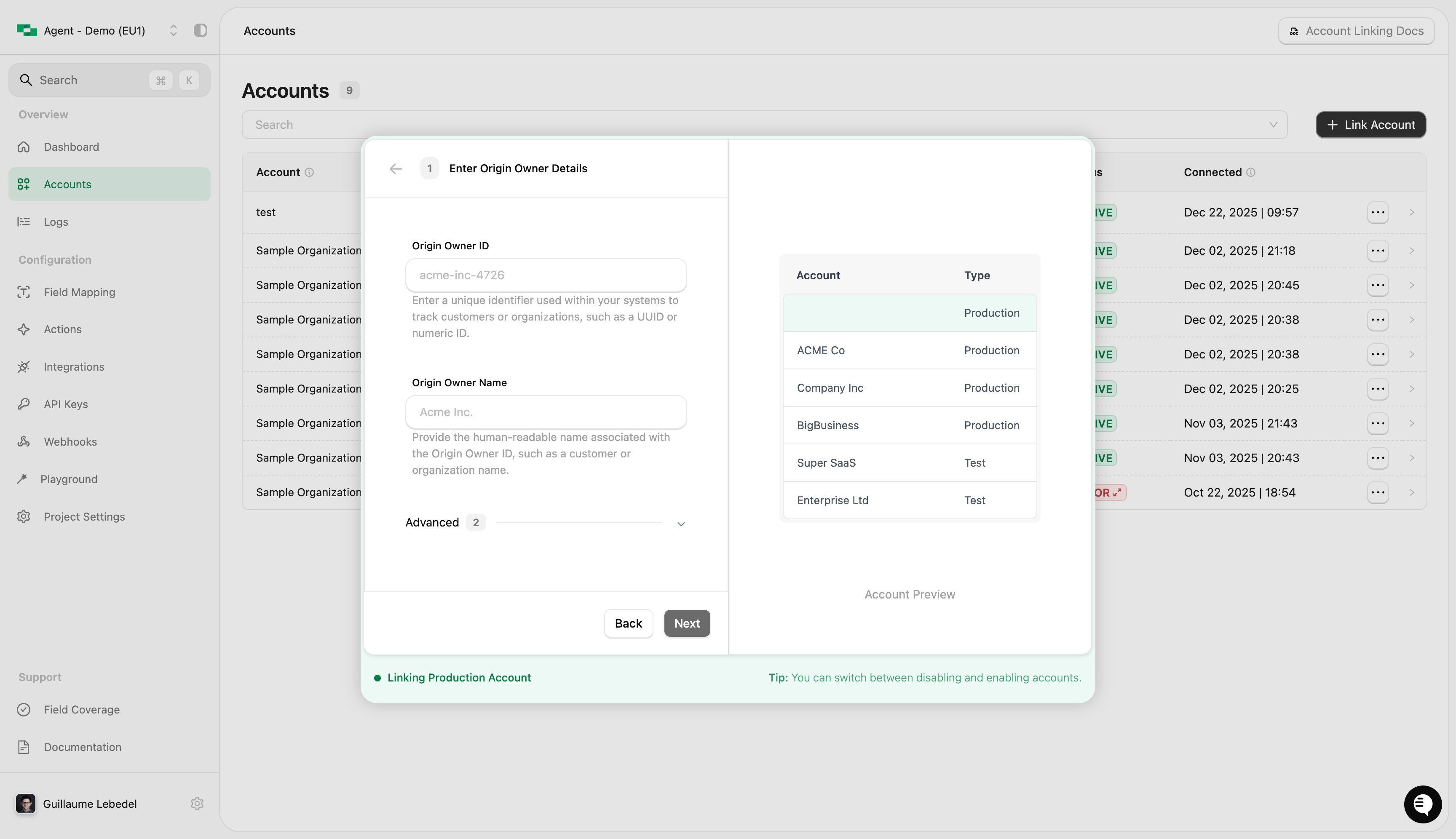
 * **Origin owner ID** - This should be the end-user identifier you use in your own system(s) (most likely, a UUID or integer)
* **Origin owner name** - This is the end-user name in your own system(s)
* **Origin username** (optional) - The end-user's username (eg: an email address) that will connect or be responsible for the connection
Then click **Next**.
* **Origin owner ID** - This should be the end-user identifier you use in your own system(s) (most likely, a UUID or integer)
* **Origin owner name** - This is the end-user name in your own system(s)
* **Origin username** (optional) - The end-user's username (eg: an email address) that will connect or be responsible for the connection
Then click **Next**.
 * **Filter the Hub** - Filter the list of connectors displayed to the end-user
* **Connector Profile** - Route the session through a specific connector profile
* **Link Expiry** - Control how long the link stays valid (default is 30 days)
Then click **Generate**.
* **Filter the Hub** - Filter the list of connectors displayed to the end-user
* **Connector Profile** - Route the session through a specific connector profile
* **Link Expiry** - Control how long the link stays valid (default is 30 days)
Then click **Generate**.
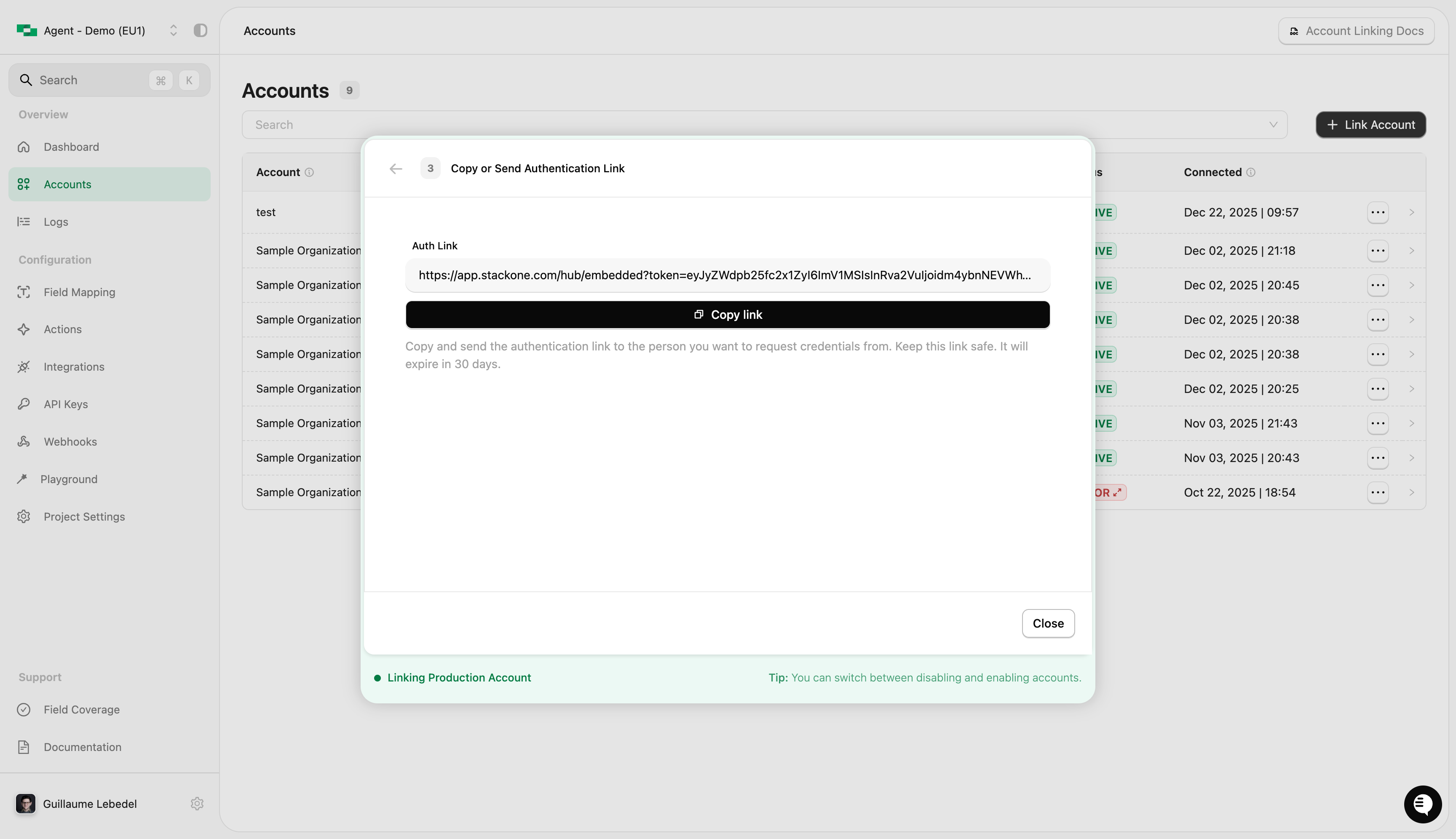 The end-user will now be able to connect their accounts using the link.
Once the end-user connects, StackOne fires an `account.created` [webhook event](/embed/handle-account-events) containing the account ID — persist it against your user: it's the account ID you'll use with every [action call](/embed/call-actions/overview).
You can also find it through the dashboard on the [Accounts](https://app.stackone.com/accounts) page.
The end-user will now be able to connect their accounts using the link.
Once the end-user connects, StackOne fires an `account.created` [webhook event](/embed/handle-account-events) containing the account ID — persist it against your user: it's the account ID you'll use with every [action call](/embed/call-actions/overview).
You can also find it through the dashboard on the [Accounts](https://app.stackone.com/accounts) page.
To support a more scalable solution, you can programmatically generate links for end-users.
Call the [Create Connect Session](/platform/api-reference/connect-sessions/create-connect-session) endpoint with the end-user's details:
* `origin_owner_id` - The end-user identifier in your own system(s) — how accounts map to your customers in a [multi-tenant setup](/features/multi-tenant-accounts)
* `origin_owner_name` - The end-user name in your own system(s)
* `origin_username` (optional) - The end-user's username, e.g. an email address
* `categories` (optional) - Filter the list of connectors displayed to the end-user
* `expires_in` (optional) - How long the link stays valid, in seconds
* `connector_profile_id` (optional) - Route the session through a specific [connector profile](/embed/connect-session#target-a-specific-connector-profile)
The response contains an `auth_link_url` property — this is the link to send to the end-user.
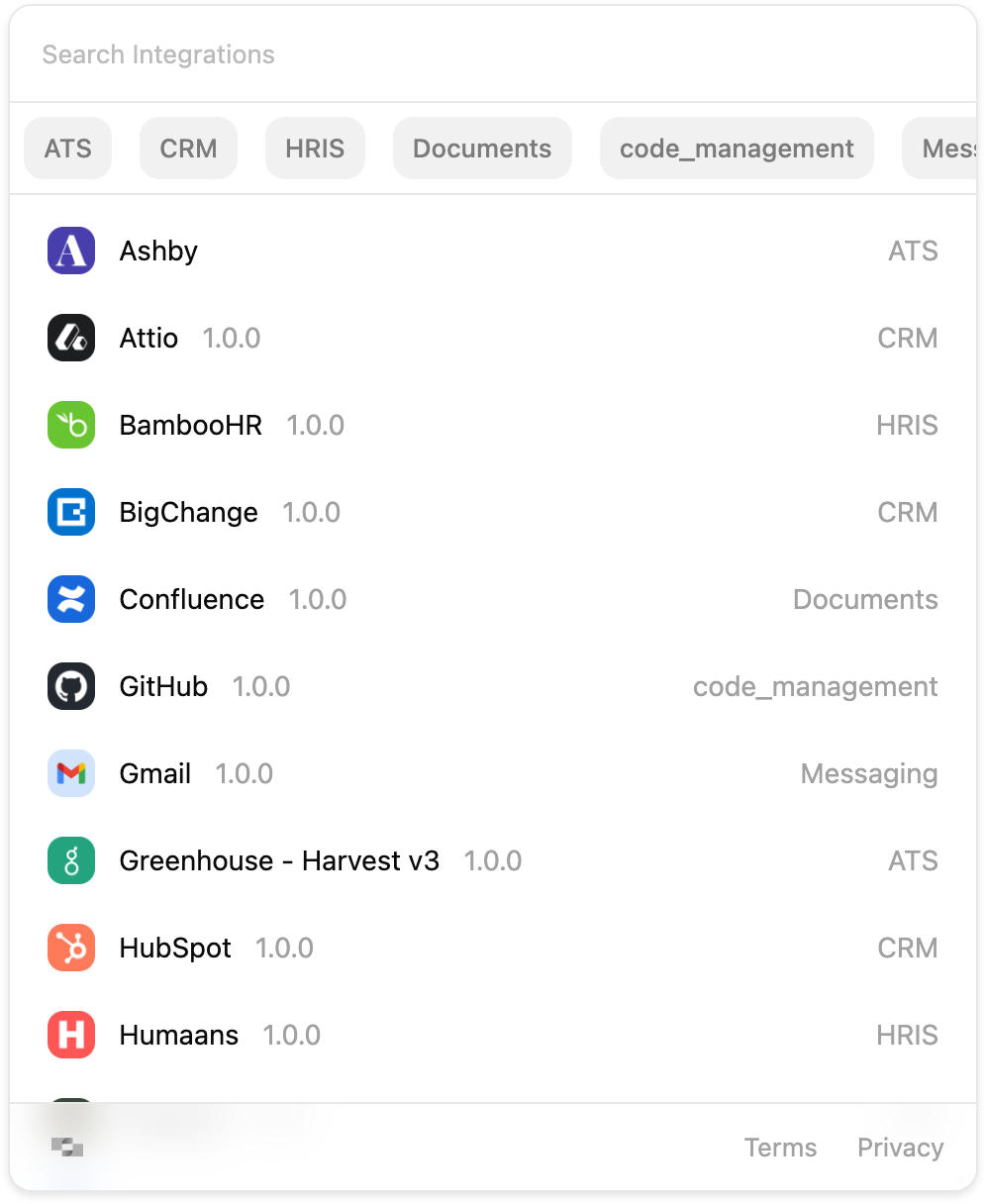
Deliver the `auth_link_url` to your end-user (for example by email). When they open it, they'll see the **StackOne Hub** listing the connectors enabled on your project, where they select and connect their account.
 Once the end-user connects, StackOne fires an `account.created` [webhook event](/embed/handle-account-events) containing the account ID — persist it against your user: it's the account ID you'll use with every [action call](/embed/call-actions/overview).
You can also find it through the dashboard on the [Accounts](https://app.stackone.com/accounts) page, or via the [List Accounts endpoint](/platform/api-reference/accounts/list-accounts).
Set `expires_in` (in seconds) to give end-users enough time to complete the connection.
(eg. 5 days is 432000, 7 days is 604800)
## Next steps
With the account linked, call its actions from your product — over the Agent SDK, MCP, A2A, or RPC/HTTP.
Return to the end-to-end embedding journey.
Once the end-user connects, StackOne fires an `account.created` [webhook event](/embed/handle-account-events) containing the account ID — persist it against your user: it's the account ID you'll use with every [action call](/embed/call-actions/overview).
You can also find it through the dashboard on the [Accounts](https://app.stackone.com/accounts) page, or via the [List Accounts endpoint](/platform/api-reference/accounts/list-accounts).
Set `expires_in` (in seconds) to give end-users enough time to complete the connection.
(eg. 5 days is 432000, 7 days is 604800)
## Next steps
With the account linked, call its actions from your product — over the Agent SDK, MCP, A2A, or RPC/HTTP.
Return to the end-to-end embedding journey.