> ## Documentation Index
> Fetch the complete documentation index at: https://docs.stackone.com/llms.txt
> Use this file to discover all available pages before exploring further.
# Unified Documents API
> Unified Documents API for file and knowledge management across platforms, with consistent data models for drives, folders, and documents.
## What is a Unified API?
A **unified API** provides a single, standardized interface to interact with multiple third-party providers. Instead of learning each provider's unique API format, authentication scheme, and data model, you write code once, and StackOne handles the differences.
**What StackOne normalizes:**
* **Data models** – Consistent field names and structures across providers (e.g., `files` in Google Drive, SharePoint, and Dropbox all return the same schema; `users` in Google Workspace, Okta, and 1Password all return the same schema)
* **Authentication** – OAuth, API keys, and tokens are managed per-provider; you just pass an `x-account-id` header
* **Pagination** – Cursor-based pagination works the same regardless of whether the provider uses offsets, pages, or cursors
* **Error formats** – Standardized error responses with provider-specific details when available
**Building AI agents?** Use the [MCP Server](/mcp/quickstart), an [AI Toolset SDK](/agents/typescript/introduction), or the [Actions API (RPC)](/platform/api-reference/actions/make-an-rpc-call-to-an-action) instead — same data, optimized for LLM tool calling.
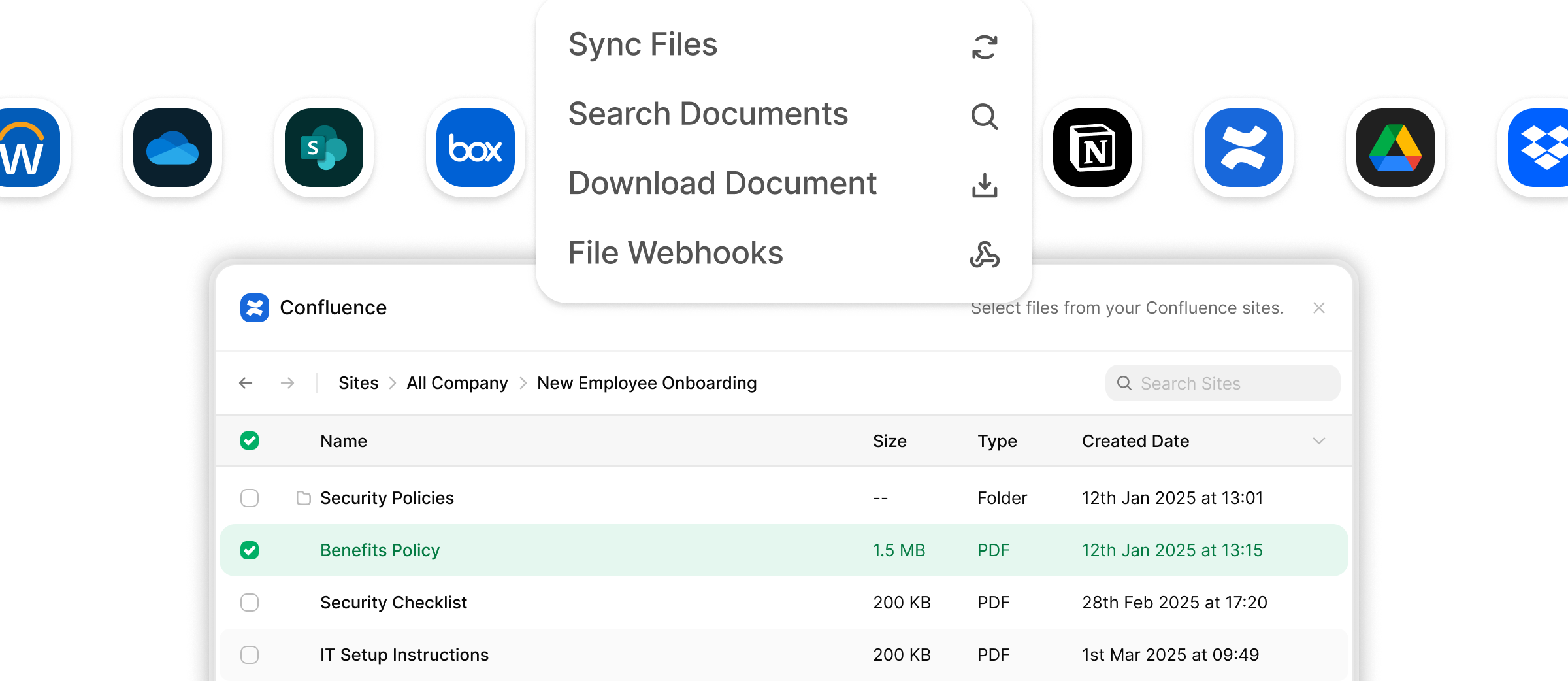 ## Benefits of the Documents API
Built for easily syncing files, in real-time from multiple providers. Use the api to access nested folders & files data in a simple and unified way, regardless of the underlying provider.
One File Picker SDK that lets your users pick files from multiple providers, with a single call to the SDK and get back picked files & folders the same way regardless of the provider.
StackOne's APIs support real-time synchronization, ensuring that content changes are reflected immediately across connected platforms.
With a [focus on security](https://www.stackone.com/blog/why-your-choice-of-unified-api-could-make-or-break-compliance), StackOne ensures secure content storage and maintains compliance with data protection regulations.
The platform provides both [synthetic and native webhooks](/guides/webhooks), delivering real-time notifications for changes in drives, folders, and files.
StackOne offers [pre-built connectors](https://www.stackone.com/integrations) with leading File Management platforms, simplifying the integration process.
## StackOne SDKs & OpenAPI Specification
## Benefits of the Documents API
Built for easily syncing files, in real-time from multiple providers. Use the api to access nested folders & files data in a simple and unified way, regardless of the underlying provider.
One File Picker SDK that lets your users pick files from multiple providers, with a single call to the SDK and get back picked files & folders the same way regardless of the provider.
StackOne's APIs support real-time synchronization, ensuring that content changes are reflected immediately across connected platforms.
With a [focus on security](https://www.stackone.com/blog/why-your-choice-of-unified-api-could-make-or-break-compliance), StackOne ensures secure content storage and maintains compliance with data protection regulations.
The platform provides both [synthetic and native webhooks](/guides/webhooks), delivering real-time notifications for changes in drives, folders, and files.
StackOne offers [pre-built connectors](https://www.stackone.com/integrations) with leading File Management platforms, simplifying the integration process.
## StackOne SDKs & OpenAPI Specification
Use our official SDKs for faster integration. Build with language-native libraries. Full list [here](/guides/stackone-api-sdks).
[Node.js](https://www.npmjs.com/package/@stackone/stackone-client-ts)
[Java (JVM)](https://mvnrepository.com/artifact/com.stackone/stackone-client-java)
[PHP](https://packagist.org/packages/stackone/client-sdk)
[Ruby](https://rubygems.org/gems/stackone_client)
## Entity Model
The Documents API is built around three entities: drives, folders, and files.
```mermaid theme={null}
erDiagram
Drive ||--o{ Folder : "contains"
Drive ||--o{ File : "contains"
Folder ||--o{ File : "contains"
Folder ||--o{ Folder : "contains"
Drive {
string id
string remote_id
string name
string description
string url
datetime created_at
datetime updated_at
}
Folder {
string id
string remote_id
string name
string description
string url
string path
string owner_id
string parent_folder_id
string drive_id
datetime created_at
datetime updated_at
}
File {
string id
string remote_id
string name
string description
string url
string file_format
string path
string owner_id
string folder_id
string drive_id
number size
array export_formats
string default_download_format
datetime created_at
datetime updated_at
}
```
| Entity | Description |
| ---------- | --------------------------------------------------------------------------------------------------------------------------------------------------------------------------------------------------- |
| **Drive** | The top-level container — a storage volume, shared drive, or knowledge base space. Each drive can contain folders and files directly. |
| **Folder** | A named container within a drive. Folders can nest inside other folders and track their parent (`parent_folder_id`) and owning drive (`drive_id`). |
| **File** | A document or content item. Files carry metadata about format (`file_format`), available export types (`export_formats`), and the default format used when downloading (`default_download_format`). |
Field availability varies by integration provider. Optional fields may be `null` if the provider's API does not expose them. See your connector's integration guide for coverage details.
### File formats
The `file_format` field uses a normalized enum across providers. Common values include `pdf`, `docx`, `xlsx`, `pptx`, `html`, `csv`, `png`, `jpg`, and `unknown`. The `export_formats` array lists the MIME types available when downloading a file, and `default_download_format` is the format used when no export format is specified.