> ## Documentation Index
> Fetch the complete documentation index at: https://docs.stackone.com/llms.txt
> Use this file to discover all available pages before exploring further.

# Connect PubMed with No Authentication – StackOne Hub

> Link a PubMed account in the StackOne Hub using No Authentication. End-user guide to authorize the integration and start using PubMed actions.

<section data-guide-section data-guide-scopes="">
  <h2>Connect without authentication</h2>

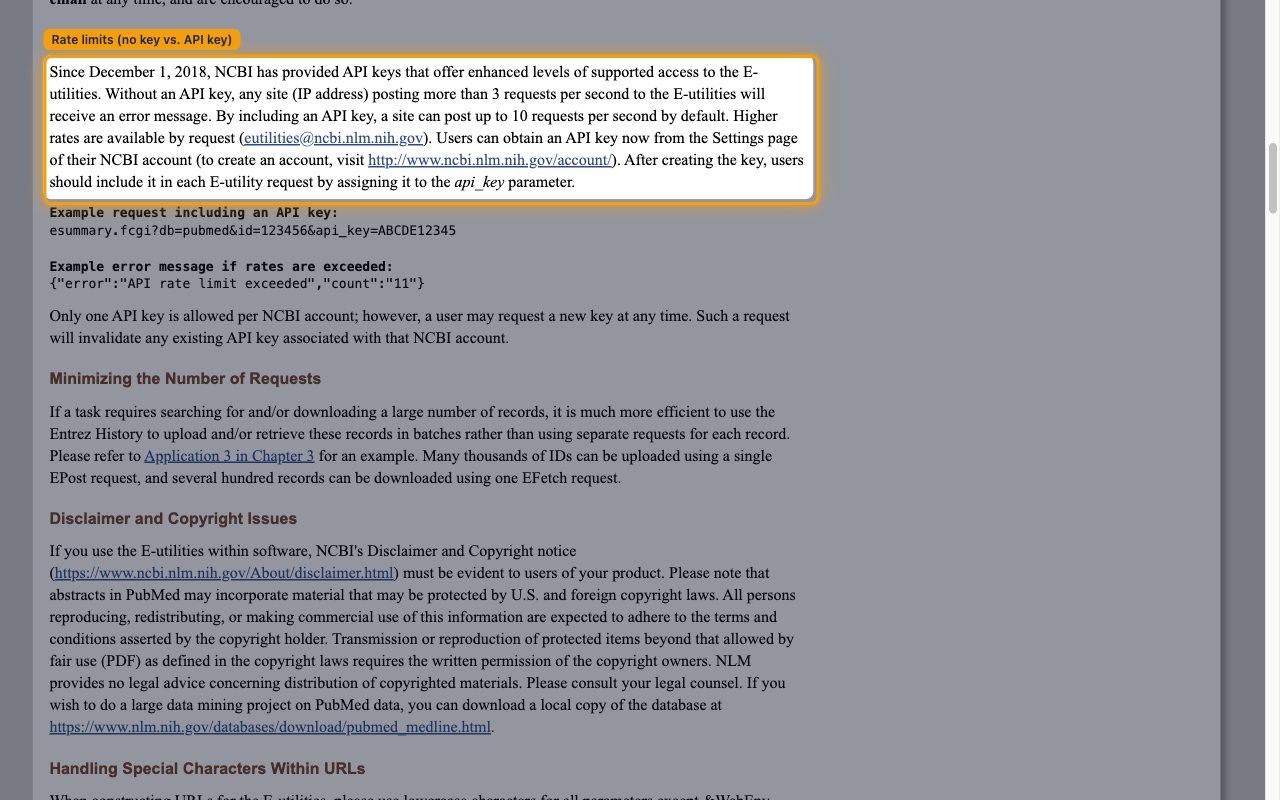
  <p>This connector calls the public NCBI E-utilities API, which requires <strong>no credentials</strong>. Anonymous access is limited to <strong>3 requests/second</strong> per IP address — enough for most integrations. There is nothing to obtain from NCBI to connect.</p>

  <Steps>
    <Step title="Create the connection">
      <div data-guide-step data-guide-scopes="" data-guide-display-scopes-list="">
        <p>Choose the <strong>No Authentication</strong> option and create the connection in StackOne Hub. There are no fields to fill in — no API key, username, or password is required. StackOne begins calling the E-utilities API immediately.</p>
      </div>
    </Step>

    <Step title="Enable higher throughput (optional)">
      <div data-guide-step data-guide-scopes="" data-guide-display-scopes-list="">
        <p>If you need higher throughput, NCBI offers a free API key that raises the limit to <strong>10 requests/second</strong>. To use it, create the connection with the <strong>API Key</strong> authentication option instead of <strong>No Authentication</strong>, and follow that option's guide to generate a key.</p>

        <ul>
          <li>NCBI's usage guidelines state: *Without an API key, any site (IP address) posting more than 3 requests per second to the E-utilities will receive an error message. By including an API key, a site can post up to 10 requests per second by default.*</li>
          <li>You can review the full rules on the <a href="https://www.ncbi.nlm.nih.gov/books/NBK25497/" target="_blank" rel="noopener noreferrer">NCBI E-utilities usage guidelines page</a>.</li>
          <li>An API key is created from your NCBI account settings — sign up or sign in at the <a href="https://www.ncbi.nlm.nih.gov/account/" target="_blank" rel="noopener noreferrer">NCBI account page</a>.</li>
        </ul>

        <img src="https://mintcdn.com/stackone-60/dF1Ul392l6rlD_Mh/connectors/pubmed/images/no-auth-config-rate-limits.png?fit=max&auto=format&n=dF1Ul392l6rlD_Mh&q=85&s=15b58da782f50a8383c4cf7ecc553011" alt="NCBI E-utilities usage guidelines page highlighting the 3 vs 10 requests-per-second rate limits" width="1280" height="800" data-path="connectors/pubmed/images/no-auth-config-rate-limits.png" />
      </div>
    </Step>
  </Steps>
</section>

<div data-whitelabel-hide>
  <h2>Linking the Account from the Hub</h2>

  <Steps>
    <Step title="Navigate to the Hub">
      Use one of the three <a href="/guides/accounts-section#linking-accounts">Linking Account Methods</a> to access the Hub.
    </Step>

    <Step title="Connect">
      <ul>
        <li>Click <strong>Connect</strong></li>
        <li>If applicable, the provider will redirect you to a sign-in or authorization page. Complete the provider's authorization flow.</li>
        <li>Once authorization is successful, you will see a confirmation popup</li>
      </ul>
    </Step>
  </Steps>

  <p>If the account linking is successful, you will see the newly linked account in your <a href="/guides/accounts-section">Accounts</a> page.</p>
</div>