> ## Documentation Index
> Fetch the complete documentation index at: https://docs.stackone.com/llms.txt
> Use this file to discover all available pages before exploring further.
# Hailey HR Webhook Setup Guide
> Configure Hailey HR to deliver events to StackOne.
## Prerequisites
The connector should already be set up, with a Connector Profile and a Linked Account. See [Getting Started](/connectors/haileyhr#getting-started) on the Hailey HR connector page.
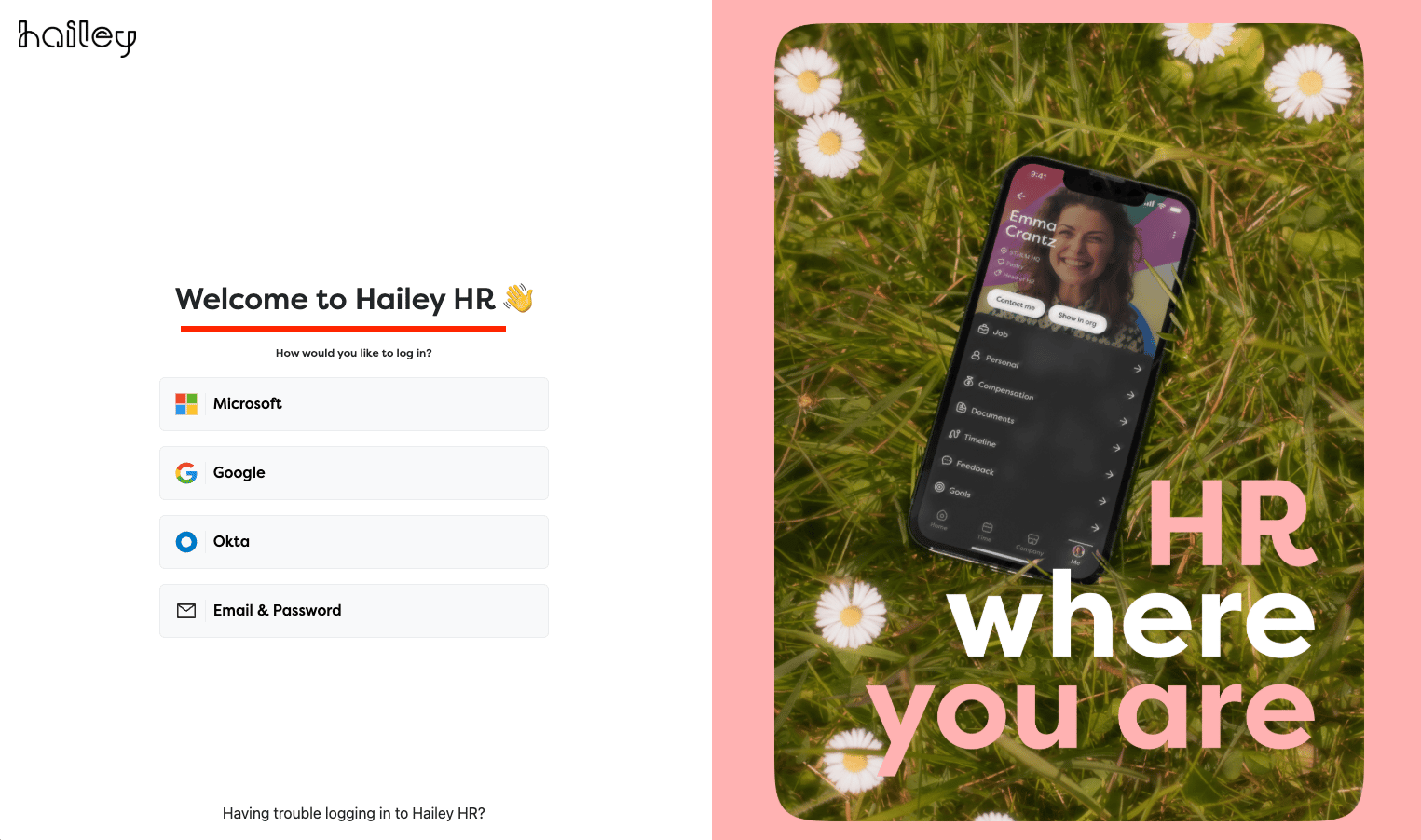
Sign in to Hailey HR
Navigate to the Hailey HR login page and sign in with your credentials.
Enable API Integration
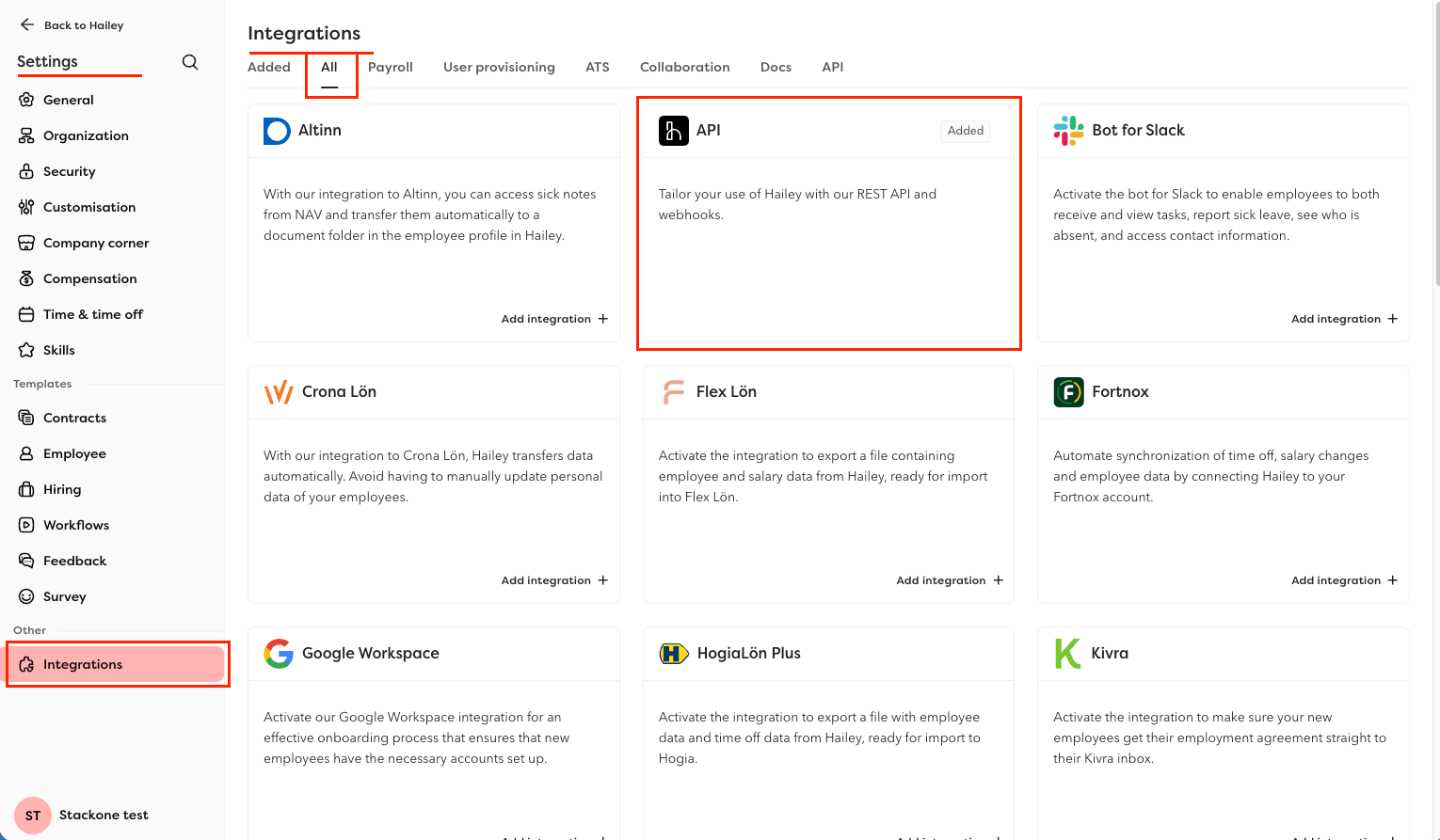
Enable the API integration for your Hailey account.
- Navigate to Settings > Integrations > All tab.
- Find API integration and click the Add Integration + button.
- In the side panel that opens, toggle the integration to `Active`.
- If a list of sub-resources is displayed, ensure you check and include the following: Titles, Company Email, Work Phone, Department, Location.
- Click Save to enable the integration.
Configure Webhook URL
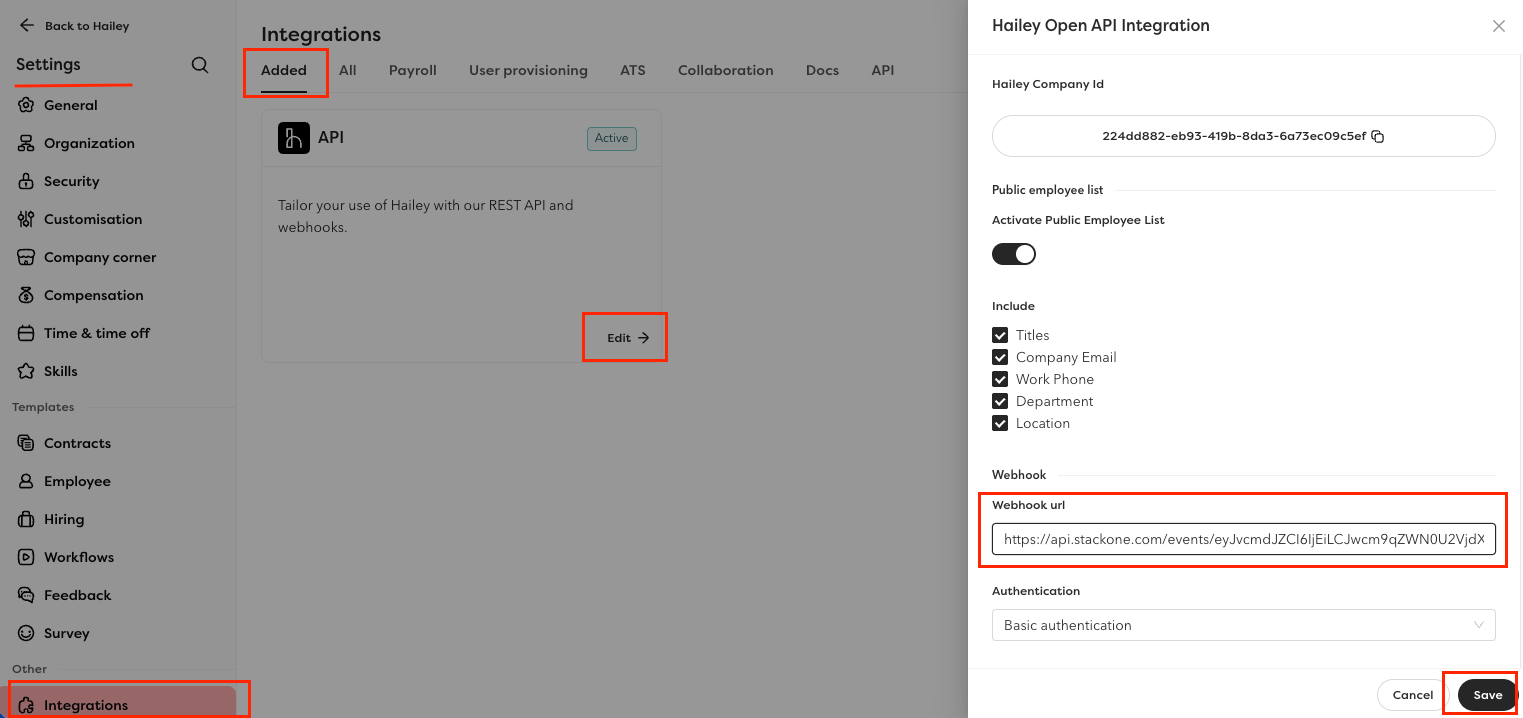
Set up the webhook endpoint so Hailey HR sends employee and company change notifications.
- Click the Edit button to open the configuration form.
- Paste the Native Webhook URL (copied from StackOne Hub form) into the Webhook URI field.
- Click Save to apply the changes.
 ## Verify
Your Connector should now be able to receive and process events. Try triggering an event and you should see an Event appear in the Connector logs.
## Verify
Your Connector should now be able to receive and process events. Try triggering an event and you should see an Event appear in the Connector logs.