> ## Documentation Index
> Fetch the complete documentation index at: https://docs.stackone.com/llms.txt
> Use this file to discover all available pages before exploring further.

# Connect Autumn with API Key – StackOne Hub

> Link a Autumn account in the StackOne Hub using API Key. End-user guide to authorize the integration and start using Autumn actions.

<Warning>By default a new key is created with <strong>Full access (unrestricted)</strong>. Treat it like a password — it grants full access to your Autumn account.</Warning>

<section data-guide-section data-guide-scopes="">
  <h2>Create an Autumn secret key</h2>

  <p>Autumn authenticates with a server-side secret key (it begins with `am_sk_`). Generate one from the <strong>Developer</strong> area of the Autumn dashboard, then paste it into StackOne Hub. Create the key in the environment you want to connect — a <strong>Sandbox</strong> key begins with `am_sk_test_`; a Production key uses the standard `am_sk_` prefix.</p>

  <Steps>
    <Step title="Open API Keys">
      <div data-guide-step data-guide-scopes="" data-guide-display-scopes-list="">
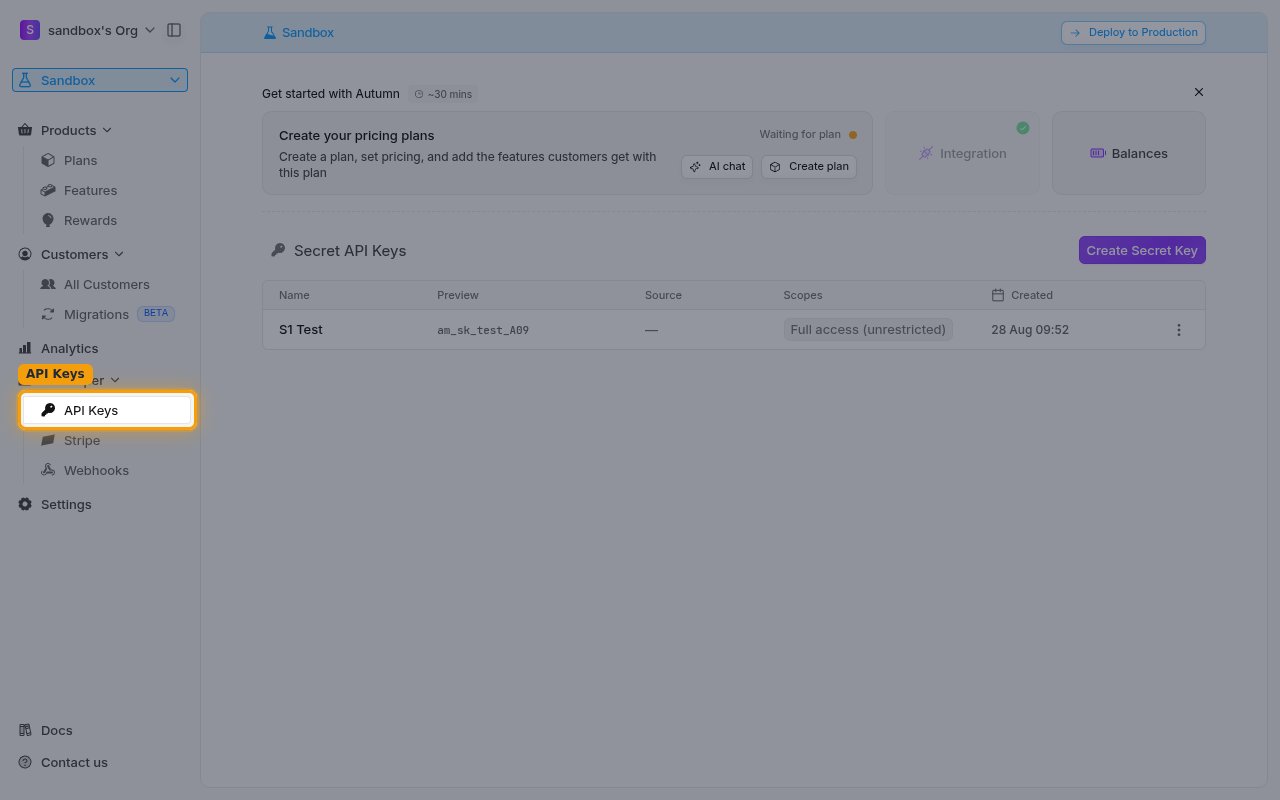
        <p>In the Autumn dashboard sidebar, open <strong>Developer</strong> and select <strong>API Keys</strong>. The <strong>Secret API Keys</strong> panel lists your existing keys.</p>

        <ul>
          <li>Use the environment switcher at the top of the sidebar (<strong>Sandbox</strong> / <strong>Deploy to Production</strong>) to pick the environment you are connecting before creating the key.</li>
        </ul>

        <img src="https://mintcdn.com/stackone-60/TkOBauAZ4BEKk3cx/connectors/autumn/images/custom-config-api-keys.png?fit=max&auto=format&n=TkOBauAZ4BEKk3cx&q=85&s=e7a8cef3284acb8d74cca4026ee9a21a" alt="The Developer API Keys page showing the Secret API Keys panel" width="1280" height="800" data-path="connectors/autumn/images/custom-config-api-keys.png" />
      </div>
    </Step>

    <Step title="Create a secret key">
      <div data-guide-step data-guide-scopes="" data-guide-display-scopes-list="">
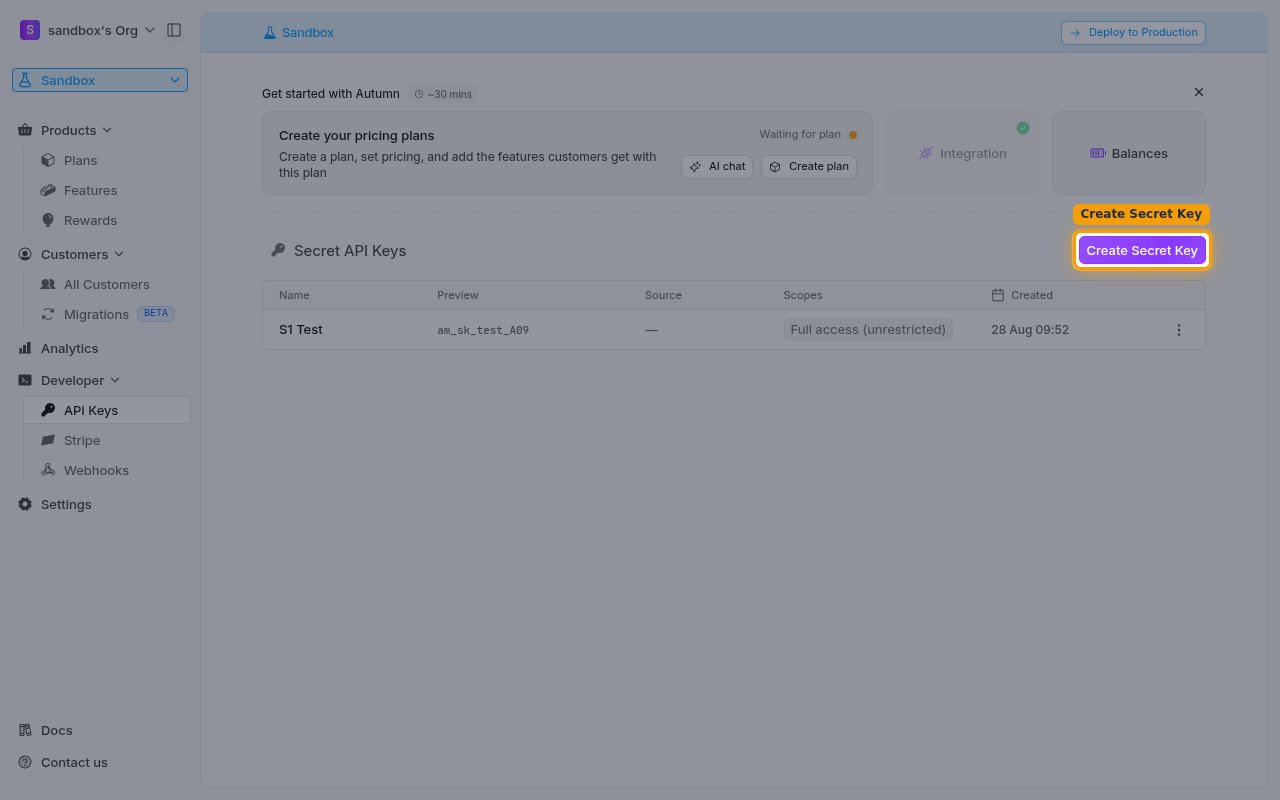
        <p>In the <strong>Secret API Keys</strong> panel, click <strong>Create Secret Key</strong>.</p>

        <img src="https://mintcdn.com/stackone-60/TkOBauAZ4BEKk3cx/connectors/autumn/images/custom-config-create-key.png?fit=max&auto=format&n=TkOBauAZ4BEKk3cx&q=85&s=0aa87c0cfc05603996518c40ff2ae8d8" alt="The Create Secret Key button on the Secret API Keys panel" width="1280" height="800" data-path="connectors/autumn/images/custom-config-create-key.png" />
      </div>
    </Step>

    <Step title="Enter a name and create the key">
      <div data-guide-step data-guide-scopes="" data-guide-display-scopes-list="">
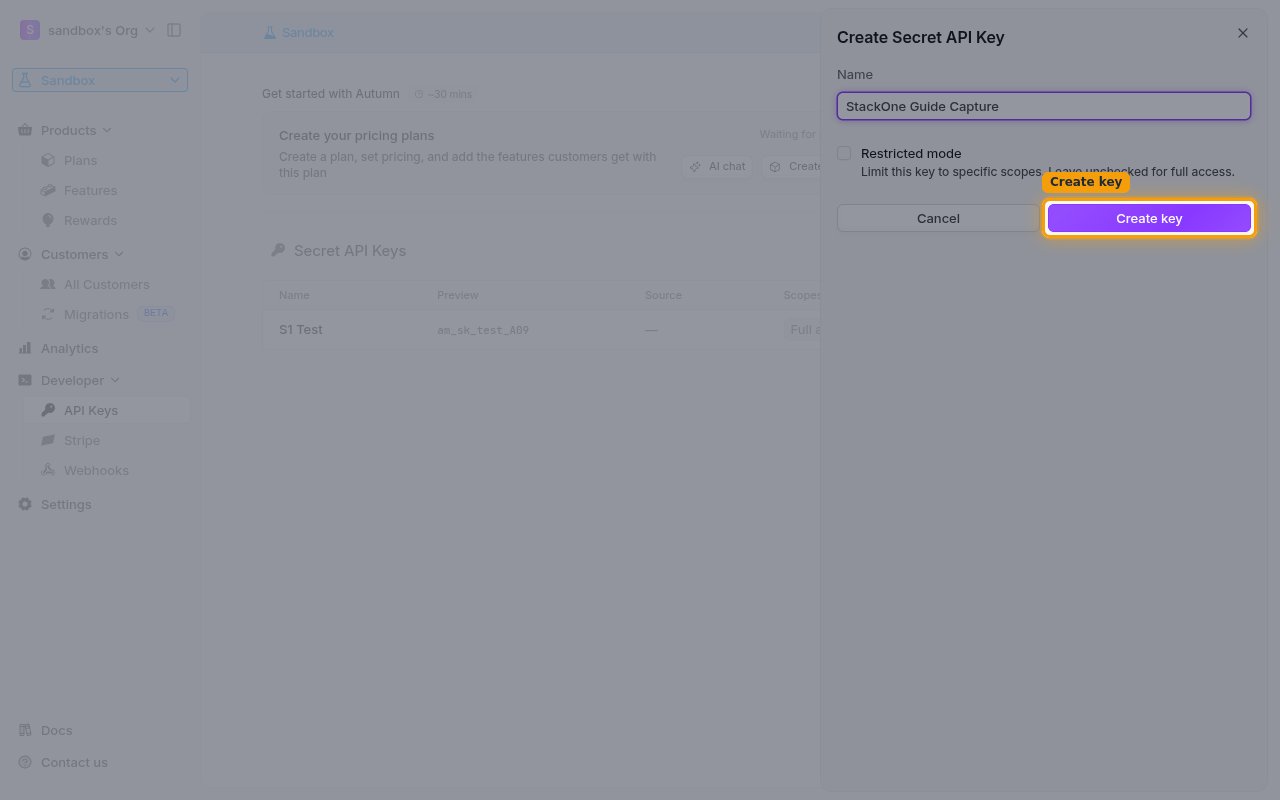
        <p>In the <strong>Create Secret API Key</strong> dialog, enter a <strong>Name</strong> that identifies this integration (for example, StackOne). Leave <strong>Restricted mode</strong> unchecked — its help text reads <strong>Limit this key to specific scopes. Leave unchecked for full access.</strong> Then click <strong>Create key</strong>.</p>

        <img src="https://mintcdn.com/stackone-60/TkOBauAZ4BEKk3cx/connectors/autumn/images/custom-config-name-key.png?fit=max&auto=format&n=TkOBauAZ4BEKk3cx&q=85&s=abce483e30ba79dce94e28b924bed24c" alt="The Create Secret API Key dialog with a name entered and Restricted mode unchecked" width="1280" height="800" data-path="connectors/autumn/images/custom-config-name-key.png" />
      </div>
    </Step>

    <Step title="Copy the secret key">
      <div data-guide-step data-guide-scopes="" data-guide-display-scopes-list="">
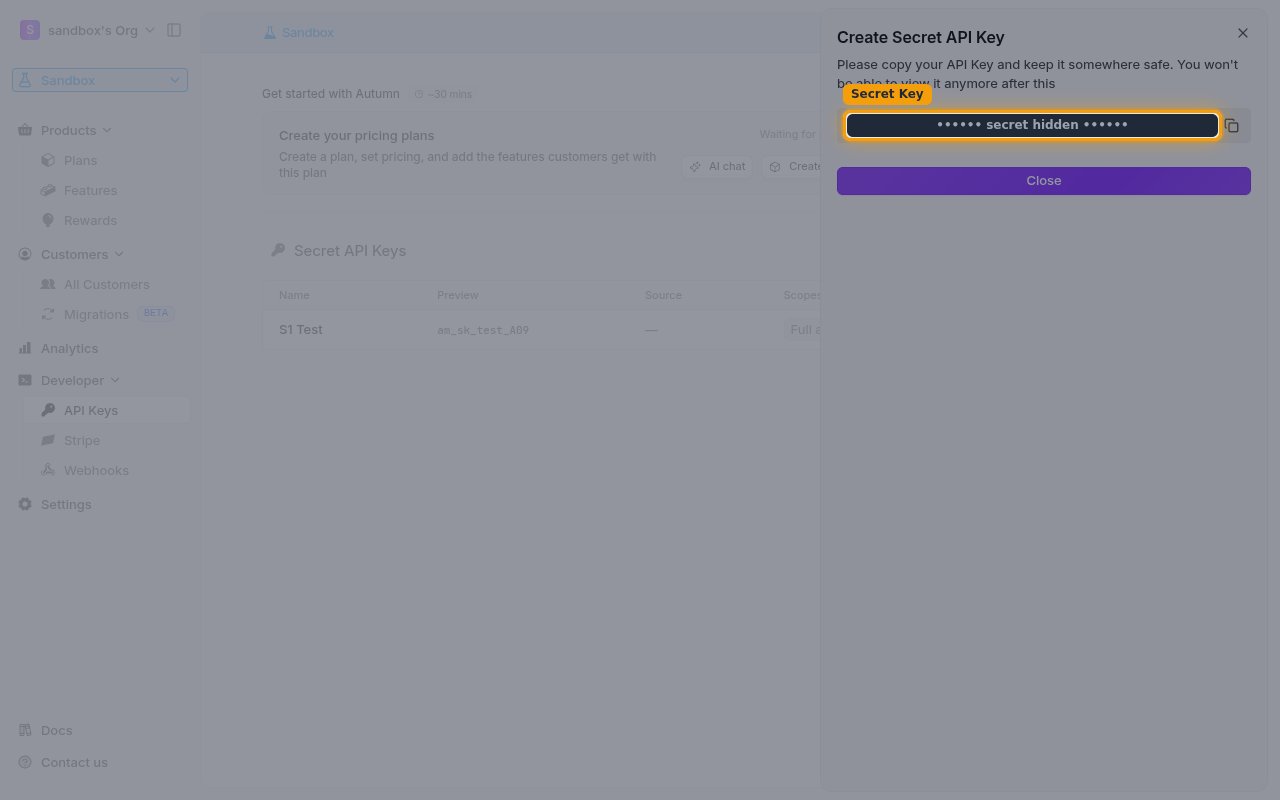
        <p>Copy the generated key using the copy button next to the value. Autumn shows the warning <strong>Please copy your API Key and keep it somewhere safe. You won't be able to view it anymore after this</strong> — store it securely before closing the dialog.</p>

        <ul>
          <li>The full secret key is shown only once and cannot be retrieved later — it cannot be viewed again after you close this dialog. If you lose it, create a new key.</li>
          <li>Paste the value into the <strong>Secret Key</strong> field in StackOne Hub.</li>
        </ul>

        <img src="https://mintcdn.com/stackone-60/TkOBauAZ4BEKk3cx/connectors/autumn/images/custom-config-copy-key.png?fit=max&auto=format&n=TkOBauAZ4BEKk3cx&q=85&s=b332e1e7968726fdda75229189be05fb" alt="The dialog showing the newly created secret key (value hidden) with the copy button" width="1280" height="800" data-path="connectors/autumn/images/custom-config-copy-key.png" />
      </div>
    </Step>
  </Steps>
</section>

<div data-whitelabel-hide>
  <h2>Linking the Account from the Hub</h2>

  <Steps>
    <Step title="Navigate to the Hub">
      Use one of the three <a href="/connect/managing-connectors/linking-accounts">Linking Account Methods</a> to access the Hub.
    </Step>

    <Step title="Fill out the fields">
      Fill out the following fields using details from your provider:

      <ul>
        <li><strong>Secret Key</strong></li>
      </ul>
    </Step>

    <Step title="Connect">
      <ul>
        <li>Click <strong>Connect</strong></li>
        <li>If applicable, the provider will redirect you to a sign-in or authorization page. Complete the provider's authorization flow.</li>
        <li>Once authorization is successful, you will see a confirmation popup</li>
      </ul>
    </Step>
  </Steps>

  <p>If the account linking is successful, you will see the newly linked account in your <a href="/gateway/concepts/linked-accounts">Accounts</a> page.</p>
</div>

## Next Steps

<Columns cols={2}>
  <Card title="Webhooks setup" href="/connectors/autumn/guides/webhook-setup">
    <p className="connector-page-auth-description connector-page-card-text">
      Configure receiving Events for Autumn into StackOne.
    </p>
  </Card>
</Columns>